How to Thoroughly Audit Your Internet Presence

The internet has become the center of our modern world. It’s where we get all of our information, and it’s where most of us communicate with one another. As a result, it’s imperative that your business have a strong online presence. This means maintaining profiles on all relevant social media platforms, as well as employing a strong SEO and content marketing strategy.

But while it’s important to develop a strong internet presence, it’s equally as important to monitor and maintain it. And part of this process involves performing an audit of your online presence to make sure you’re saying everything you want to say about your brand, make sure there’s nothing out there misrepresenting you, and also to check to see if it’s time to update your marketing strategy.

However, this is another case where the why is much easier to understand than the how. You may recognize the need to audit your online presence, but you might not be sure of exactly how to do it, so here are three things every online audit should include.

Check for Negativity

The first thing you’ll want to do when auditing your online presence is to check to make sure no one is saying anything bad about you. Start by simply performing a Google search of your company name. Check the first page of results, but also dig into some of the stuff that comes up on the other pages. You never know if there is a blogger out there who has an ax to grind, and it’s better to identify these issues before they become more serious than they need to be.

If you do find something, there are a few things you could do, such as:

  • Nothing: If there is something out there that is obviously false, or that stands no chance of becoming more mainstream, then it might be best to just leave things as they are, especially if you had to wait until page nine on Google to find something negative. Sometimes drawing attention to these things can be worse.
  • Reach out to whoever posted the negative content: Sometimes a quick email responding to whatever claims this person is making, and also asking them to take down their post, can be enough to bury whatever negativity is out there.
  • Use SEO to bury it: If whatever negative thing is written about you is too big to bury and you can’t get people to take it down, then you may need to get more aggressive. You can hire a reputation management company to help you bury these bad search results further down in Google, for we all know how often people look past the first page of search results.

You’ll also want to spend some time combing through review sites. If your business is on Yelp or Trip Advisor, make sure there aren’t any really negative comments out there. And if you find something, address it. You may not be able to win back a customer with a bad attitude, but you will provide some context to the comment that may soften its significance when future users stumble upon it.

Confirm Consistency

Your online presence is really important for promoting your brand, and one of the most important things when it comes to branding of any kind is consistency. This is because you never know when someone will come into contact with your brand, but you want to make sure that they receive the right message whenever they do.

As a result, a big part of your audit should be making sure that all your messaging is consistent. Take a look at each piece of content on all different channels and ask yourself what these things are saying about your company. But before doing this, make sure you’re clear about what it is you want to say. Then, compare this with what’s out there, and anything that’s off message should be deleted or changed to more accurately reflect the brand message you’re trying to convey.

Study the Numbers

Another thing you should do while auditing your online presence is to figure out what kind of return you’re getting from these efforts. But before doing this, figure out what it is you want to get from each channel. For example, are you looking to convert people into customers? Or do you want people to sign up for your newsletter? Or are you just looking for engagement?

This matters because it will help you identify where your efforts are paying off and where they are not. For example, if you’re spending money on Facebook ads hoping to drive sales, but this isn’t happening, then it’s time to rethink your strategy, or maybe even to drop Facebook advertising from your mix.

Overall, when it comes to digital marketing, quality is always more important than quantity. It may seem smart to be involved on all platforms, but doing so also exposes you to risk; there will always be irrational people. As a result, you need to be sure that this risk is worth it, and an audit of your internet presence will help you figure out if this is the case.

Evaluate Frequently

It’s important to stop and do a full audit at least once if not two or three times a year. But this shouldn’t be the only time you stop to look at your internet presence. Evaluation should be built into your approach, as this will help you identify more quickly when something isn’t working, allowing you to adapt and keep moving without having to deal with unnecessary setbacks.

About the Author: Kevin’s current focus is running Broadband Search, as well as being the owner and founder of several other business. His business ventures have helped make Kevin an expert in digital marketing, and he likes to share his expertise with other business owners whenever he can.

Why Your Marketing Strategy Needs an Update

There are so many things marketers can do that sometimes they lose focus on the overall strategy. Is the approach you have chosen aligned with the goals of your organisation? Are the tactics still relevant? Is your strategy outdated? So, what are the warning signs that you need up update your marketing strategy?

Just plain old

If your strategy is older than two or three years, it’s probably time to update it. With so many updates, technology, platforms and new processes, you need to consistently account for change. Marketing is always developing and at a rapid pace. Anything over three years old can be falling behind. Content marketing, programmatic buying and customer analytics are just a few new tactics you could consider. Try to go over your strategy every twelve months. You don’t have to give it an overhaul, just adapt and update.  Sometimes it helps to make personal improvements, online courses are a great way to keep up to date with industry trends.

Preferences change

There is a stronger focus on health in 2018 compared to ten years ago. The same people are searching for nutritional recipes over junk food recipes.  If your audience is changing, then you must change with them.  If your strategy doesn’t account for change, your audience will go elsewhere.

How do you know if preference has changed? Simply listen to your audience. Surveys, keyword research and trends a just a few ways you can gauge change. Marketers will often forget to listen because they are so focused on what they are going to say. Address changes in your audience.

Lose sight of the overall picture

Because there are so many marketing tactics, we sometimes lose sight of how they will all work together.  How will social, SEO, SEM and email marketing all work together? To avoid this, you need to start with a business strategy. This will help you determine which marketing efforts will help you get there quickest.

Value over volume

In 2018, it’s no longer enough to just turn up the volume; you must have value there. You must integrate value into your strategy. There is plenty of content and information online but is it of value and quality.  People still value high-quality content.

Your brand doesn’t have a unique knowledge base and point of view. Are you demonstrating knowledge and opinion through blogs, articles, webinars, events and other methods to establish yourself as a leader in your field?  If not, you need to start updating your strategy.

Relocate spending

As your business and market change, are you making sure the allocation of marketing budget changes too? Has one marketing channel shown growth or potential over another? Do you have a room in your budget for innovative new tactics? It may be time to reassess your marketing spend.  If the channels you have been using are no longer getting results, you must change things up.  It’s time to relocate your budget to new channels. You can use eVoice virtual numbers to track marketing channels and see which ones are working the best.  

Final thoughts

If any of the above is describing your business or your marketing strategy, it’s time to step back and reassess your marketing strategy. Start with your business your business goals. Then map out tactics and channels that will help you achieve these goals. If you need more clarity, get some help.

Two Prestigious BI Software Awards From FinancesOnline Now Belong To Hitsteps Analytics

Since 2013, Hitsteps Analytics worked on bringing visitor management and monitoring to a new level of efficiency, tracking every move, activity, or function of relevance to your business, and analyzing data in an industry-specific manner. Our product’s beneficial effect on productivity has once again been officially acknowledged by one of popular B2B software review platforms FinancesOnline, which awarded Hitsteps with two of its prestigious quality awards and listed it among popular business intelligence solutions according to their team.

Their team of B2B experts examined how different business intelligence systems meet customers’ expectations, using a standardized evaluation procedure to award and distinguish products that come closest to how an ideal BI system should perform. They were really impressed with the appearance and functionality of our software, and in their Hitsteps review they analyzed its key functions, compared it to several similar systems, and ultimately decided to distinguish it with the 2016 Great User Experience and the Expert’s Choice Award for the current year. As the experts explained, the first of these awards is usually given to vendors who ensure customers will have an enjoyable and easy-to-use system to facilitate business workflows, while the second distinguishes only top performers in the FinancesOnline.com business intelligence software reviews category who are able to offer all vital features expected from an optimal BI solution.

What the team liked the most about Hitsteps is how it tracks each and every move upon the visitor’s arrival, and how it converts those insights into valuable business hints for intelligent decision making. According to them, Hitsteps is one of the rare systems that can track, analyze, and engage visitors at the same time, making it possible for a company to close deals while collecting customer information. In such way, they believe, Hitsteps can handle a dramatic increase in the number of visitors, in a process where all risk of redirecting customers on wrong pages will be eliminated. Among other things they liked, they mentioned reporting as the strongest asset of our system, and praised the idea of including downloadable entry/exit page analysis and reports that help companies retain 100% control of their operations.

How to use Hitsteps Web Analytics & Live Chat on Squarespace?

Squarespace have an integrated basic web statistics, but if you need more features, we’ve got you covered.

You can use Hitsteps Web Analytics and live chat with Squarespace-based websites, we’ve tested it and we provide you with instructions on how to get it running.

We suppose that you have a hitsteps account, if you don’t have, get your account here

Go to your website dashboard in hitsteps.com control panel and get your tracking code:

tracking code hitsteps

You’ll see this page if you register for a new account and add your website.

If you would like to put a live chat widget in your website too, please use code provided in Chat Widgets section in additional to tracking code.

You need to put this code in footer of your Squarespace site, here’s how.

If you have SquareSpace premium, you can follow this steps. Otherwise, follow step below under “For SquareSpace Free Accounts”

From left menu, click on Settings:

Then click on Advanced:

And then Code Injection:

And enter code you copied into Footer area:

For SquareSpace Free Accounts

Login to your Squarespace admin and from left sidebar, click Setting:


how edit footer in square space

Now click on little trigger button to add new content, and add a new “Code” content:

add new code/javascript to squarespace

Enter hitsteps tracking code you copied earlier here. Make sure “Display Source” is unchecked and code type is set to HTML as shown in this picture. click apply:

add javascript code to squarespace

And finally save the changes, and we are ready!

save changes

In case of any issues or questions, please drop us an email


How to boost your online campaigns using Hitsteps?

To get most of your online campaigns, you need to have a good analytics solution to track it for you. Lesson learn while tracking your campaign will be priceless and best experience for your next campaigns.

Measurement is key for success, if you don’t set goals, you’ll never reach your goals! and that’s first step in Hitsteps.

Create your goal in hitsteps. Your goal is ultimate/final page where you want your clients to go or click, and then create campaign start page. Connect your campaign to your goal.

Next step is to Label each key page funnel along the way. It allow you to view where your visitors are at any given stage. You can search visitors based on labels they trigger, or see label tag next to each visitor in Hitsteps dashboard or any other lists. You can make a label for your Landing page, Funnel page, Another funnel page and Final page.

In labels page, you can see progress of each label. you can see exactly how many visitors trigger main page, how many proceed to next page, and how many finally made it to goal page.

In campaign page, you can see those who started campaign but haven’t finished it yet. you can checkout their behaviour in your website to understand why.

Calculating your ROI never been easier.

Don’t go having your next campaign without tracking them first, it’s like throwing eggs down to the floor!

Easy way to Track visitors on Shopify Store

Since we have launched Hitsteps Shopify App last week, we have applied many minor changes to perfect it.

It is a deal breaker for your business and make you be able to understand your visitors in deeper depth.

Here is how to install Histeps Web Analytics on your Shopify:

  1. Open Hitsteps App in Shopify here.
  2. Click on Get to get the app for your store.-2015-10-23_20-43-54
  3. If Shopify Asked you to enter your shop info, enter it. Otherwise go to next step.2015-10-23_20-44-15
  4. Shopify need to ask for Install confirmation. Please Install hitsteps shopify analytics.
  5. You’ll need to create your Hitsteps account (or login if you already have an account in hitsteps) Just fill up the form.2015-10-23_20-41-43
  6. Enjoy looking at flow of your visitors in your newly created hitsteps analytics dashboard.dashboardl

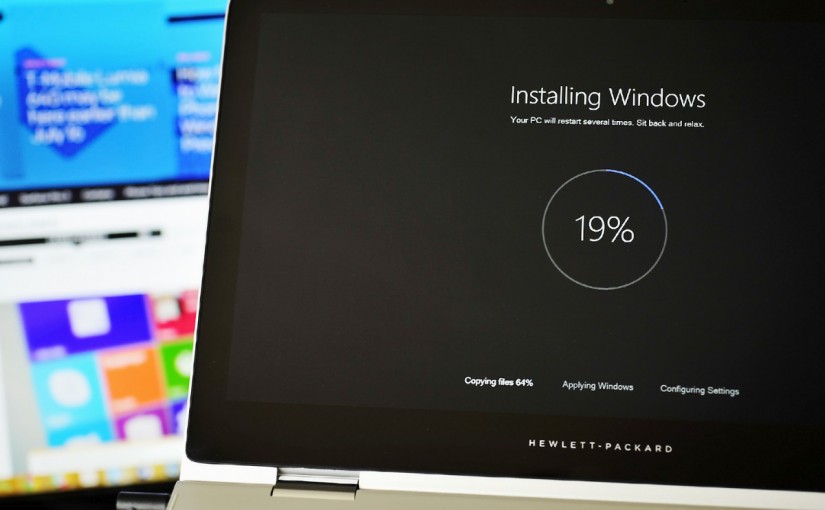
[Solved] Windows 10 update stealing your Internet connection. Disable it immediately

Have you noticed your internet is slower or your data is finishing faster after upgrading to Windows 10?

Hitsteps analytics code in our customers and members website show a huge sudden increase for Windows 10 users, thanks to Microsoft’s automatic update. Just after 1 day of release, 14 million windows users upgraded to Windows 10 and number is increasing, But handling such a huge amount of updates are quite difficult for microsoft, so they are using your computer for it too! Windows 10 is best windows since Windows 7, it actually fixed all mess up caused by Windows 8 and make it look like Windows 7 again!

However, did you know that once you moved to Windows 10, you are sharing your windows updates with the world? Yes, you read it correctly. In short, Microsoft use your computer and your internet connection to distribute Microsoft updates to people around the world. (same way Torrent technology is working) How’s that sound to you if you have a limited traffic quota to use on your Internet and have to be careful about amount of data transferred from/to your computer?
We wish Microsoft disable this feature by default but don’t worry, here is how to disable it.

This feature is called WUDO (Windows update delivery optimization) and aim to speed up update download process (and do a good job in doing it) however it might cost you your internet package if you are not on an unlimited data plan.

How to disable Windows update delivery optimization (WUDO)?

It is very easy. click on start menu, go to setting, open update and security. click on Choose how updates are delivered.

Here it is! You can change it to share updates with only your local PCs only or turn this feature off entirely.

USgSWVl

What it takes to be best web analytics solution available?

Hitsteps do provide free license for most complicated features and we do it for a reason. More users will lead to more feedbacks and ultimately lead to more quality platform for everyone.

We have based direction of hitsteps analytics based on our users feedback. Ask for it and you shall receive. If you don’t see a feature in hitsteps, it is just because you haven’t asked for it yet!

You have asked how to add it to your wordpress website, we provided you a comprehensive plugin which not only integrate hitsteps to your WordPress site, but it also add amazing tracking features for your contact and commerce forms.

You asked about Joomla, we provided you with an easy way. We tried to bring it to Drupal, but drupal teams being very strict about rules, we are still working on it. We don’t (DO!) blame it on them!

Those of you who experienced taste of hitsteps on your wordpress woocommerce site are asking for us to add same implementation for Shopify, we heard you and it is on the way!

Feature wise, you asked for heatmap tracking, you got it. Labels, goals and campaigns? Long time ago!

You said you want live chat with visitors? Isn’t it supposed to be a different service than web analytics? No, it is not if it can be integrated with web analytics to provide details of visitor who is chatting with you.

Now, we want to target you again. As an entrepreneur, as a business owner, manager of website in your company, as a webmaster, an internet shop owner or as a blogger, be it WordPress, weebly, tumblr or just a plain html site, what do you want to know about your website visitors? What features do you think are needed and are essential for a web analytics?

We are giving away free lifetime license to most interesting idea, no matter how big your traffic is!
Drop us a message until end of August and you can be our lucky winner.

Happy brainstorming!

Optimized Mobile Chat for your visitors

In additional to Website Analytics, We have polished, renewed and optimized hitsteps chat for your mobile visitors.

As you know, we updated our entire GUI few months back to make it mobile friendly for our users, however, chat dialog for your own visitors was still using old non-responsive codes.

Today, we are proud to announce that you can chat with your visitors who browse on a mobile phone without making them go nut!

Thanks to our friends at mobilution.io who helped us identify this problem.

WordPress Real-Time Visitor Tracking: Setup Guide

WordPress analytics is most useful when you can move from a traffic total to the visit behind it. Real-time visitor tracking shows who is on the site now, which page they entered, what they viewed next, where they came from, and whether they have visited before.

This guide explains how to install the Hitsteps WordPress plugin, connect your site, verify that tracking works, and solve the issues that most often prevent analytics from appearing.

What real-time visitor tracking adds to WordPress

A standard pageview chart helps with trends. A live visitor timeline helps with questions that are happening now:

  • Which page is a current visitor reading?
  • Did a campaign visitor continue to a product, pricing, or contact page?
  • Where did a form lead or WooCommerce shopper enter the site?
  • Is a repeat visitor returning to the same service or product?
  • Did a redesign, cache change, or consent banner stop tracking?

Hitsteps combines the live feed with referrers, campaign data, devices, approximate locations, page paths, returning visitor profiles, click heatmaps, goals, labels, triggers, and live chat context. See the complete real-time visitor tracking overview before installation if you want to understand the resulting dashboard first.

Before installing the WordPress analytics plugin

You need:

  • Administrator access to a self-hosted WordPress website
  • A Hitsteps account and website profile
  • The Hitsteps API key assigned to that website
  • Permission to configure analytics and consent for the site

The maintained plugin and its current compatibility details are available on the official Hitsteps WordPress.org listing. For screenshots and the shortest setup path, keep the Hitsteps WordPress installation guide open in another tab.

How to install Hitsteps on WordPress

1. Create or open the Hitsteps website profile

Sign in to Hitsteps, add the WordPress site if it is not already present, and copy the API key for that exact website. The API key identifies the destination account and site; it is different from a full manual tracking-code snippet.

2. Install the plugin from WordPress

  1. Open Plugins → Add New Plugin in WordPress administration.
  2. Search for Hitsteps.
  3. Install the Hitsteps visitor analytics plugin.
  4. Activate it for the current site.

If your hosting workflow requires a ZIP upload, use the download provided on the WordPress setup page, then upload it through the Add Plugin screen.

3. Paste the API key and save

Open the Hitsteps plugin settings, paste the API key without spaces, and save. The plugin adds the official Hitsteps tracking script to public WordPress pages.

4. Clear every relevant cache

Clear the WordPress page cache, optimization-plugin cache, host cache, and CDN cache after installation. A cached HTML page created before activation may not contain the new tracking tag yet.

5. Verify your own visit in real time

  1. Open the public website in a private window or another browser.
  2. Visit two or three pages.
  3. Open the Hitsteps live dashboard.
  4. Confirm that the visit appears and the page changes are recorded.

Do not stop after seeing the plugin marked “Active.” The live test proves that the public page contains the tag, the browser can load it, and the collection endpoint is receiving data.

Hitsteps WordPress real-time visitor tracking dashboard
After installation, verify a real public visit and its page path in the Hitsteps live dashboard.

Common WordPress tracking problems

The plugin is active, but no visitors appear

View the source of a public page and search for “Hitsteps” or “edgecdnplus.” If the script is missing, clear caches and confirm the plugin is active for the correct WordPress site. If it is present, check the browser console and network panel for Content Security Policy errors, blocked requests, or JavaScript failures.

The same visit appears twice

Look for duplicate installation. Hitsteps may have been added through the plugin and also through Google Tag Manager, a theme footer, a header/footer injection plugin, or a previous manual snippet. Keep one intended installation path per page.

Only some pages are tracked

Compare a working page with a missing page. Landing-page builders, checkout templates, membership areas, cached mobile variants, and external subdomains can use different layouts. Confirm the tracking script is present on every public template that should be measured.

Tracking stopped after enabling a consent banner

Review the consent tool’s category and script-blocking configuration. The website should respect the visitor’s privacy choice while consistently applying your intended analytics behavior after consent is granted or denied.

A CDN or security plugin blocks the script

Check JavaScript delay settings, script-combination rules, Content Security Policy headers, firewall logs, and CDN transformations. Exclude the Hitsteps loader from an optimizer only when testing proves that the optimization changes or blocks it.

Use real-time analytics for WordPress content and leads

Once tracking is verified, create a small workflow instead of watching the live feed without a purpose.

  • Publishers: compare entry articles, related-link clicks, reading paths, and returning readers.
  • Lead-generation sites: review the pages and campaigns that preceded a contact-form submission.
  • WooCommerce stores: connect product and checkout journeys with traffic sources and returning visitors.
  • Membership sites: associate a known customer only when the site legitimately supplies an allowed identifier after login or another direct interaction.
  • Support teams: use page and visitor context when a live conversation begins.

Related guides: contact form analytics and WooCommerce analytics integration.

Add click heatmaps to the WordPress workflow

Click heatmaps help answer a different question from the visitor feed: which page elements attract interaction? Use them on important landing pages, pricing pages, product pages, and long articles to find ignored calls to action, misleading visual cues, and navigation choices.

A heatmap is more useful when you also inspect the traffic source, device, page path, and outcome behind the clicks. The website heatmap guide explains a practical review process and the product scope.

WordPress analytics privacy checklist

  • Describe analytics collection in the website privacy notice.
  • Configure consent behavior for the countries and visitors you serve.
  • Collect identifiable fields only with a valid legal basis.
  • Restrict dashboard access to team members who need it.
  • Exclude staff or test traffic when it would distort business reports.
  • Review retention and account settings before tracking sensitive workflows.

An anonymous visit does not automatically reveal a real person. Visitor profiles can preserve browser-level history, while known account or customer context should be attached only through an intentional and permitted integration.

WordPress real-time visitor tracking checklist

  1. Create the correct Hitsteps site profile.
  2. Install and activate the official WordPress plugin.
  3. Paste the matching API key.
  4. Clear WordPress, host, and CDN caches.
  5. Verify one public visit and multiple pageviews.
  6. Check for duplicate manual or tag-manager installations.
  7. Test accepted and denied consent states.
  8. Choose the pages, campaigns, goals, heatmaps, and alerts your team will actually review.

Ready to begin? Follow the focused Hitsteps WordPress plugin setup guide, then verify your visit in the live dashboard before treating installation as complete.