1
Copy your tracking code
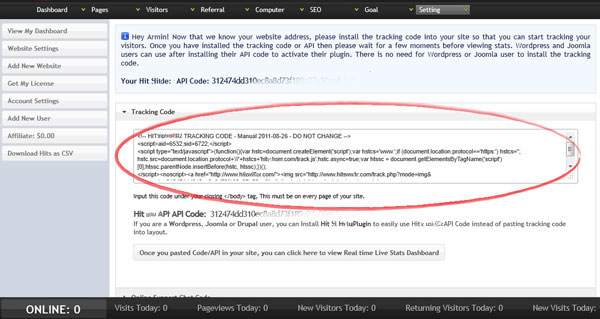
Open Hitsteps and copy the full tracking code for your Tumblr site.
Blog platform
Tumblr can run Hitsteps when you paste your tracking code into the theme customization area.
 Theme customization
 Install guide
Open Hitsteps and copy the full tracking code for your Tumblr site.
Log in to Tumblr and click the blog name in the dashboard.

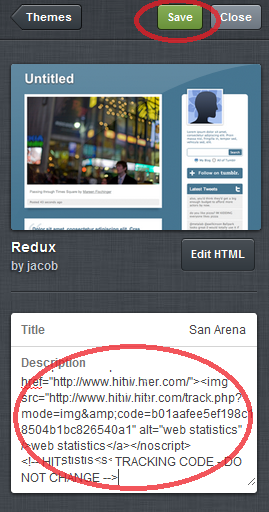
Open Customize Appearance so you can edit your theme fields.

Paste the Hitsteps tracking code into the Description field or the custom HTML area, then save.
Open your blog in a browser tab and check your Hitsteps dashboard for the online visitor.