Hitsteps vs FullStory

A FullStory alternative that adds real analytics to click heatmaps

FullStory is a session replay and product analytics platform. Hitsteps is a web analytics tool that includes click heatmaps, so you see where visitors click and where they came from, without running two products.

If your main question is "which parts of this page get clicks, and which traffic source brings those visitors?", Hitsteps answers it in one place.

  • Click heatmaps for your pages
  • Real-time visitors · traffic sources · UTM campaigns
  • Goals · goal revenue · segments · live chat
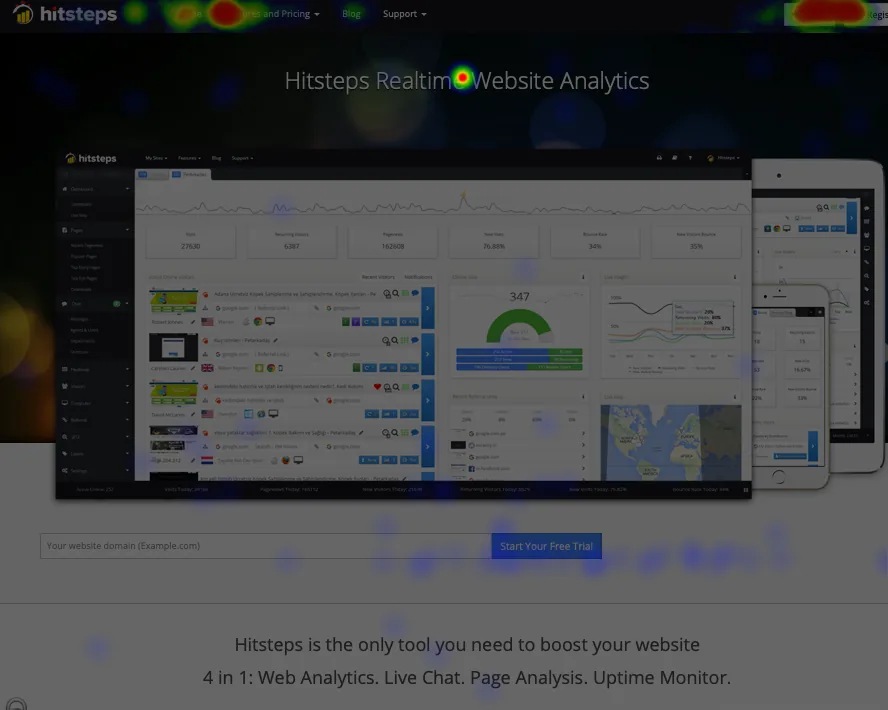
Click heatmap on a web page
Which one fits

Choose by the question you need answered

Choose Hitsteps if

You want click heatmaps and your traffic, campaign and goal numbers together, with real-time visitors and no extra tool to manage.

Website heatmap tool Try the live demo — no signup

Session recording is off until you turn it on for a website and captures a daily sample of visits. Availability depends on your plan and account, as shown in your dashboard. Session recording.

What FullStory offers

FullStory offers session replay, frustration signals and product analytics. Hitsteps also records and replays sessions, with form and error tracking beside them.

Campaign attribution

See which UTM campaign or ad source brought the visitors you are studying.

UTM attribution

Frequently asked questions

Is Hitsteps a FullStory alternative?

If you mainly want to see where visitors click and how people reach your pages, yes: Hitsteps combines click heatmaps with real-time visitor analytics, traffic sources and goals. FullStory is a behaviour-research product; Hitsteps does not offer everything it does.

What does Hitsteps do that FullStory does not?

It is a full web analytics tool, so traffic sources, UTM campaigns, goals, goal revenue, live visitors and segments sit next to the heatmaps.

What does FullStory do that Hitsteps does not?

FullStory focuses on behavioural data and product analytics for larger teams. Hitsteps records and replays sessions too, but does not offer FullStory's product analytics.

How is pricing different?

FullStory sells paid plans. Check www.fullstory.com for current prices. Hitsteps plans are on the pricing page; compare the limits for your traffic before choosing.

Can I try Hitsteps heatmaps before switching?

Yes. Sign up, add the tracking code, and run the click heatmap next to your current tool. You do not need to remove FullStory first.

FullStory

FullStory details are summarised from its public website and may change. See FullStory pricing and www.fullstory.com for current plans. FullStory is a trademark of its owner; this page is not affiliated with or endorsed by FullStory. Checked 30 Oct 2026.

Related comparisons

Comparing more than two tools? Read the Hotjar comparison, the Mouseflow comparison and the best website heatmap software in 2026.

Try click heatmaps on your own site

Add the tracking code, open a heatmap for a key page and see which elements get the clicks.

Start watching real visitors free

Hitsteps vs FullStory: key differences

NeedHitstepsFullStory
Live visitors as they browseYes: open an active visit and follow its page path as it happens.FullStory focuses on session replay and product analytics.
Click heatmapsYes, from the Growth plan.Yes: FullStory includes click heatmaps on its plans.
Live chat with visitorsYes, from the Starter plan.Not listed as a FullStory feature.
Free planYes: 1 site, up to 2,000 pageviews/month, 14 days of history.FullStory Free is a permanent free plan with 30,000 monthly sessions and 12 months of retention (pricing page, checked 30 Oct 2026).
Session recordingYes, on Pro and higher plans and in the free Pro trial. Page text is masked by default. Recording stays off until you turn it on for that site.Yes: FullStory offers session replay (source, checked 7 Nov 2026)
Form analyticsYes, on Pro and higher plans: starts, submissions and visitors who left without submitting. Typed values are never stored.An abandoned-form event for funnels; a field-level form report is not listed (source, checked 7 Nov 2026)
Error trackingYes, on Pro and higher plans: JavaScript, network and missing-page errors, each linked to the recorded visit.Yes: console and network errors in replay when data capture is on (source, checked 7 Nov 2026)