1
Open Extensions installer
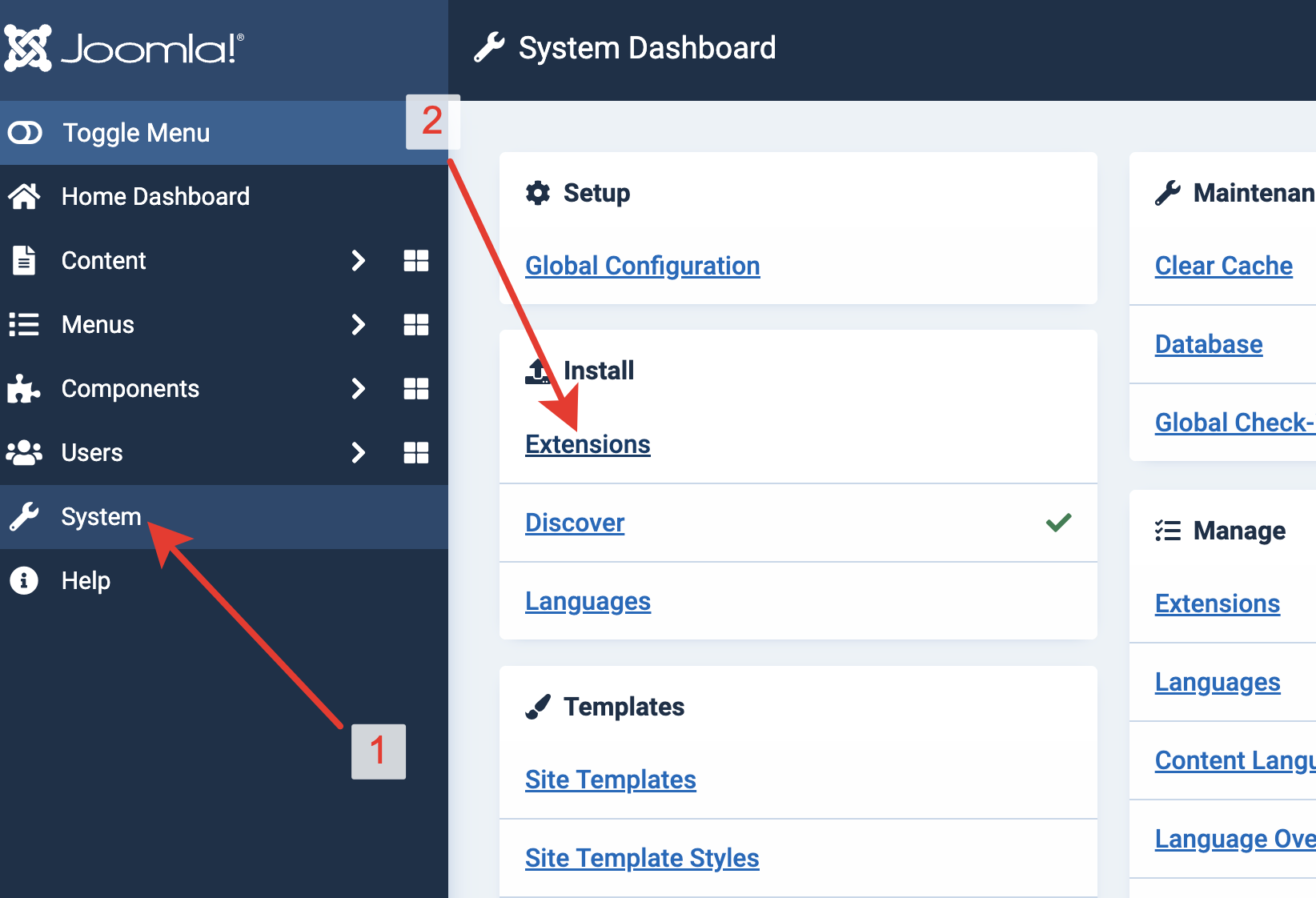
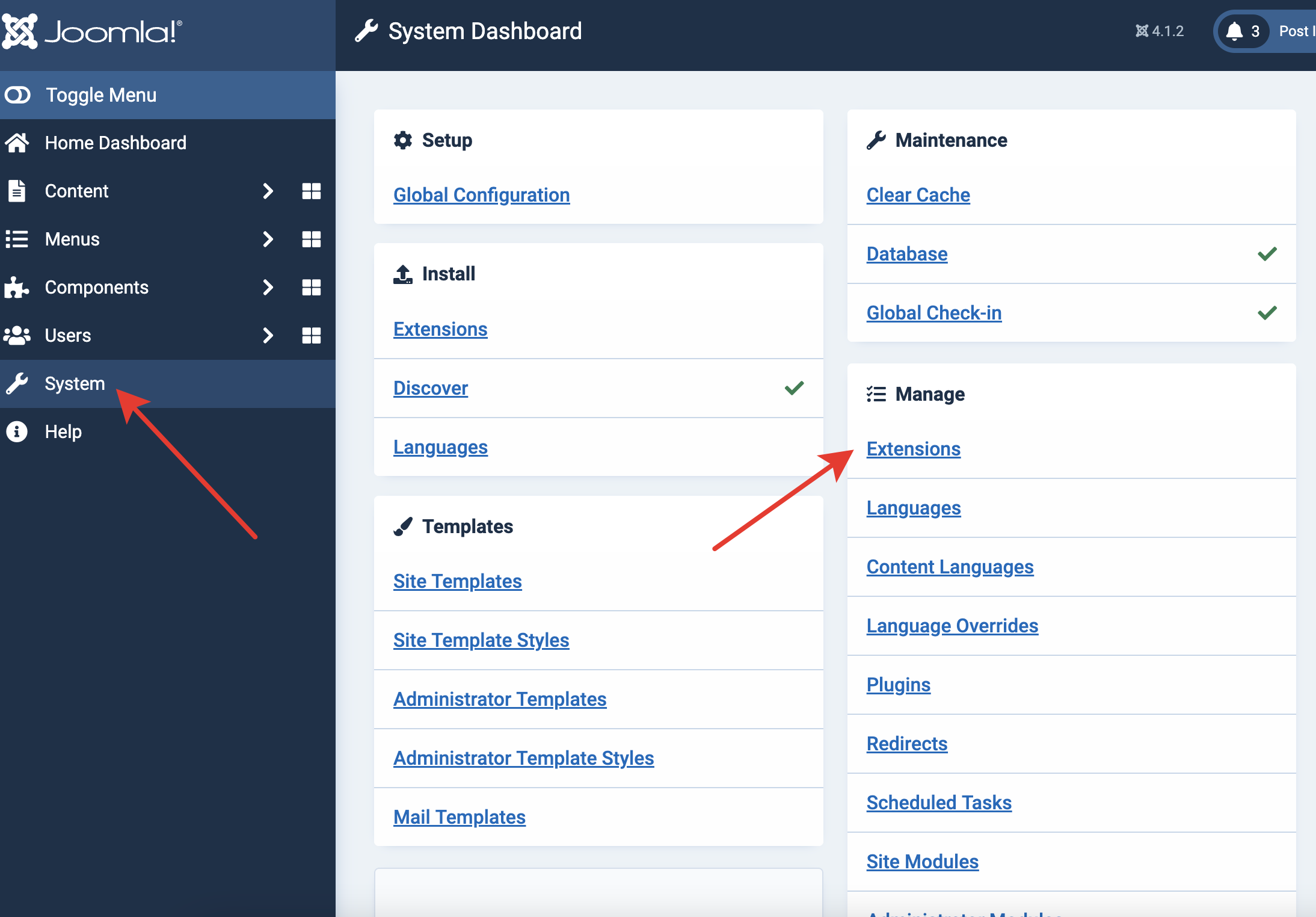
In Joomla administrator, open System from the left sidebar. Under Install, choose Extensions.
Archived CMS extension
แพ็กเกจ Joomla มีคอมโพเนนต์ ส่วนขยาย และโมดูลของ Hitsteps ดาวน์โหลดและติดตั้งจากส่วนผู้ดูแล Joomla แล้วเพิ่ม API key ของคุณ
 Joomla 2.x to 4.x
 Guide version
Version 2.08 is archived for websites that cannot yet อัปเกรด Joomla. It receives no compatibility or security updates; use version 3 on Joomla 5 and 6.
In Joomla administrator, open System from the left sidebar. Under Install, choose Extensions.
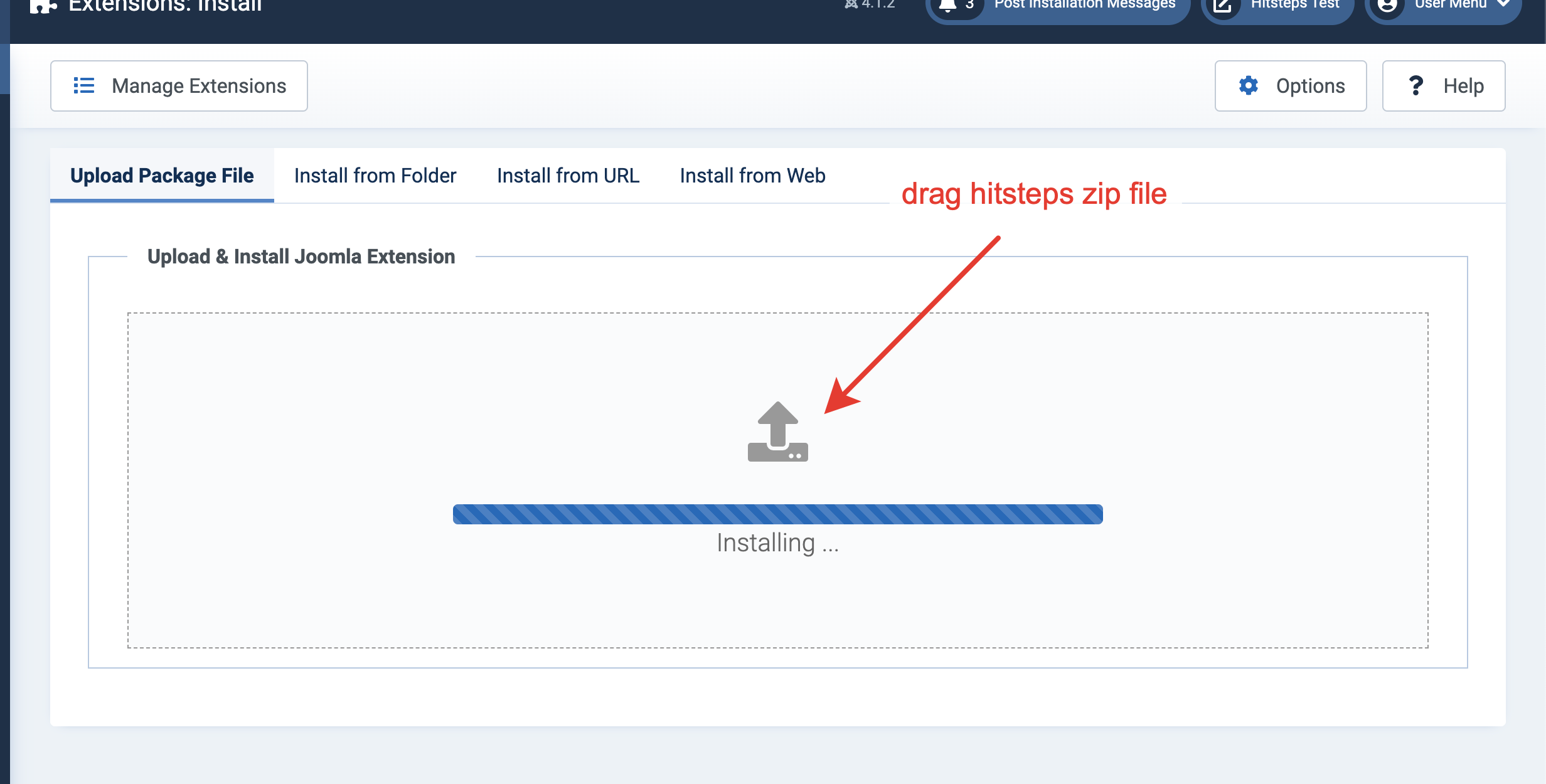
Drop the downloaded Hitsteps extension into the upload area or choose the file manually.
After installation succeeds, go back to System and open ปลั๊กอิน under Manage.
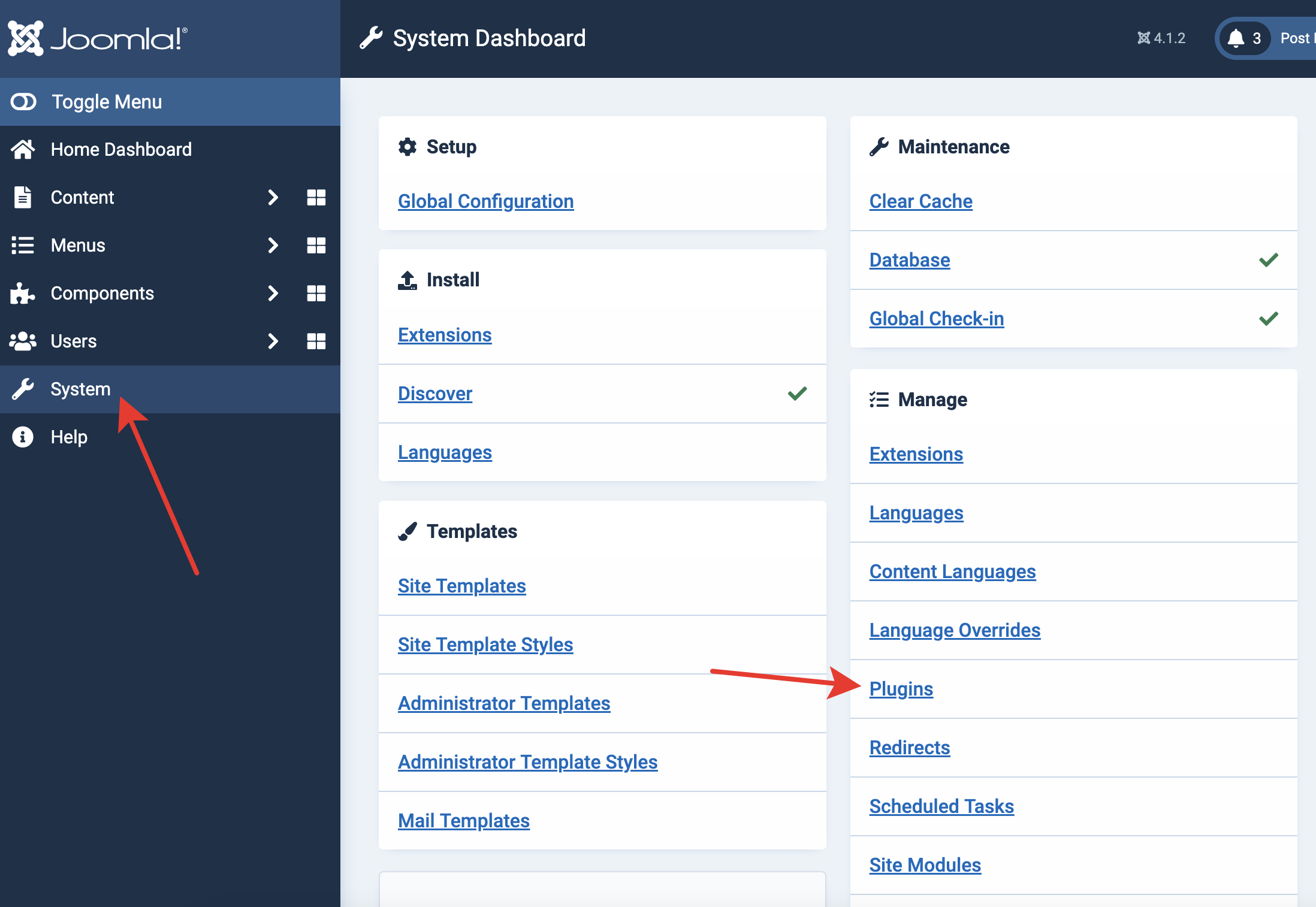
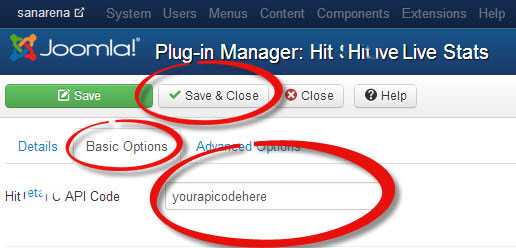
Find the Hitsteps ปลั๊กอิน, paste your API key, and save the changes.
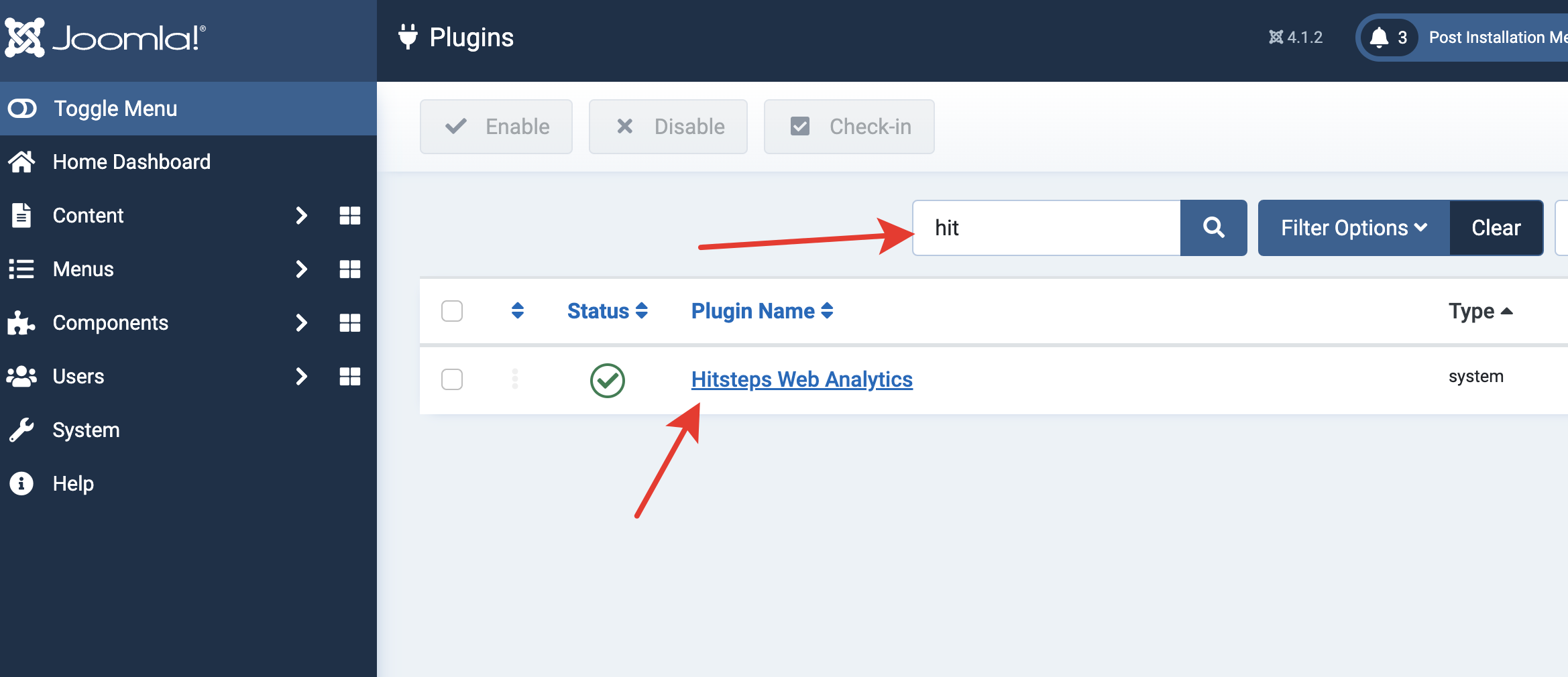
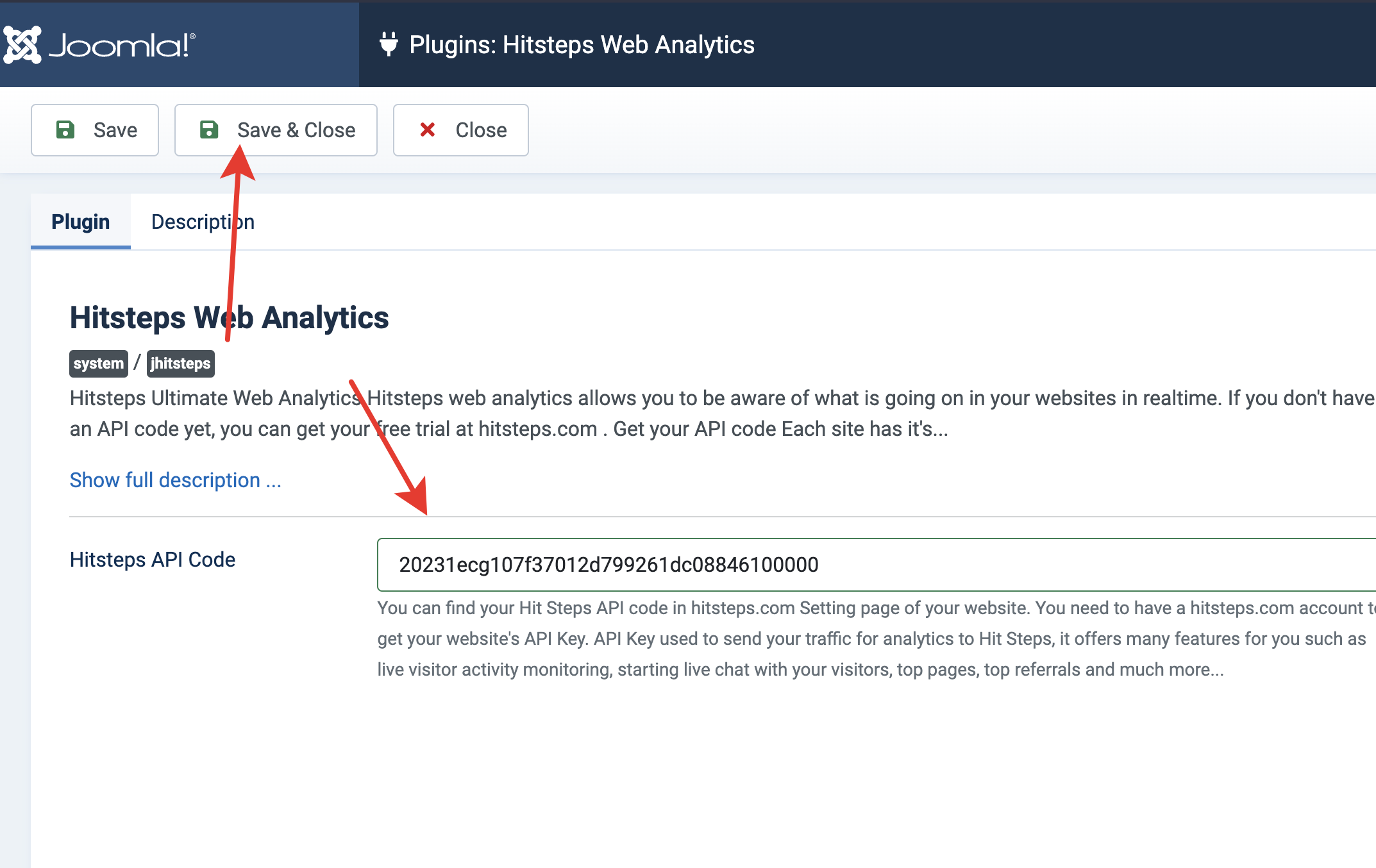
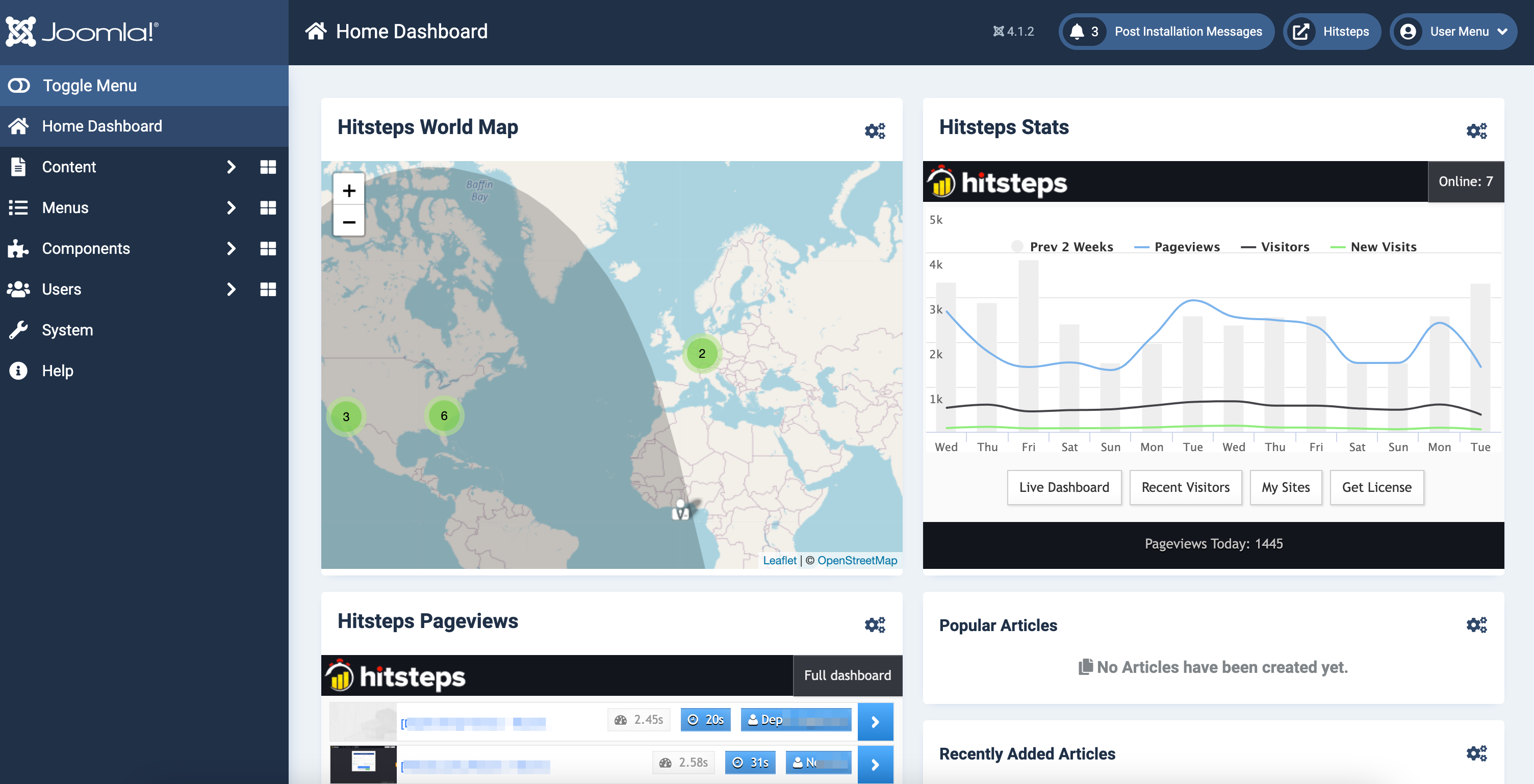
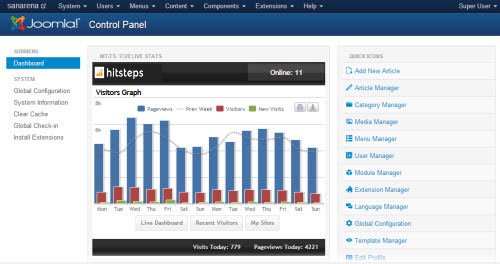
Enable the administrator modules if you want a Hitsteps summary in your Joomla control panel.
Log in to Joomla administrator and open Extension Manager.
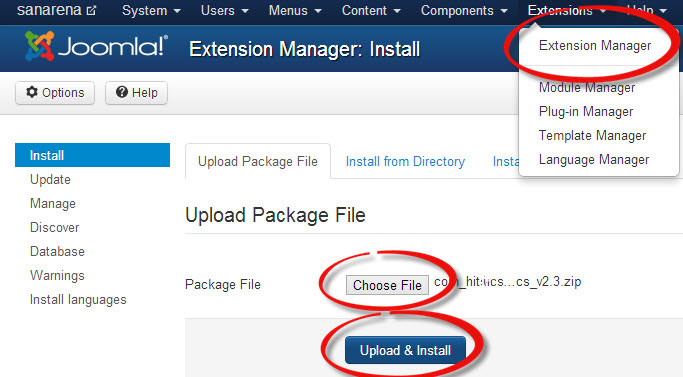
Choose the downloaded extension file and click Upload and Install.
Use the Extensions menu to open ปลั๊กอิน Manager.
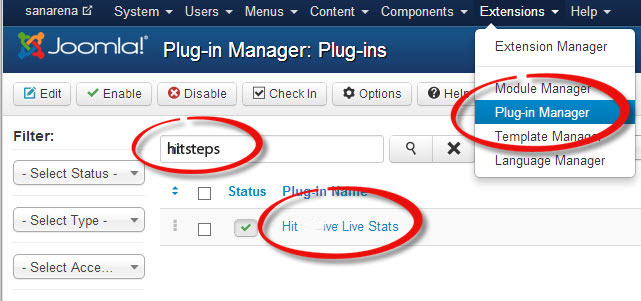
ค้นหา Hitsteps เปิดปลั๊กอิน ใส่ API key ใน Basic Options แล้วบันทึก
การเข้าชม your website and open the Joomla control panel to confirm Hitsteps is receiving ทราฟฟิก.
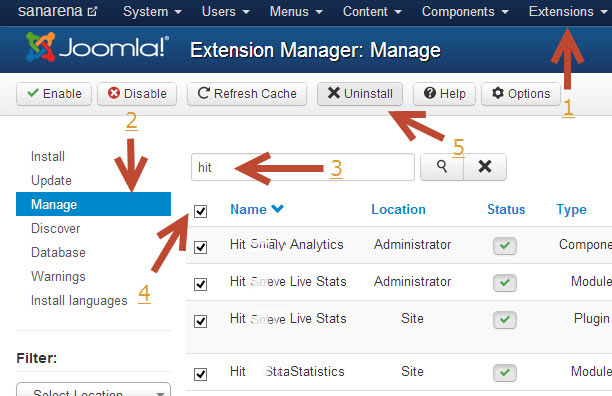
Open System, then Extensions under Manage. Find Hitsteps, select it, and click ถอนการติดตั้ง.
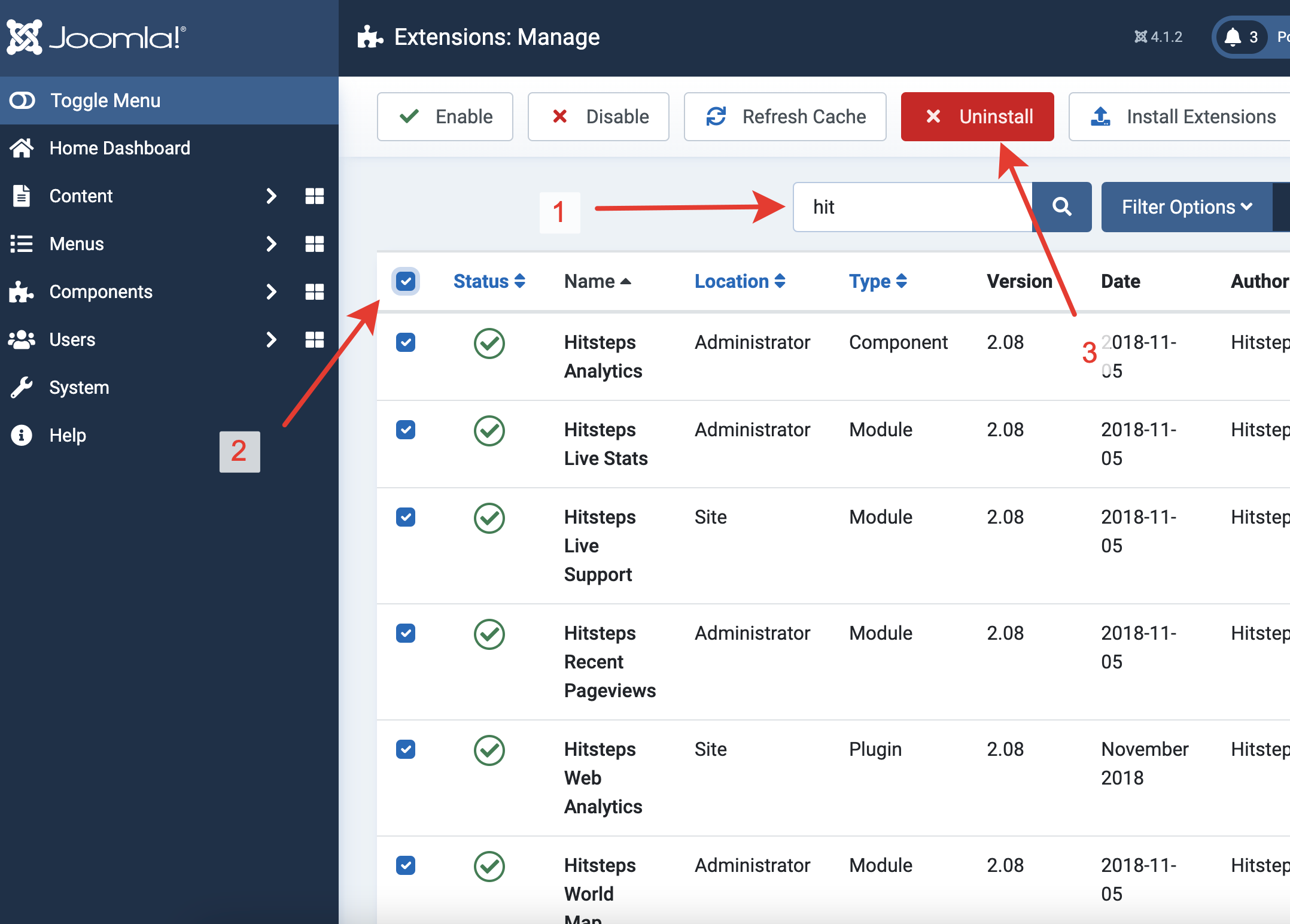
Open Extensions, then Manage. Select the Hitsteps ปลั๊กอิน and click ถอนการติดตั้ง.