เครื่องมือสร้างเว็บไซต์

ติดตั้ง Hitsteps บน Wix

Copy your API key, place the HTML embed on all pages, publish the site, and check your live แดชบอร์ด.

ก่อนเริ่ม

สิทธิ์เข้าถึงตัวแก้ไข Wix
บัญชี Hitsteps หรือพร้อมสร้างบัญชีระหว่างตั้งค่า
API key Hitsteps ของคุณ

คู่มือการติดตั้ง

Wix การตั้งค่า

1

เพิ่มแอป HTML embed

เปิด Wix แอป Market ค้นหา HTML แล้วเพิ่มแอป HTML iFrame / Embed ลงในเว็บไซต์ของคุณ

2

วางไว้ในทุกหน้า

ในตัวแก้ไข Wix ให้เพิ่ม HTML iframe จากส่วน More แล้วเปิดตัวเลือก Show on all pages
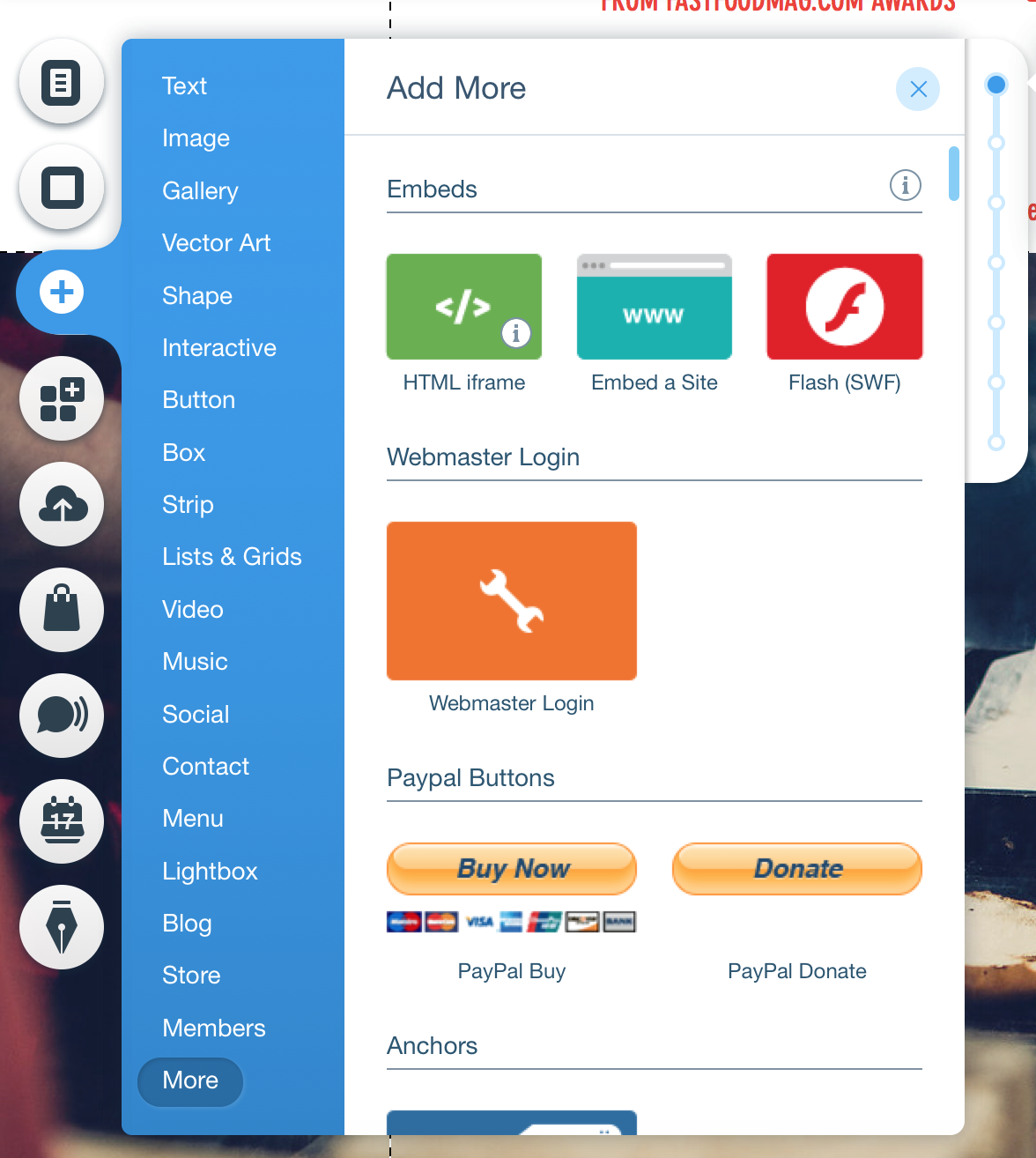
เพิ่ม HTML iframe ของ Wix
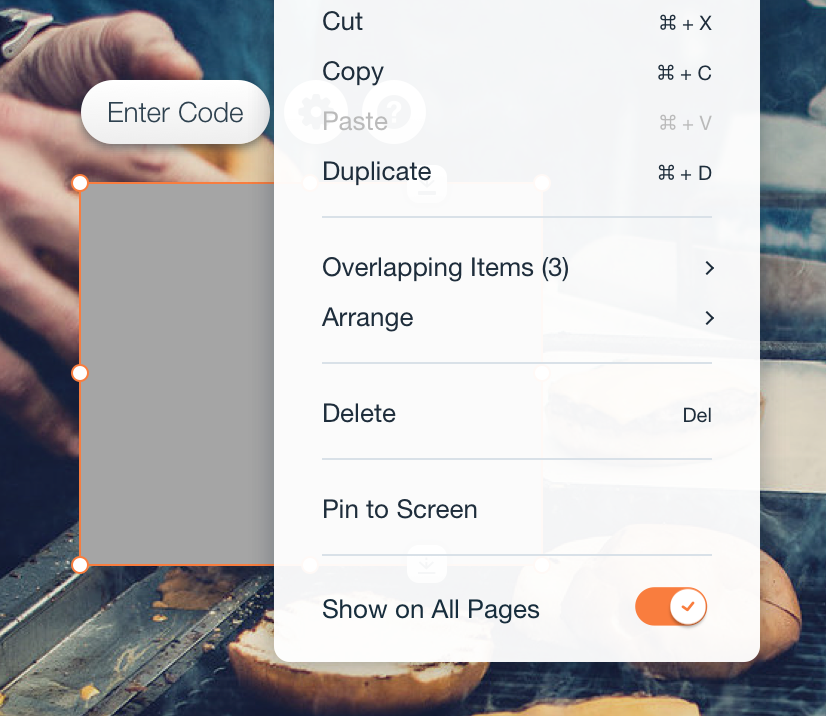
Show Wix วิดเจ็ต on all pages
3

Paste the Wix การติดตาม สแนปเป็ต

Copy this สแนปเป็ต into the embed โค้ด area. Replace YOURAPICODE with your Hitsteps API key.

4

บันทึกและเผยแพร่

Save the วิดเจ็ต, publish your Wix site, then verify the ผู้เยี่ยมชม in your Hitsteps live แดชบอร์ด.

ควรรู้

  • Hitsteps does not have a Wix แอป Market listing, so use the embed.
  • อย่าปล่อย YOURAPICODE ไว้ในสแนปเป็ตแบบติดตั้งเอง ให้แทนที่ด้วย API key จาก Hitsteps
  • สแนปเป็ตแบบติดตั้งเองจะตรวจการเปลี่ยนนำทางของ Wix เพื่อให้นับการเปลี่ยนหน้าภายในเว็บหน้าเดียวได้ถูกต้อง
  • Place only one copy of the Hitsteps โค้ด on each page.

หลังติดตั้ง

เหตุผลที่เว็บไซต์ Wix เชื่อมต่อกับ Hitsteps ไว้

The embed counts single-page Wix การนำทาง, so page changes after the first load still show in Hitsteps.
Hitsteps gives Wix owners live ผู้เยี่ยมชม profiles, ผู้ส่งต่อ, behavior context, and แชท-ready สัญญาณ after installation.