1
打开扩展安装器
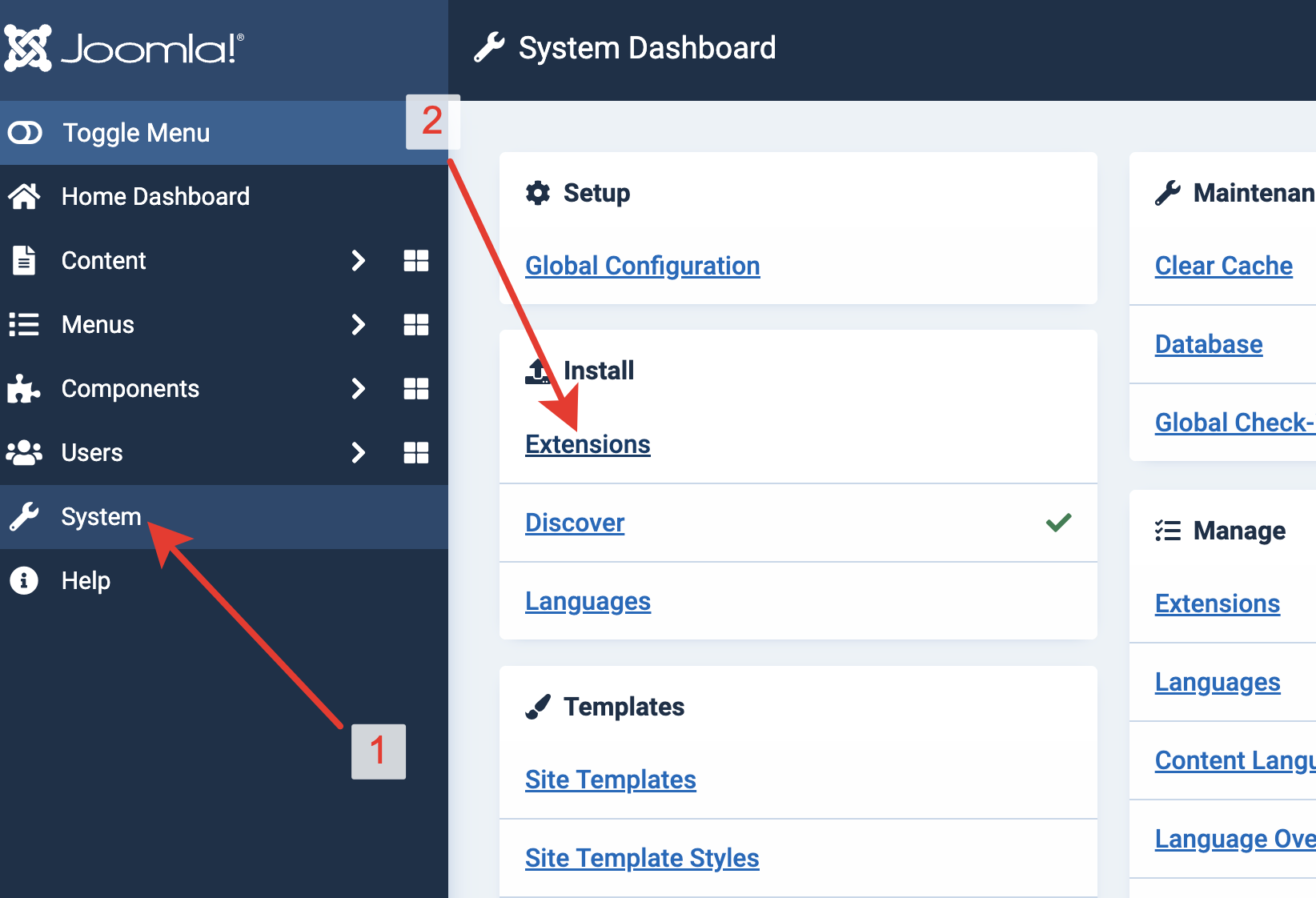
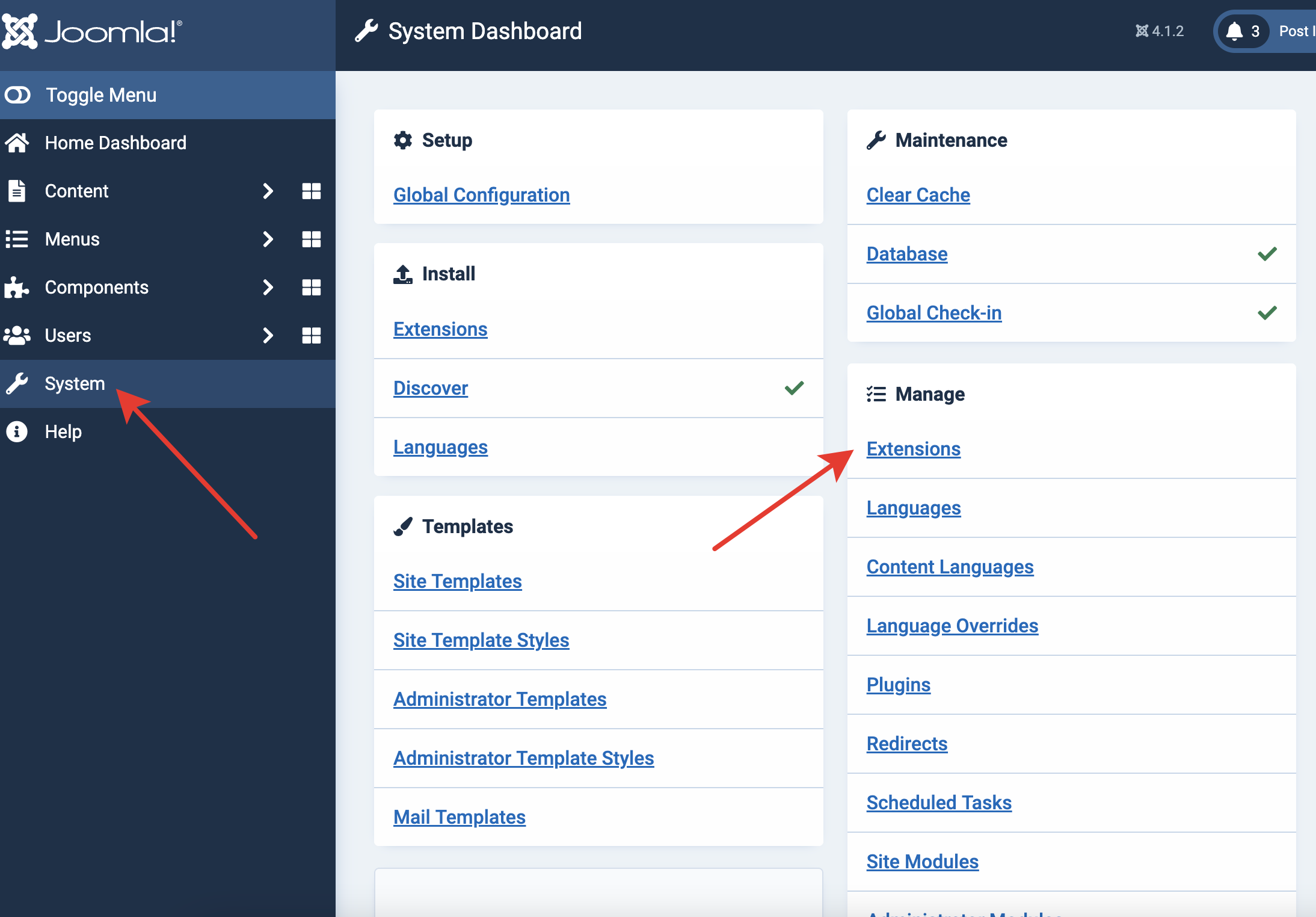
在 Joomla 管理后台,从左侧边栏打开“系统”。在“安装”下选择“扩展”。
Archived CMS extension
Joomla 包包含 Hitsteps 组件、扩展和模块。下载后从 Joomla 管理后台安装,然后添加 API 密钥。
 Joomla 2.x 到 4.x
 Guide version
Version 2.08 is archived for websites that cannot yet upgrade Joomla. It receives no compatibility or security updates; use version 3 on Joomla 5 and 6.
在 Joomla 管理后台,从左侧边栏打开“系统”。在“安装”下选择“扩展”。
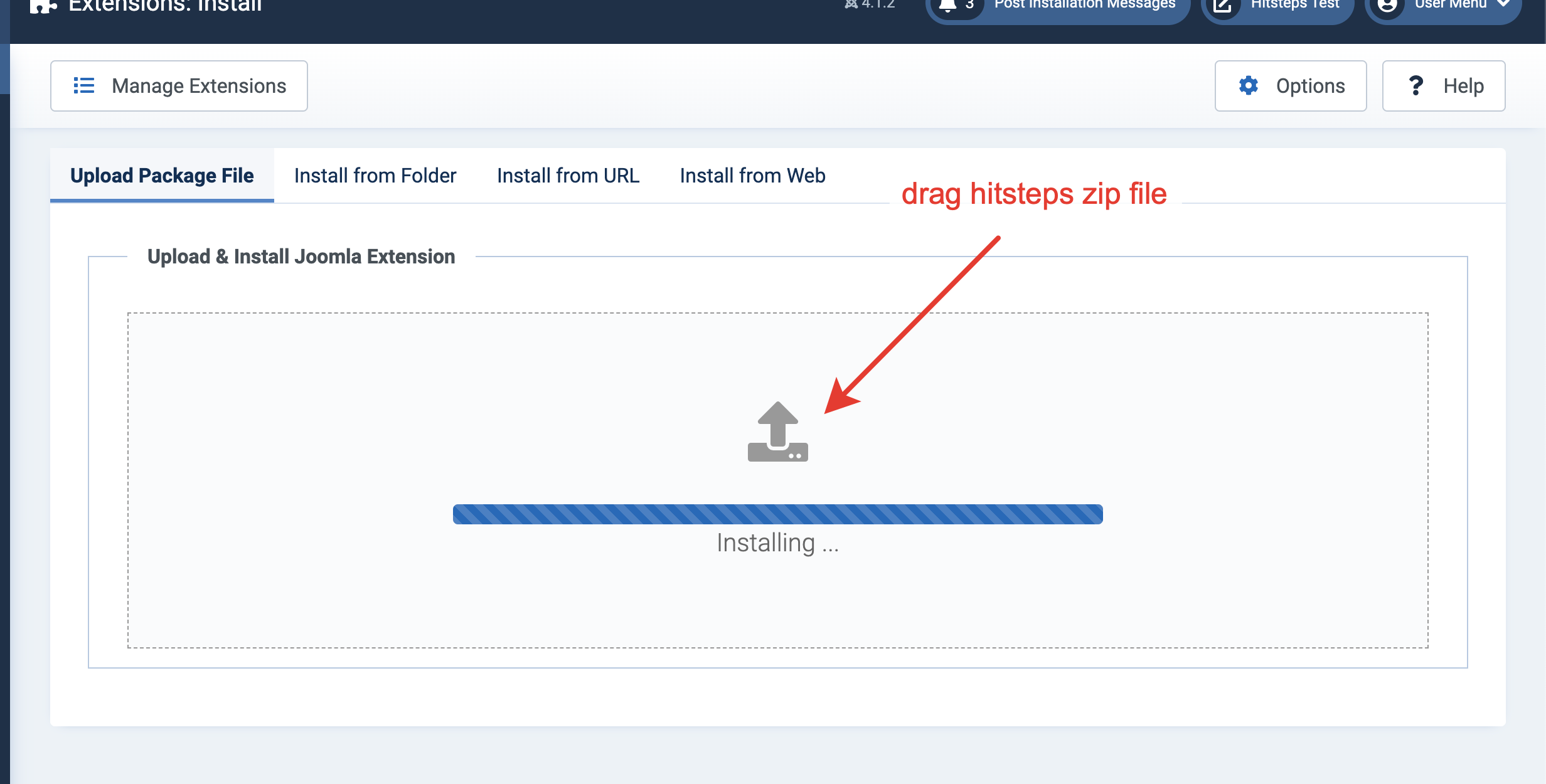
将下载的 Hitsteps 扩展拖到上传区域,或手动选择文件。
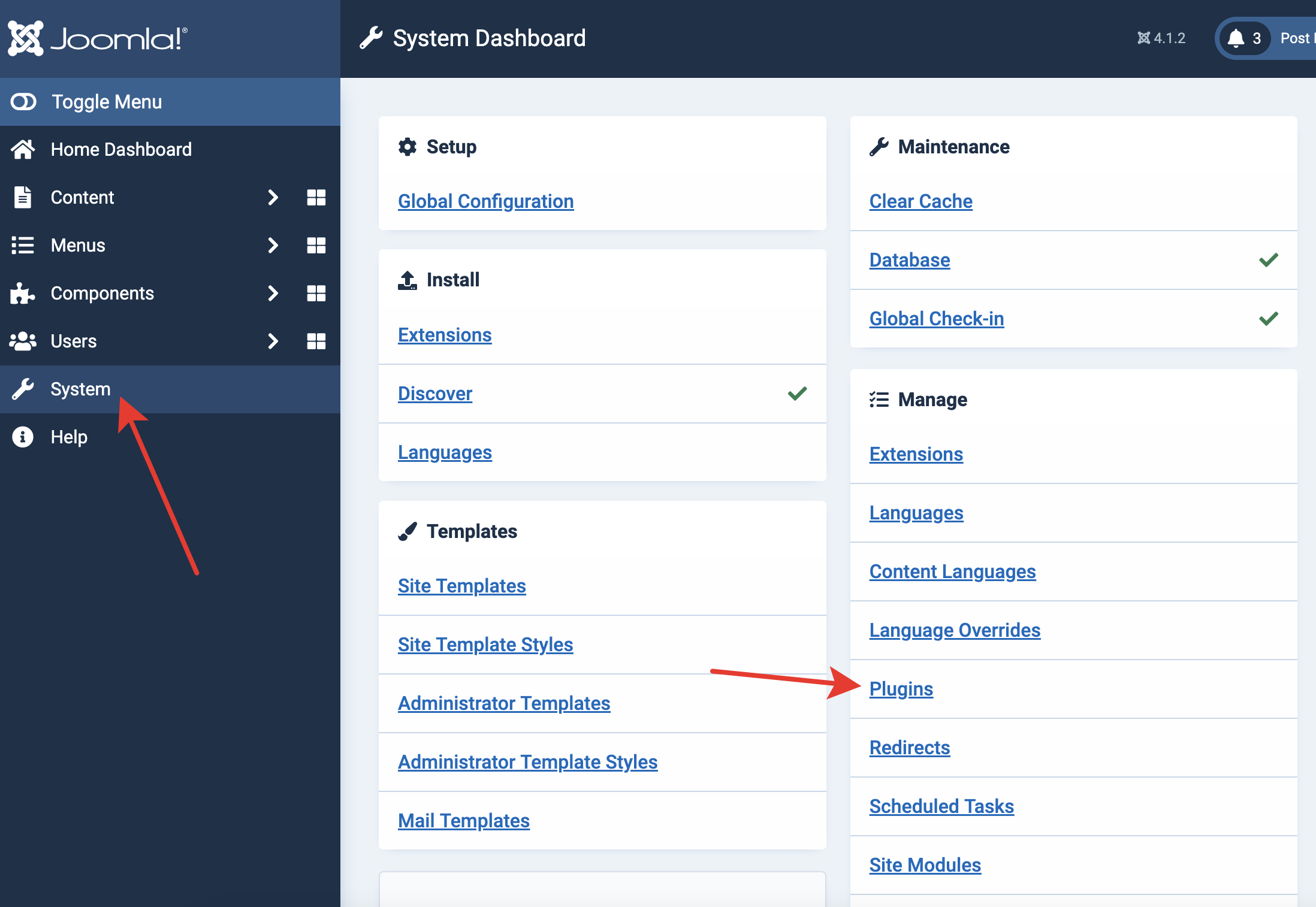
安装成功后,返回“系统”,并在“管理”下打开“插件”。
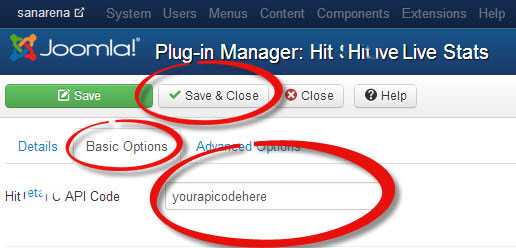
找到 Hitsteps 插件,粘贴你的 API 密钥,并保存更改。
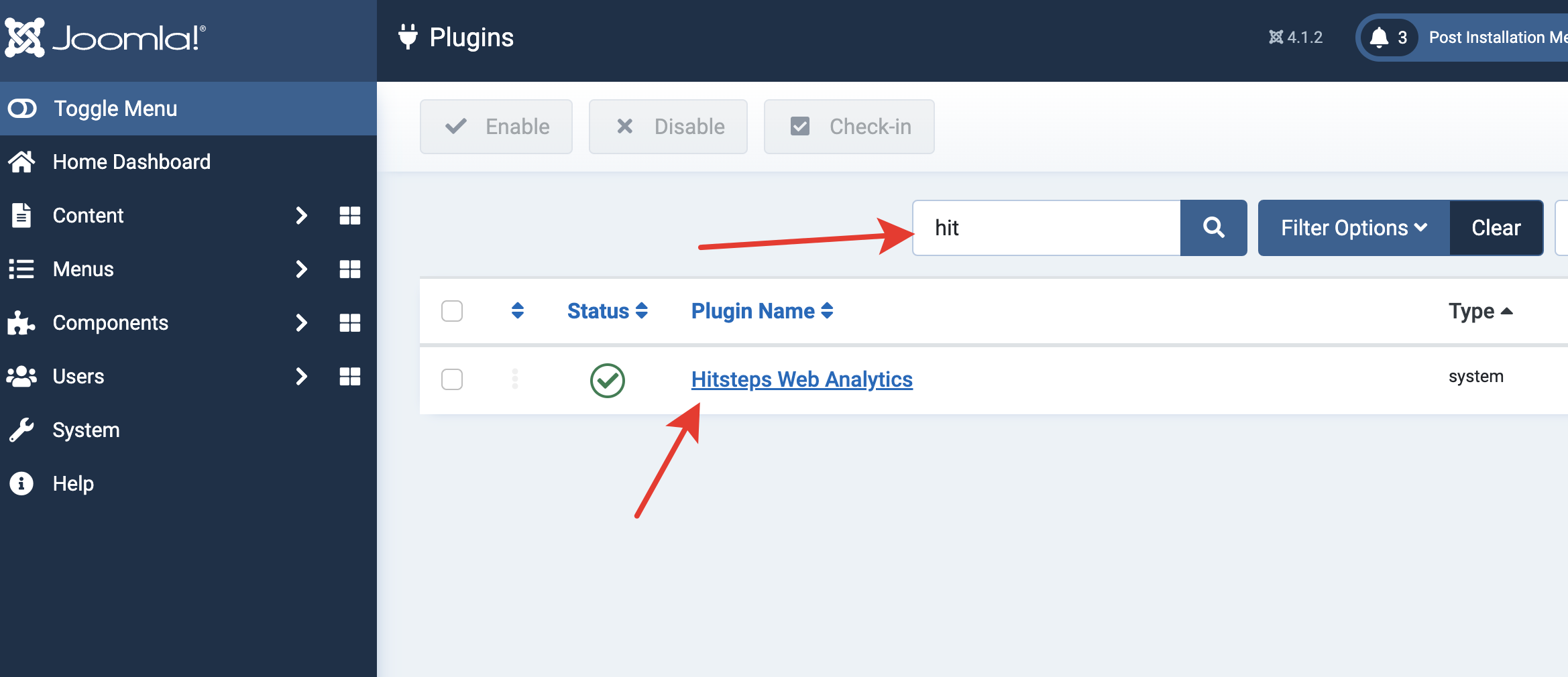
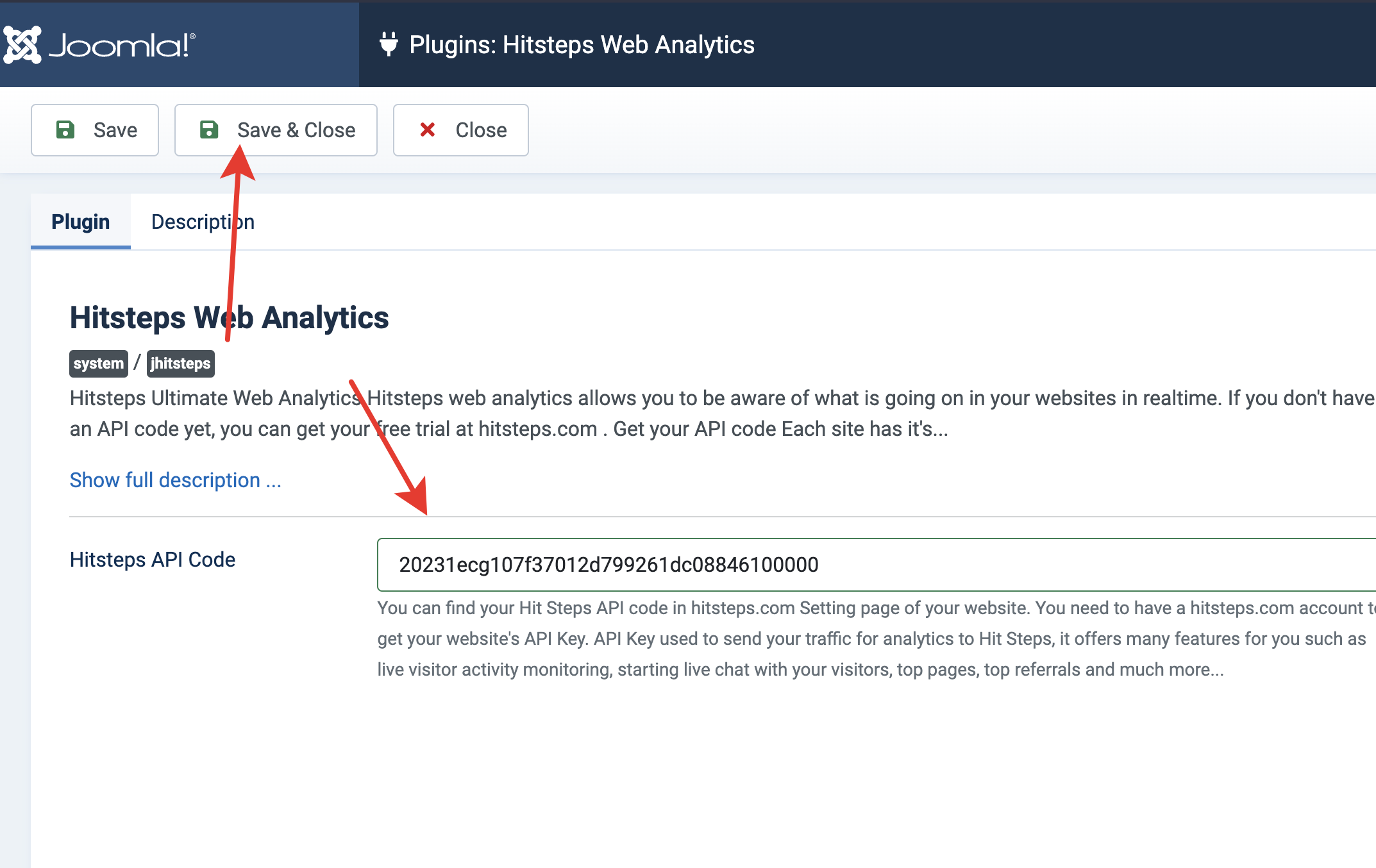
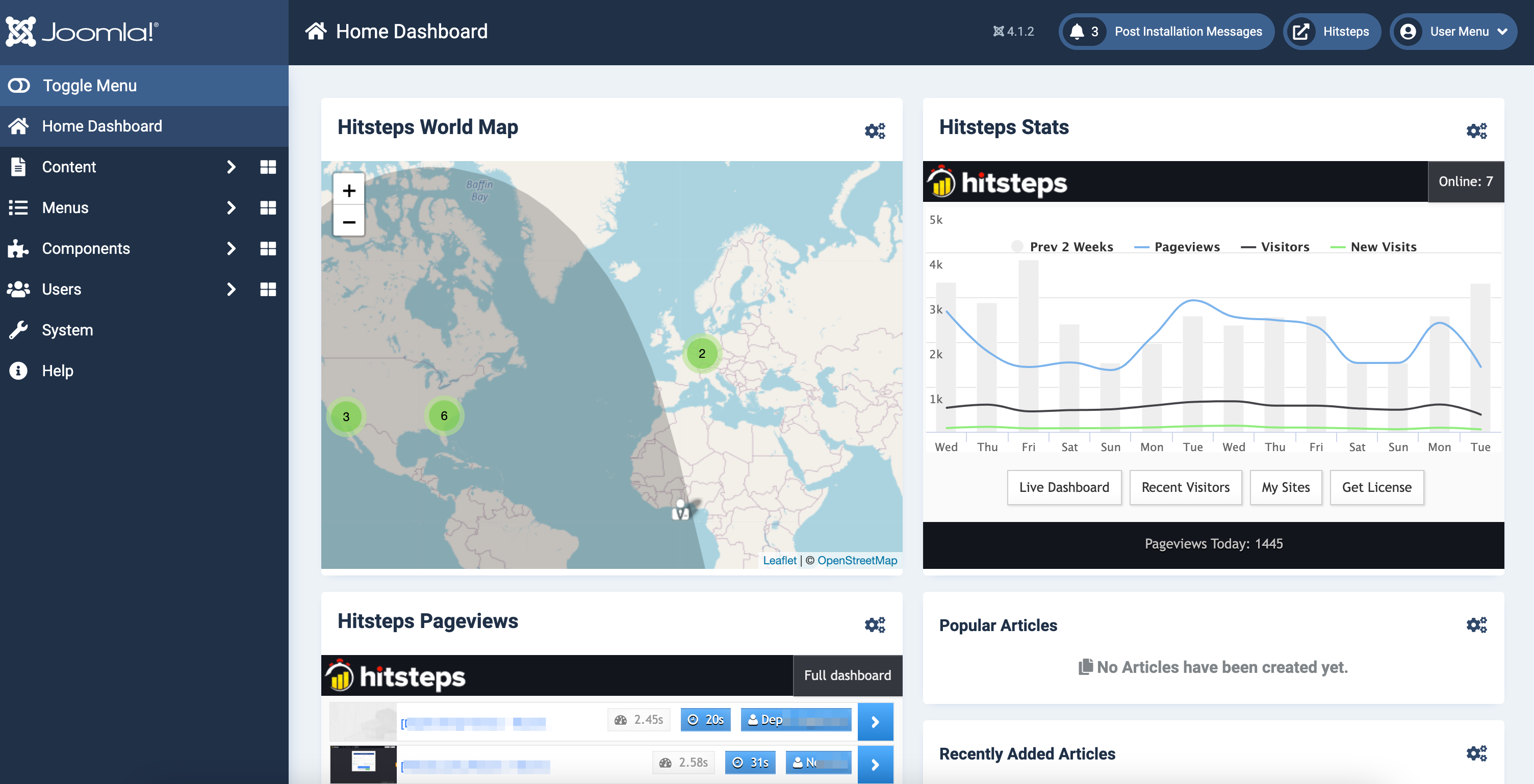
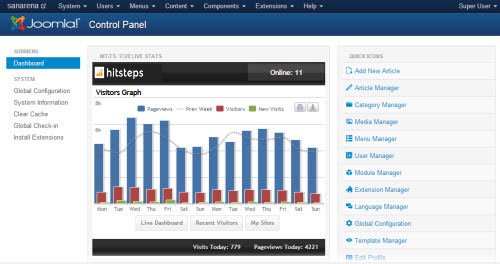
如果你希望在 Joomla 控制面板中看到 Hitsteps 摘要,请启用管理员模块。
登录 Joomla 管理后台并打开扩展管理器。
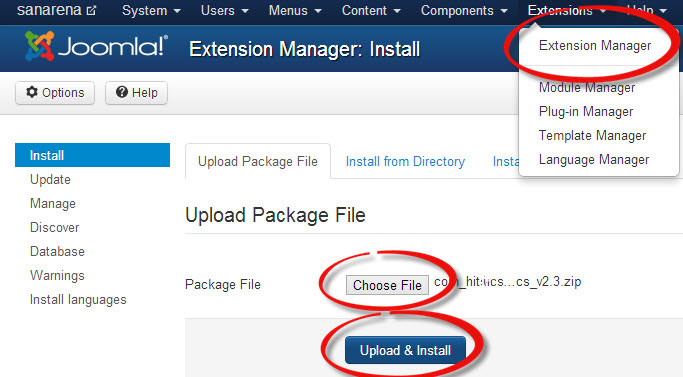
选择已下载的扩展文件,然后点击“上传并安装”。
使用“扩展”菜单打开插件管理器。
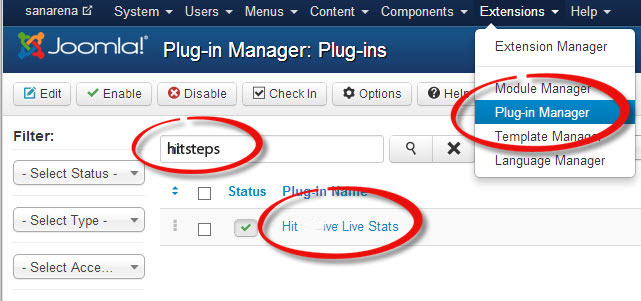
搜索 Hitsteps,打开插件,在基本选项中输入 API 密钥并保存。
访问你的网站并打开 Joomla 控制面板,确认 Hitsteps 正在接收流量。
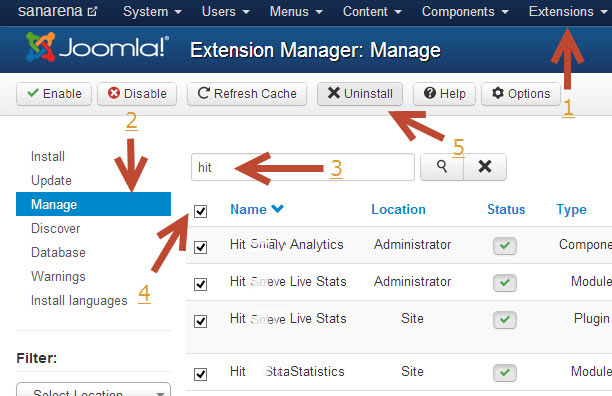
打开“系统”,然后在“管理”下打开“扩展”。找到 Hitsteps,选择它并点击“卸载”。
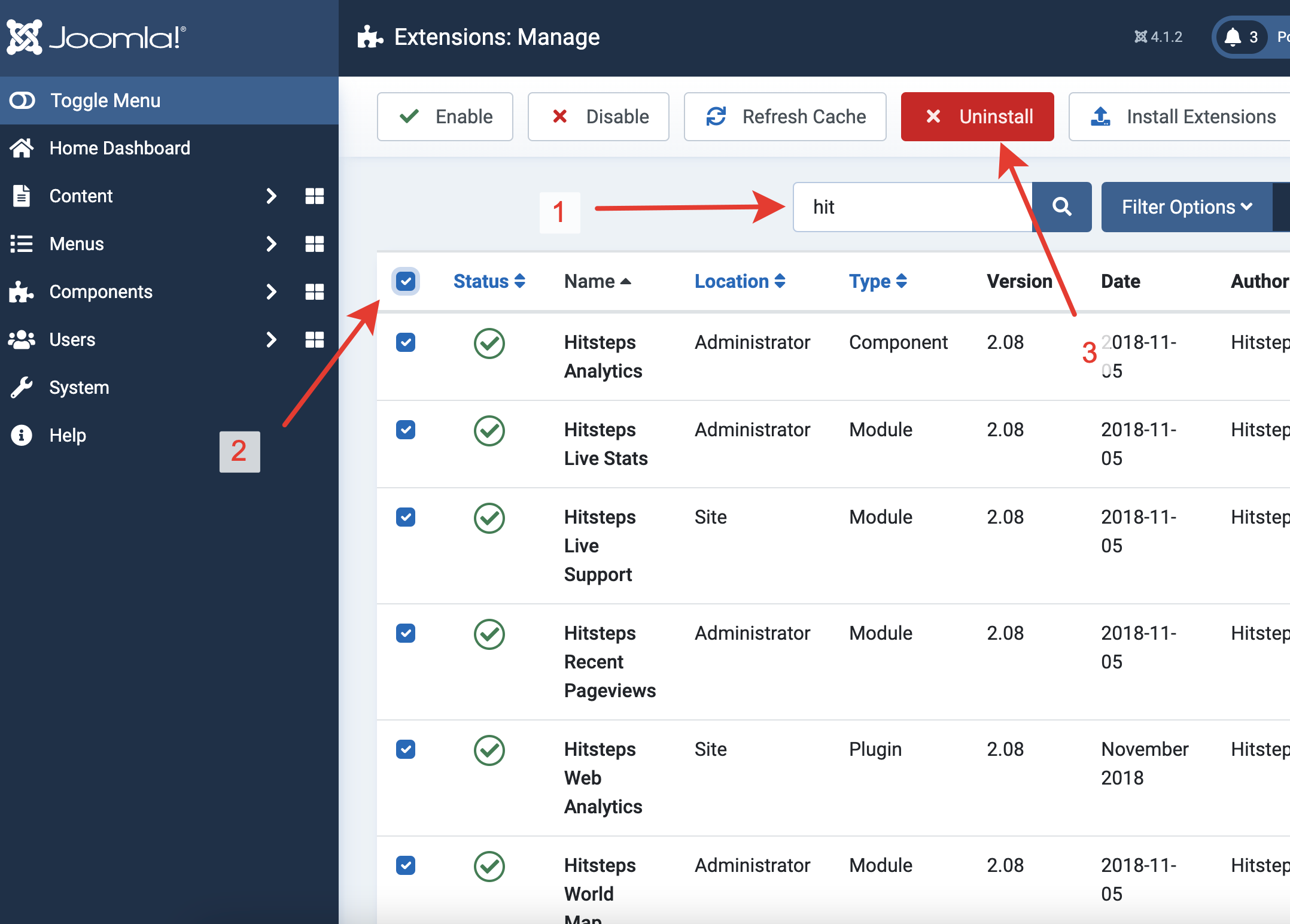
打开“扩展”,然后打开“管理”。选择 Hitsteps 插件并点击“卸载”。