See who is on your website right now
Most analytics answers questions about yesterday. Godview answers the one in front of you: how many visitors are on your site at this moment, what has changed today, and what is worth your attention.
There is a globe in the middle of it all. It is a view of the same live visitor data your dashboard already collects, drawn as lights so you can see traffic arrive from where you are sitting.
The live view and the reports behind it
Right now
The top of the page is a live count of visitors on your site at this moment.
The globe
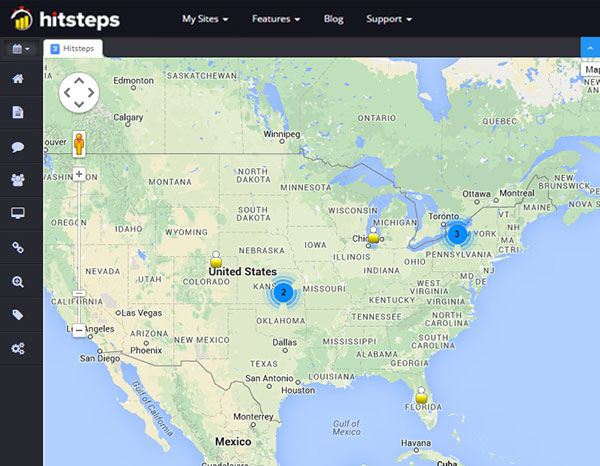
The globe shows where live visits are right now. It is a view, not a separate data source: the same live visitor data feeds the live visitor map and the real-time visitor tracking report in your dashboard.
Evidence behind a card
Each card can explain itself. Open its evidence view, then follow its link into the report behind it.
Opening Godview
Open Godview in your dashboard
Godview is part of your Hitsteps dashboard. It opens for accounts that have access to the feature.
Look at the live count
It reads the same visit data as everything else, so there is nothing new to connect for the basic view.
Follow a card into its report
That is where the change actually gets made.
When your site has no visitors yet
A brand new site shows a listening state waiting for a first visitor. Turn on your own site in another tab and watch yourself arrive.
If the browser cannot draw the globe, you stay on the main view with a short notice.
More ways to explore
Connections and lists
Connections follows the item a card is about, so you can see the flow around a single page, product or source. Lists gathers the insights for each topic in one place. Long lists load in batches with a search that counts every match.
A team that wants one shared picture
The live count and the cards are drawn from the same visit data. What each person can act on still depends on their own access: chat, billing and any redaction settings follow the individual, and site access follows the account.
Find the right plan
The free plan covers one site, 2,000 pageviews a month and 14 days of history, with no card needed to start. Paid plans start at $4.99 a month.
Availability of individual Experience and Godview features depends on your plan and on your account's history, and is shown in your own dashboard rather than promised here. See the full comparison on the plans page.
Frequently asked questions
What is Godview?
Godview is a live view of your website in your Hitsteps dashboard. It shows how many visitors are on your site right now and links insights to the reports behind them.
Is the data live?
Yes. It reads the same live visitor data that feeds your real-time visitor tracking report and your live visitor map, so what you see reflects visits as they happen.
What is the globe for?
It is a way of reading the live data at a glance. Lights show where visits are right now. The underlying numbers are the same ones in your reports.
What if my site has no visitors yet?
A brand new site shows a listening state waiting for a first visitor, and the first one to arrive shows up in the live count.
Where do I see the plans?
On the plans section of the features page, which compares what each plan includes.
Explore the reports behind the view
Open your site and watch it happen
Godview is part of your Hitsteps dashboard, and it opens for accounts that have access to the feature.