Ordered page journey
Review the landing page and subsequent tracked pageviews or actions in the sequence recorded for the visit.
Visitor detail reports keep the available source, landing page, navigation path, device, browser, approximate location, return context, and tracked actions together. They help explain what the analytics system observed without claiming to reveal an anonymous person.
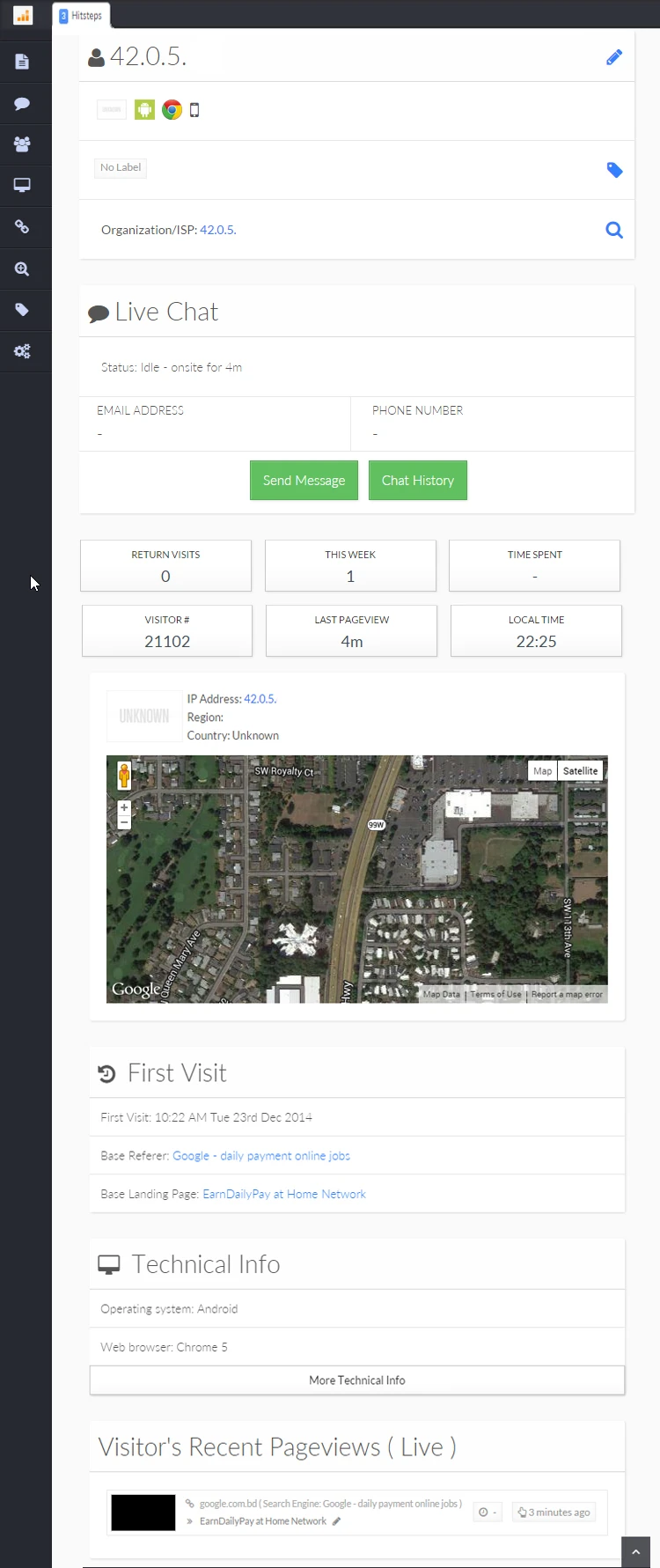
A source report, device chart, and page table each answer one part of the question. The visitor detail view organizes the available signals around the journey that produced them, making focused investigation faster and easier to communicate.
Review the landing page and subsequent tracked pageviews or actions in the sequence recorded for the visit.
See available referrer, campaign, entry page, and related source information beside what the visitor did afterward.
Review reported device and browser details plus approximate network location, with appropriate limits on accuracy.
Use it when you need live visitor context, practical installation routes, and action tools around the traffic you already have.
Hitsteps has kept evolving across website platforms, browser changes, analytics shifts, and store workflows.
WordPress, Shopify, Wix, Google Tag Manager, HTML, CMS, commerce, browser, and desktop setup paths are documented from one hub.
Live dashboard, visitor profiles, heatmaps, chat, Segments, uptime, reports, and alerts stay connected after tracking is installed.



The report can show pages and supported events recorded by the tracking setup. It cannot know why an anonymous person made a decision, and it may not include actions blocked by consent, browser settings, network failures, or missing instrumentation.
Choose the campaign click, support request, conversion, exit, or reported problem that makes this visit worth reviewing.
Check the available source, campaign, and landing page before interpreting the actions that came later in the visit.
Follow pages and supported actions in order, noting loops, repeated pages, long gaps, or the final recorded activity.
Compare other visits, aggregate reports, direct browser testing, application logs, or customer feedback before deciding on a cause.
See what happened after an attributable campaign click instead of stopping at the landing-page visit count.
When a customer legitimately identifies themselves, review the pages and supported actions leading to their question.
Use the device, browser, page path, and final recorded action to choose where direct reproduction and log review should begin.
Clear answers about what this feature reports, how to use it, and where its limits are.
Depending on configuration and consent, it can include pageviews, referrer and campaign context, reported device and browser, approximate location, return history, Segments, goals, and other supported tracked actions.
No. It describes the browser or profile activity available to Hitsteps. A known identity requires information your website legitimately obtains and supplies after a direct interaction.
The action may not have been configured for tracking, consent may not have allowed it, the browser or network may have blocked the request, or the visitor may have left before it was recorded.
Connect this report with the surrounding visitor, acquisition, and workflow context.
Create a free account, install the Hitsteps tracking code, and confirm your first visit before choosing the plan that fits your traffic and reporting needs.