1
Copy your โค้ดติดตาม
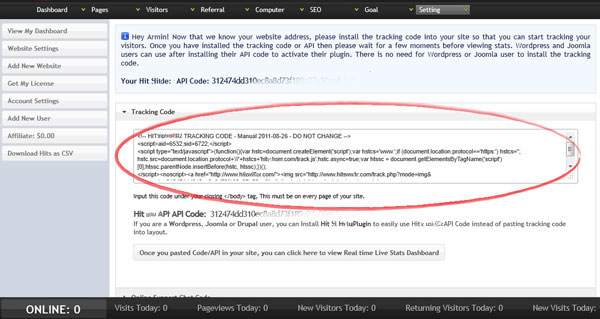
Open Hitsteps and copy the full โค้ดติดตาม for your Tumblr site.
แพลตฟอร์มบล็อก
Tumblr can run Hitsteps when you paste your โค้ดติดตาม into the theme customization area.
 Theme customization
 Install guide
Open Hitsteps and copy the full โค้ดติดตาม for your Tumblr site.
Log in to Tumblr and click the blog name in the แดชบอร์ด.

Open Customize รูปลักษณ์ so you can edit your theme fields.

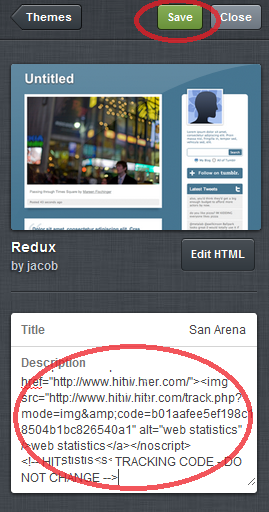
Paste the Hitsteps โค้ดติดตาม into the Description field or the custom HTML area, then save.
เปิดบล็อกของคุณในแท็บเบราว์เซอร์ แล้วตรวจแดชบอร์ด Hitsteps เพื่อดูผู้เยี่ยมชมออนไลน์