Maintained for real websites
Hitsteps has kept evolving across website platforms, browser changes, analytics shifts, and store workflows.
Koko Analytics makes a clear case for keeping everyday traffic reports inside WordPress. Its free plugin shows pageviews, visitors, top pages, and referrers, and Koko also lists realtime visitors. If those answers are enough, it is a straightforward choice. Hitsteps is for the moment when you want to open an active visit, follow the pages that visitor opens, and, on a paid plan, offer help through chat.
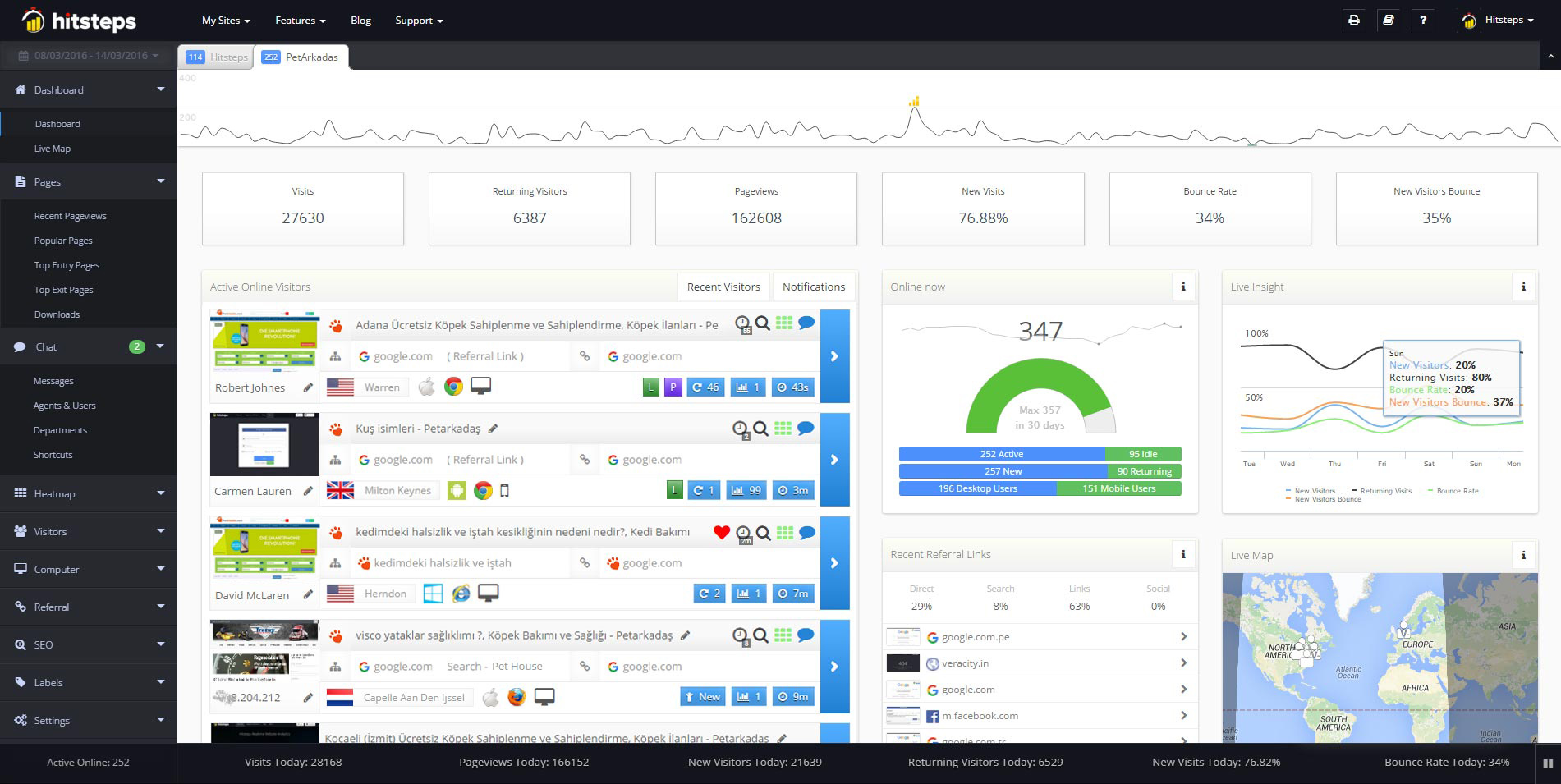
Use it when you need live visitor context, practical installation routes, and action tools around the traffic you already have.
Hitsteps has kept evolving across website platforms, browser changes, analytics shifts, and store workflows.
WordPress, Shopify, Wix, Google Tag Manager, HTML, CMS, commerce, browser, and desktop setup paths are documented from one hub.
Live dashboard, visitor profiles, heatmaps, chat, Segments, uptime, reports, and alerts stay connected after tracking is installed.



Koko's dashboard lives in WordPress admin. Its plugin listing describes a quick view of pageviews, visitors, top pages, and referrers, plus statistics for individual URLs. Koko says its analytics data stays on your own server, cookies can be optional, and its script is lightweight. These are Koko's published product and privacy claims; your own setup still determines what you collect and how you use it. (Koko features; WordPress.org plugin listing, checked 18 Oct 2026.)
Koko also deserves credit for realtime visitors. Its homepage lists that metric explicitly. Koko Pro adds geolocation, scheduled email reports, custom event and UTM tracking, device statistics, and traffic spike notifications. If you mainly need traffic trends and campaign reports inside WordPress, that is a useful set of tools. (Koko homepage; Koko features, checked 18 Oct 2026.)
| Question | Koko Analytics | Hitsteps |
|---|---|---|
| Where do I see traffic? | Pageviews, visitors, top pages, and referrers in WordPress admin. | Active and recent visitors, their page paths, and traffic context in a hosted Hitsteps account, with WordPress dashboard widgets. |
| Is there live data? | Yes. Koko lists realtime visitors. | Yes. Open an active visitor and follow the pages viewed so far, including on Free. |
| Can I review campaign traffic? | Yes. UTM tracking and custom events are Pro features. | Yes. Available source and campaign context can sit beside a visitor path. |
| Are session recording or replay listed? | not listed on Koko's public features/pricing pages (checked 18 Oct 2026) | Hitsteps does not record or replay sessions. Its page path is a list of observed pages, not a video. |
| Are click heatmaps listed? | not listed on Koko's public features/pricing pages (checked 18 Oct 2026) | Yes, from Growth at $9.99/month. |
| Is visitor chat listed? | not listed on Koko's public features/pricing pages (checked 18 Oct 2026) | Yes, from Starter at $4.99/month. |
| Is uptime monitoring listed? | not listed on Koko's public features/pricing pages (checked 18 Oct 2026) | Yes, from Pro at $21.99/month. |
The Koko column describes what the checked pages publish. An unlisted feature is not a claim about everything Koko can or cannot do.
Suppose a campaign brings people to a product page. A traffic total tells you how many visits that page received. A live path lets you look at an active visit and see whether that browser moved to pricing, a help page, or somewhere unexpected. That can help you decide what to check next while the visit is still open. See how Hitsteps tracks live visitors.
Koko's realtime visitor metric answers a different, useful question: how much activity is happening now? Its plugin also reports statistics for URLs. The checked Koko pages do not describe opening one active visitor to follow their page sequence. Hitsteps' WordPress analytics guide explains that visitor view and the page context available with it. A browser path does not identify an anonymous person automatically, and it is not session replay.
When a visitor asks for help, Hitsteps live chat can put the conversation beside the current page and available journey context. Chat starts on Starter at $4.99/month with one agent. Growth at $9.99/month allows three chat agents. If the question is where people click, click heatmaps start on Growth.
Koko's published Pro extras include UTM and event tracking, which can be more useful than chat for a site focused on campaign reporting. Visitor chat and click heatmaps are not listed on Koko's public features/pricing pages (checked 18 Oct 2026). For a team that needs both a live path and a way to respond during a visit, Hitsteps brings those steps into one workflow on the relevant paid plan.
Koko says its free core plugin works without a separate account: install and activate it, then read the dashboard in WordPress admin. Pro is a paid add-on to that plugin. According to Koko's pricing page, all three Pro plans include every premium feature; the site allowance changes.
| Koko Analytics Pro plan | Price as shown | Sites | Features and terms |
|---|---|---|---|
| Single | €59/year | 1 | Every premium feature, priority support |
| Multi | €99/year | 5 | Every premium feature, priority support |
| Agency | €249/year | 25 | Every premium feature, priority support |
Koko says Pro licenses renew automatically and offers a complete refund within 30 days of purchase. (Koko pricing, checked 18 Oct 2026.)
Hitsteps uses a hosted account. On WordPress, install the plugin, connect your account with the website API key, and check that a live visit appears. The plugin can also show summary and visitor widgets in WordPress admin. Its tracking data and main visitor workspace belong to the hosted Hitsteps account, so the setup is different from Koko's own-server model. (Hitsteps WordPress analytics).
| Hitsteps plan | Price per month | Pageviews per month | Sites | History | Selected plan features |
|---|---|---|---|---|---|
| Free | $0 | up to 2,000 | 1 | 14 days | Live visitor view |
| Starter | $4.99 | 10,000 | 2 | 30 days | 1 chat agent, 3 goals |
| Growth | $9.99 | 50,000 | 5 | 60 days | Click heatmaps, 3 chat agents |
| Pro | $21.99 | 500,000 | 30 | 180 days | Uptime monitoring, funnels |
| Business | $49.99 | 1,000,000 | 100 | 360 days | Higher allowances |
| Scale | $99.99 | 12,000,000 | 400 | 360 days | Higher allowances |
These are each vendor's published prices in its own currency and billing period. Review Hitsteps plans and trial terms. New Hitsteps accounts get a 7-day Pro trial with no card needed.
Choose Koko if you want a simple WordPress admin dashboard for traffic totals, realtime visitor activity, and, with Pro, campaign and device reports. Its free plugin needs no separate analytics account, and its Pro tiers vary by site count while keeping the same premium features.
Choose Hitsteps if your next question is what an active visitor did after landing, or if you want chat, click heatmaps, goals, funnels, and uptime in the plan that includes each tool. The Free live visitor view gives a small site a way to try that style of analytics within its limits. Create a Hitsteps account to use the 7-day Pro trial on your own site.
Still comparing simpler analytics products? Read the Plausible comparison and Fathom comparison.
Koko centers traffic totals and reports in WordPress admin, including a realtime visitor metric. Hitsteps centers active and recent visitor paths in a hosted account connected to WordPress. On the relevant paid Hitsteps plans, you can also add chat, click heatmaps, funnels, and uptime monitoring.
Yes. Koko's homepage lists realtime visitors. Hitsteps also shows live visitors, with the pages an active browser has opened so far. Koko gives you a live activity signal; Hitsteps lets you inspect a visitor's page sequence.
Session recording and replay are not listed on Koko's public features/pricing pages (checked 18 Oct 2026). That describes the checked pages, not every possible Koko capability. Hitsteps does not record or replay sessions either; it shows live and recent page paths.
Yes. Install the WordPress plugin and connect your hosted Hitsteps account with a website API key. Chat starts on Starter at $4.99/month with one agent. Click heatmaps start on Growth at $9.99/month, which includes three chat agents.
Yes. New accounts get a 7-day Pro trial with no card needed. After the trial you can stay on Free, which includes the live visitor view, as long as your email is verified and your site fits Free's limits (up to 2,000 pageviews a month, 1 site), or choose a paid plan.