Your own visits are excluded. Burst can leave out the administrator role and your IP address, and its setup wizard ticks both boxes by default. While you are excluded, Burst does not load its tracking script for you at all, so your test visits never count. A private window while logged out only gets past the role exclusion. If your IP address is excluded, remove it under Statistics > Settings > Advanced, or test from another network, such as your phone on mobile data. (support thread)
Burst Statistics troubleshooting
Burst Statistics stopped collecting data? Here is how to fix it
An empty Burst dashboard is worrying, but your older statistics are usually still there. What stops is the recording of new visits, and the cause is often a setting, a cache or a security rule on your own site.
The checks below fix most cases. They come from Burst's own troubleshooting guide and from answers its developers gave in the WordPress.org support forum. If you would rather stop running analytics inside WordPress, we also compare Burst with Hitsteps, a hosted alternative with a live visitor view.
First, rule out two false alarms
Today is not in the date range. Burst's date picker shows the last 7 days by default, without today, because today is not finished yet. On a new install that looks like zero visits. Switch the range to Today, or pick a custom range that includes it. (support thread)
How to fix Burst Statistics when it stops collecting data
Work through these in order. After each change, clear your caches, visit your site in a private window from an IP address Burst does not exclude, and check the Today range.
- Update Burst. Version 3.7.3 came out on 19 October 2026. The 3.7 updates fixed several problems that look like missing data, such as tracking that did not start with some cookie banners, and visitor counts near zero while a database migration was running. (Burst changelog)
- Check for a database upgrade. If the dashboard says an upgrade is running in the background, Burst is converting your stored data. Its developer explained that the visitor data migration in version 3.7 can take a few days on a busy site, and in 3.7.0 the counts for past dates could look near zero until it finished. If the percentage does not move for days, check your PHP error log and post the errors in the support forum. In one October thread, an upgrade stuck at 3.69% finished after a database fix from the developer and the next release. (migration thread, stuck upgrade thread)
- Check for JavaScript errors. Open your site in a private window and look at the browser console. Errors there often come from a caching or optimization plugin. Make sure it does not minify or combine burst.min.js (or burst-cookieless.min.js), timeme.min.js and burst-goals.min.js, then clear every cache. In an August thread, a site stopped recording after the WordPress 7.1 update until the owner switched off "Defer Render-blocking JavaScript" in SiteGround Speed Optimizer. (support thread)
- Clear a Tracking error. Burst records visits through the endpoint.php file in its plugin folder and falls back to the WordPress REST API. A "Tracking error" notice in the dashboard means both are blocked. Allow endpoint.php in your security plugin, firewall or ModSecurity rules, make sure the REST API is not restricted, and set permalinks to anything except Plain. In one thread, .htaccess rules added by a security plugin returned a 403 error for endpoint.php. (support thread)
- Run a conflict test. The Health Check & Troubleshooting plugin turns off your other plugins and switches to a default theme, only for your own login. Turn Burst back on first, then the other plugins one at a time, and note when tracking stops.
Still no data? Ask in the Burst support forum. Its developers reply there, and five of the six no-data threads we read from August to October 2026 are marked resolved. Burst can also email you when its tracking seems broken, which is a useful early warning. All steps in one place: Burst's troubleshooting guide.
Why analytics inside WordPress can stop
Burst stores every statistic in your own WordPress database and records each visit through your own server. That is its strength: nothing goes to an outside service, there is no account to create, and the free plugin has no tracking limit beyond your own database and server. (Burst on WordPress.org)
It also means your statistics depend on everything else running on that server. A cache setting, a security rule, a PHP error or a long database upgrade can stop or slow the recording of new visits. Burst shows a Tracking error when both of its routes are blocked, but a script broken on the front end does not trigger that notice, so the first sign can be a drop in your numbers.
Product proof
Understand your visitors. Take action with confidence.
Use it when you need live visitor context, practical installation routes, and action tools around the traffic you already have.
Maintained for real websites
Hitsteps has kept evolving across website platforms, browser changes, analytics shifts, and store workflows.
Works where your site already lives
WordPress, Shopify, Wix, Google Tag Manager, HTML, CMS, commerce, browser, and desktop setup paths are documented from one hub.
From tracking hit to next action
Live dashboard, visitor profiles, heatmaps, chat, Segments, uptime, reports, and alerts stay connected after tracking is installed.



Burst Statistics vs Hitsteps at a glance
| Question | Burst Statistics | Hitsteps |
|---|---|---|
| Where are statistics stored? | In your own WordPress database. Nothing is sent to Burst. | In your Hitsteps account. The WordPress plugin adds the tracking code, and your visit history is not kept in your WordPress database. |
| How is a visit recorded? | A request to endpoint.php on your server, with the WordPress REST API as the fallback. | The tracking script loads from Hitsteps and sends each visit there. No file or REST API route on your server takes part. |
| What happens on updates? | Some releases convert stored data in the background, such as the visitor data migration in 3.7. | Your visit history is not in WordPress, so a plugin update has no statistics to convert on your server. |
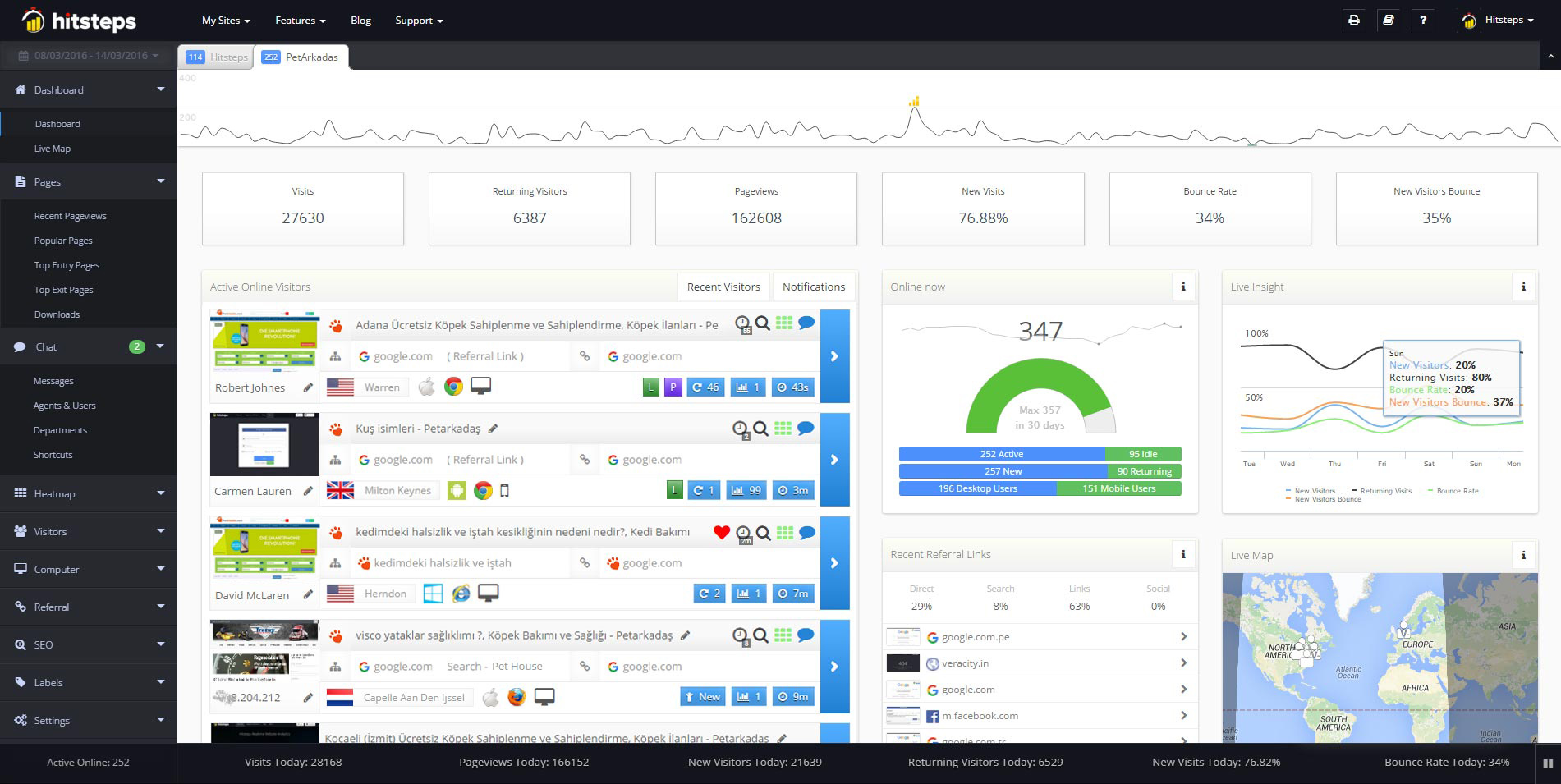
| Can I watch visitors live? | Yes, in the free plugin: a live count of active users, the pages they are on and where they came from. | Yes, on Free: open an active visit and follow its page path as it happens. |
| Chat and heatmaps? | Not in Burst's published feature lists (checked 27 October 2026). | Visitor chat from Starter at $4.99 a month. Click heatmaps from Growth at $9.99 a month. |
| What does it cost? | Free, with no tracking limit. Burst Pro is billed yearly, from €43.61 for one site, with a 14-day free trial (as shown on 27 October 2026). | Free: up to 2,000 pageviews a month, 1 site and 14 days of history. Paid plans from $4.99 a month. New accounts get a 7-day Pro trial, no card needed. |
| Which sites does it work on? | WordPress sites. | WordPress, Shopify and any website where you can add a tracking code. |
Burst facts checked on 27 October 2026 against its WordPress.org page and changelog, pricing page and troubleshooting guide. Euro prices can show differently for your country and tax. Burst Statistics is not affiliated with and does not endorse Hitsteps.
When Burst is the better choice
If a fix above brought your numbers back and you want statistics that never leave your server, staying with Burst makes sense. It is free with no tracking limit, needs no account and is well liked: more than 200,000 active installs and a 4.9 out of 5 rating from 186 reviews on WordPress.org (checked 27 October 2026). Its developers also answer quickly in the support forum.
When Hitsteps is the better fit
Choose Hitsteps if you would rather not run analytics inside your WordPress database and want to see visitors as they arrive. Visits are recorded on Hitsteps servers, so recording a visit does not depend on database upgrades, scheduled tasks or REST API rules on your site. The trade-offs: your visit data is stored by Hitsteps rather than on your own server, you need an account, and Free has a pageview limit. Like any analytics script, it can still be blocked by ad blockers, so check it the same way: watch your own visit arrive in the live view.
Test Hitsteps next to Burst in five minutes
1. Sign in to your Hitsteps account (or create one) and add your website. 2. Install the WordPress plugin and connect it with your site's API key, or paste the tracking code into your site. 3. Open your site in a private window and watch your own visit arrive in the live visitor view.
You can keep Burst active while you test, because the two tools run separate scripts. The numbers will not match exactly: each tool counts visitors and sessions in its own way.
New accounts get a 7-day Pro trial, no card needed. After the trial, stay on Free with a verified email and a site within the Free limits, or choose a paid plan. Chat starts on Starter; click heatmaps start on Growth.
Comparing other WordPress plugins? Read the Independent Analytics, Koko Analytics and WP Statistics comparisons, or browse all analytics comparisons.
Frequently asked questions
Why did Burst Statistics stop collecting data?
Burst's own guide lists the usual causes: your own visits are excluded, a caching or optimization plugin breaks its scripts, or a security rule blocks both endpoint.php and the REST API, which shows as a Tracking error. After an update, also check whether a background database upgrade is still running. Work through the checks on this page in order.
Why does Burst Statistics show no stats on a new site?
Two common reasons. The default date range is the last 7 days without today, and your own visits may be excluded by IP address or administrator role, which Burst's setup wizard ticks by default. Switch the range to Today. A private window while logged out only gets past the role exclusion. If your IP address is excluded, remove it on the Advanced tab of Burst's settings, or test from another network, such as your phone on mobile data.
What does the Tracking error in Burst Statistics mean?
Both of Burst's tracking routes are blocked: the endpoint.php file and the REST API fallback. Allow endpoint.php in your security plugin or firewall, check that the REST API is reachable, and use any permalink setting except Plain.
Is there a Burst Statistics alternative that does not store data in WordPress?
Yes. Hitsteps is hosted: its WordPress plugin adds the tracking code and your visits are stored in your Hitsteps account. Free includes a live visitor view for 1 site, up to 2,000 pageviews a month and 14 days of history. Chat starts on Starter and click heatmaps on Growth. If keeping data on your own server matters most, Burst remains the better fit.
Can I run Hitsteps and Burst Statistics at the same time?
Yes. They use separate tracking scripts, so you can keep Burst while you compare. The numbers will not match exactly, because each tool counts visitors and sessions in its own way.