Google data can lag. Google Analytics 4 reports are not always instant. If today looks empty in ExactMetrics, open the same property in Google Analytics first. If Google also shows little or nothing for today, wait for processing before changing anything on your site.
ExactMetrics alternative
ExactMetrics vs Hitsteps for WordPress
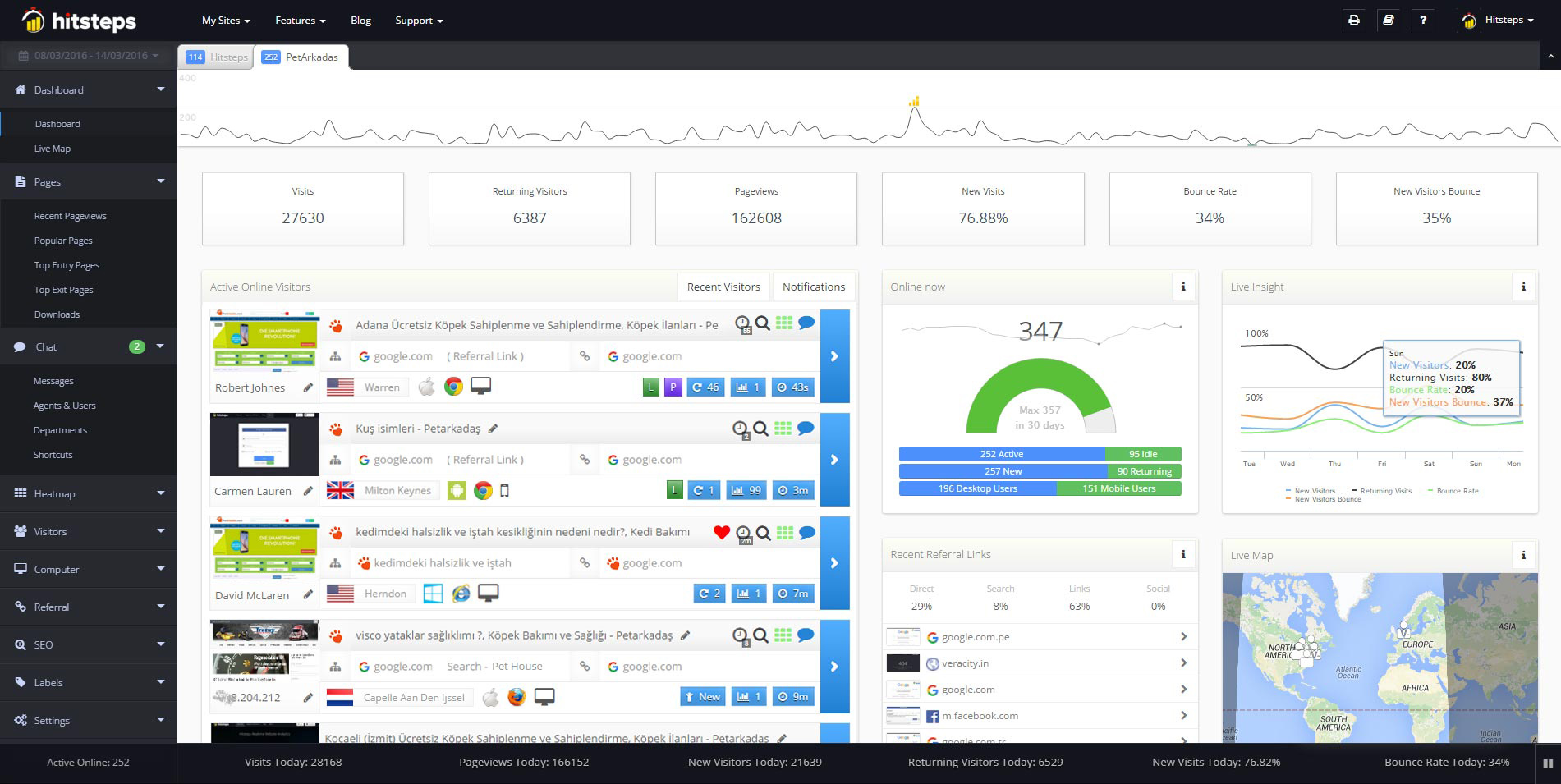
ExactMetrics is a good fit when your main job is connecting WordPress to Google Analytics and reading its reports in WordPress admin. It is made by Awesome Motive, the same team behind MonsterInsights, and its paid offers add real-time reports, eCommerce tracking and more. Hitsteps takes a different route: a hosted visitor workspace linked to WordPress, where you can follow a live page path and use chat or click heatmaps when your plan includes them.
The choice depends on what you need to do with the data. If you mainly review Google Analytics reports, ExactMetrics gives you a familiar WordPress dashboard. If you need to respond while a visit is in progress, Hitsteps puts the current visitor path closer to that decision.
First, rule out two false alarms
Today may be outside the date range. ExactMetrics can open on a range that excludes today. Switch the range to Today or a custom range that includes it, then compare the same range in Google Analytics.
How to fix ExactMetrics when stats stop loading
Work through these in order. ExactMetrics shows Google Analytics data inside WordPress, so when that Google connection needs attention the reports pause. Each step reconnects that path.
- Reconnect the Google account. Open ExactMetrics settings and run the Google authentication again, then check that the correct property is selected.
- Check the property and view. If reports load but numbers look wrong, confirm the connected Google Analytics 4 property matches the site you are viewing. A staging property or a wrong data stream is a common cause.
- Allow time for new sites. A brand new Google Analytics property can take hours before reports fill in. If Google Analytics itself shows no data yet, ExactMetrics has nothing to display. Check again after processing.
- Look for plugin conflicts. If the dashboard stays empty after a reconnect, turn off caching and optimization plugins briefly and clear every cache, then reload the reports page.
- Reinstall the tracking code path. ExactMetrics adds Google Analytics tracking through WordPress. If tracking stopped after a theme change, confirm the ExactMetrics plugin is active and no duplicate Google tag was added by the theme.
Still no data? Work through the ExactMetrics setup guide and check ExactMetrics pricing for plan limits. Facts checked 29 Oct 2026.
Why analytics inside WordPress can pause
ExactMetrics reads Google Analytics and shows the numbers in WordPress admin. That is its strength: no code setup, familiar reports, and eCommerce tracking for WooCommerce and other stores. The WordPress.org listing notes the free Lite plugin, with paid licenses for more reporting and tracking features (checked 29 Oct 2026).
It also means every report depends on that Google connection. If authentication expires, the property changes, or Google processing lags, the WordPress dashboard pauses too. The fix is always on the connection side, not on the page itself.
Product proof
Understand your visitors. Take action with confidence.
Use it when you need live visitor context, practical installation routes, and action tools around the traffic you already have.
Maintained for real websites
Hitsteps has kept evolving across website platforms, browser changes, analytics shifts, and store workflows.
Works where your site already lives
WordPress, Shopify, Wix, Google Tag Manager, HTML, CMS, commerce, browser, and desktop setup paths are documented from one hub.
From tracking hit to next action
Live dashboard, visitor profiles, heatmaps, chat, Segments, uptime, reports, and alerts stay connected after tracking is installed.



ExactMetrics vs Hitsteps at a glance
| Question | ExactMetrics | Hitsteps |
|---|---|---|
| Where is the main workspace? | Google Analytics reports inside WordPress. | A hosted Hitsteps account, plus WordPress dashboard widgets. |
| What happens when the Google connection fails? | Reports pause until the Google account is reconnected. | No Google account is needed. Visits are recorded on Hitsteps servers. |
| Can I watch visitors live? | Yes, a real-time report is listed on paid plans. | Yes, on Free: open an active visit and follow its page path as it happens. |
| Chat and heatmaps? | User journeys and eCommerce reports are listed on paid plans. | Visitor chat from Starter at 4.99 a month. Click heatmaps from Growth at 9.99 a month. |
| What does it cost? | Lite free on WordPress.org. Plus from 99.50 a year, Pro from 199.50 a year, normally 199 and 399, renewals at full price (checked 29 Oct 2026). | Free: up to 2,000 pageviews a month, 1 site and 14 days of history. Paid plans from 4.99 a month. New accounts get a 7-day Pro trial, no card needed. |
| Which sites does it work on? | WordPress sites with a Google Analytics property. | WordPress, Shopify and any website where you can add a tracking code. |
| How do I start? | Install the plugin, connect Google Analytics, verify the license key. | Create an account, add the site, connect the WordPress plugin with the site API key. |
ExactMetrics facts checked on 29 Oct 2026 against its public features and pricing pages and the WordPress plugin listing. Prices are yearly USD intro offers with full-price renewals. ExactMetrics is not affiliated with and does not endorse Hitsteps.
When ExactMetrics is the better choice
If Google Analytics is already where you measure traffic, and your team wants those reports inside WordPress admin with eCommerce and publisher reports, staying with ExactMetrics makes sense. Reconnect the Google account once and the familiar reports return.
When Hitsteps is the better fit
Choose Hitsteps if you want to see visitors as they arrive without a Google account step. Visits are recorded on Hitsteps servers, so a Google timeout cannot blank the dashboard. Trade-offs: visit data is stored by Hitsteps rather than Google, you need an account, and Free has a pageview limit.
Test Hitsteps next to ExactMetrics in five minutes
1. Sign in to your Hitsteps account and add your website. 2. Install the WordPress plugin and connect it with your site API key, or paste the tracking code into your site. 3. Open your site in a private window and watch your own visit arrive in the live visitor view.
You can keep ExactMetrics active while you test, because the two tools run separate scripts. The numbers will not match exactly, because each tool counts visitors and sessions in its own way.
New accounts get a 7-day Pro trial, no card needed. After the trial, stay on Free with a verified email and a site within the Free limits, or choose a paid plan. Chat starts on Starter. Click heatmaps start on Growth.
Comparing other WordPress plugins? Read the Independent Analytics, Koko Analytics and WP Statistics comparisons, or browse all analytics comparisons.
Frequently asked questions
Why does ExactMetrics show no stats?
The usual cause is the Google connection. Reconnect the Google account in ExactMetrics settings, confirm the correct GA4 property is selected, and check the same date range in Google Analytics. If Google also shows no data yet, wait for processing.
Is ExactMetrics free?
There is a free Lite plugin on WordPress.org. Paid ExactMetrics licenses are billed yearly, with intro prices shown next to higher normal prices and renewals at full price (checked 29 Oct 2026).
Does ExactMetrics show real-time analytics?
Yes, its pricing page lists a real-time report on paid plans. Hitsteps Free includes a live visitor view and observed page paths within its stated limits. The two views answer related questions but are not identical.
Is there an ExactMetrics alternative that needs no Google account?
Yes. Hitsteps is hosted: its WordPress plugin adds the tracking code and your visits are stored in your Hitsteps account. Free includes a live visitor view for 1 site, up to 2,000 pageviews a month and 14 days of history. Chat starts on Starter and click heatmaps start on Growth.
Can I run Hitsteps and ExactMetrics at the same time?
Yes. They use separate tracking scripts, so you can keep ExactMetrics while you compare. The numbers will not match exactly, because each tool counts visitors and sessions in its own way.