Readable PDF reports
Create a fixed-layout version of a supported report for review or sharing without requiring every reader to open the dashboard.
Turn supported Hitsteps reports into files your team can review, share, archive, or analyze outside the dashboard. The available format, fields, and date range depend on the report and plan you use.
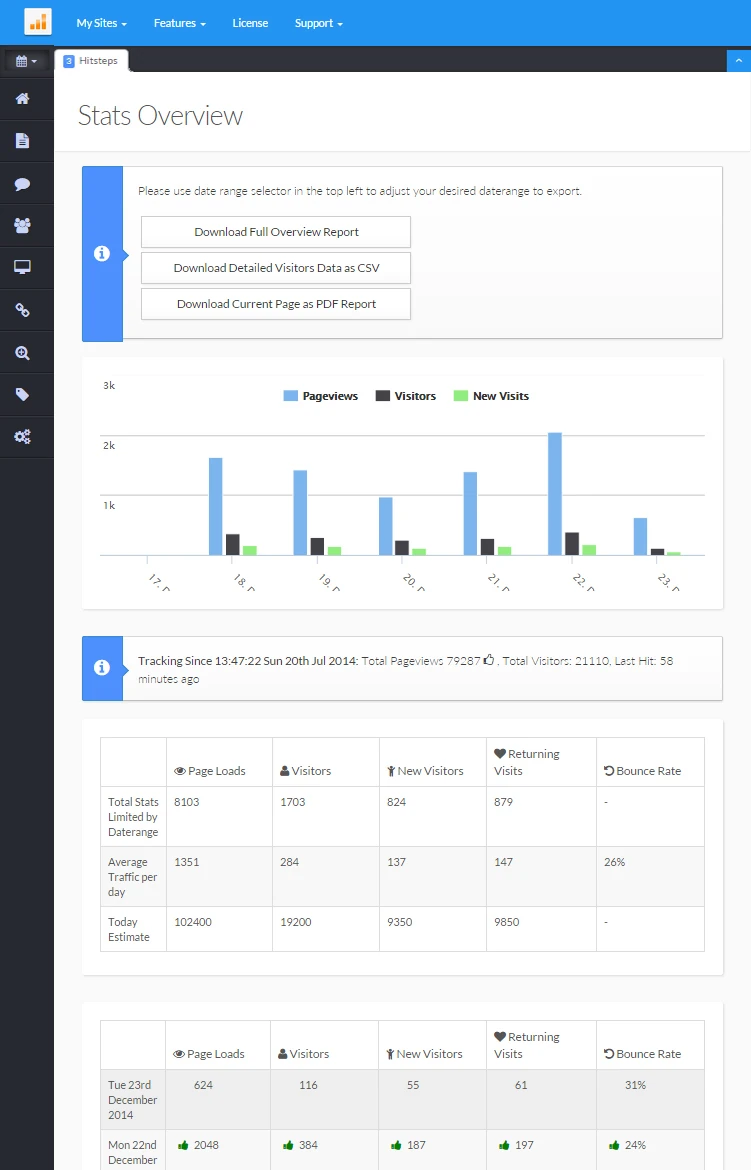
A dashboard is useful for exploration, while a file is often easier to circulate, annotate, archive, or combine with other business data. Hitsteps provides export options on supported reports so you can choose the practical next step.
Create a fixed-layout version of a supported report for review or sharing without requiring every reader to open the dashboard.
Download available rows and columns in a format that can be opened in spreadsheet and data-analysis tools.
Use the report date controls before exporting so the file reflects the period you intend to discuss or compare.
Use it when you need live visitor context, practical installation routes, and action tools around the traffic you already have.
Hitsteps has kept evolving across website platforms, browser changes, analytics shifts, and store workflows.
WordPress, Shopify, Wix, Google Tag Manager, HTML, CMS, commerce, browser, and desktop setup paths are documented from one hub.
Live dashboard, visitor profiles, heatmaps, chat, Segments, uptime, reports, and alerts stay connected after tracking is installed.



A useful file states which website, time period, and filters it represents. Review those choices before sharing so readers do not mistake a partial report for a complete account history.
Choose the website and a Hitsteps report that offers an export option for your account.
Apply the date range and available filters before generating the file so its scope is clear.
Select a readable PDF when presentation matters or CSV when you need to sort, calculate, or combine data.
Check the site, dates, applied filters, and included fields, then store or distribute the file according to your data-handling policy.
Share a bounded report with people who need the result but do not need ongoing dashboard access.
Keep dated snapshots alongside campaign notes, launch documents, or other internal reporting records.
Use CSV data in a spreadsheet when a team needs its own grouping, calculations, or comparison process.
Clear answers about what this feature reports, how to use it, and where its limits are.
Not necessarily. Export availability, formats, and included fields depend on the report, account plan, and current product interface. Check the export controls on the report you need.
Supported exports use the report context available when the file is generated. Confirm the displayed website, date range, and filters before downloading.
No. An export is created on demand from a supported report. Automated email reports send a recurring summary according to configured delivery settings.
Connect this report with the surrounding visitor, acquisition, and workflow context.
Create a free account, install the Hitsteps tracking code, and confirm your first visit before choosing the plan that fits your traffic and reporting needs.