Website portfolio
Add and navigate among the number of tracked sites included with the account plan.
Keep analytics for a portfolio of sites in one Hitsteps account and share access with additional users when the selected plan allows it. Site allowances, user limits, and available permissions vary by plan.
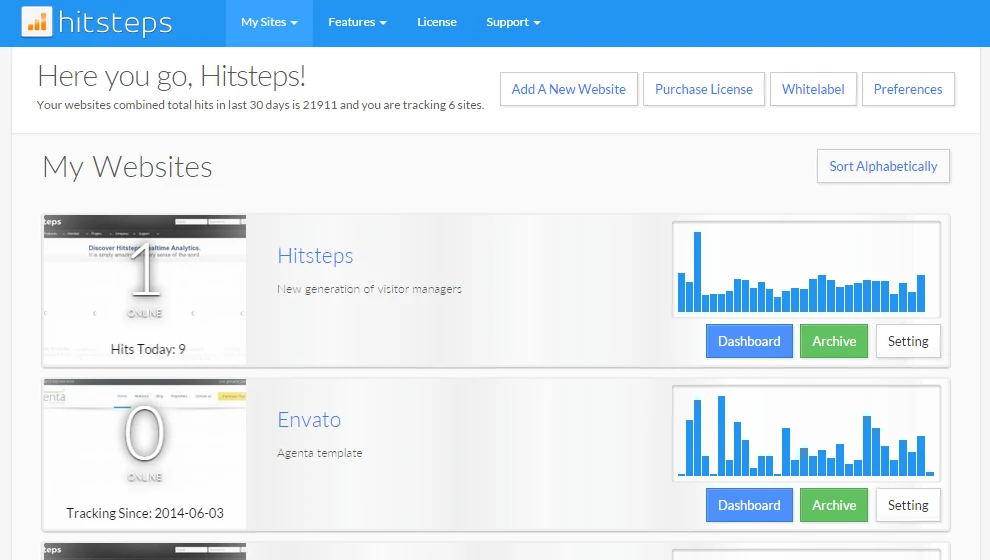
Agencies, groups, and owners often need one place to enter the right site rather than a separate login for every property. A clear naming and access model keeps that convenience from becoming confusion.
Add and navigate among the number of tracked sites included with the account plan.
Invite supported additional users and apply the access options currently available for the account.
Review available summaries for all sites, then enter an individual site when a result needs report or visitor detail.
Use it when you need live visitor context, practical installation routes, and action tools around the traffic you already have.
Hitsteps has kept evolving across website platforms, browser changes, analytics shifts, and store workflows.
WordPress, Shopify, Wix, Google Tag Manager, HTML, CMS, commerce, browser, and desktop setup paths are documented from one hub.
Live dashboard, visitor profiles, heatmaps, chat, Segments, uptime, reports, and alerts stay connected after tracking is installed.



A single workspace is convenient, but every added user expands who can see analytics. Match access to job responsibility and review it when staff, contractors, or client relationships change.
Define which properties belong in the account and who is responsible for each site before adding access.
Create the permitted site entries, install the correct tracking code, and confirm data reaches the intended property.
Use the available user controls to grant access needed for the role, within plan limits.
Periodically remove unneeded access and keep site names clear enough to prevent reporting from the wrong property.
Navigate client sites from one account while keeping each client property and access responsibility distinct.
Keep separate brand, regional, or product websites accessible to the teams that review them.
Move between business, content, campaign, or community sites without maintaining a different login for each.
Clear answers about what this feature reports, how to use it, and where its limits are.
The number of sites depends on the selected plan and current account allowances. Review the plan limits before moving a large portfolio into one workspace.
Additional user access is available in supported plans. The number of users and the permissions you can assign depend on the current account features.
Each website keeps its own reporting context. Portfolio or total views may be available, but open the individual site when you need its detailed reports and settings.
Connect this report with the surrounding visitor, acquisition, and workflow context.
Create a free account, install the Hitsteps tracking code, and confirm your first visit before choosing the plan that fits your traffic and reporting needs.