Watch what visitors actually do on your site
You watch a real visit play out the way the visitor experienced it: the pages they opened, where they clicked, how far they scrolled, and the point where they stopped and left.
The usual way to use it is simple. A number in a report looks off. You open the recordings list, pick the visit, and watch what happened on that page.
From a pattern to a visit you can watch
Session recordings and replay
Each recorded visit becomes a replay you can play, pause and scrub. You see the pages in order, with the clicks, scrolling and taps captured during that visit.
Heatmaps show the pattern
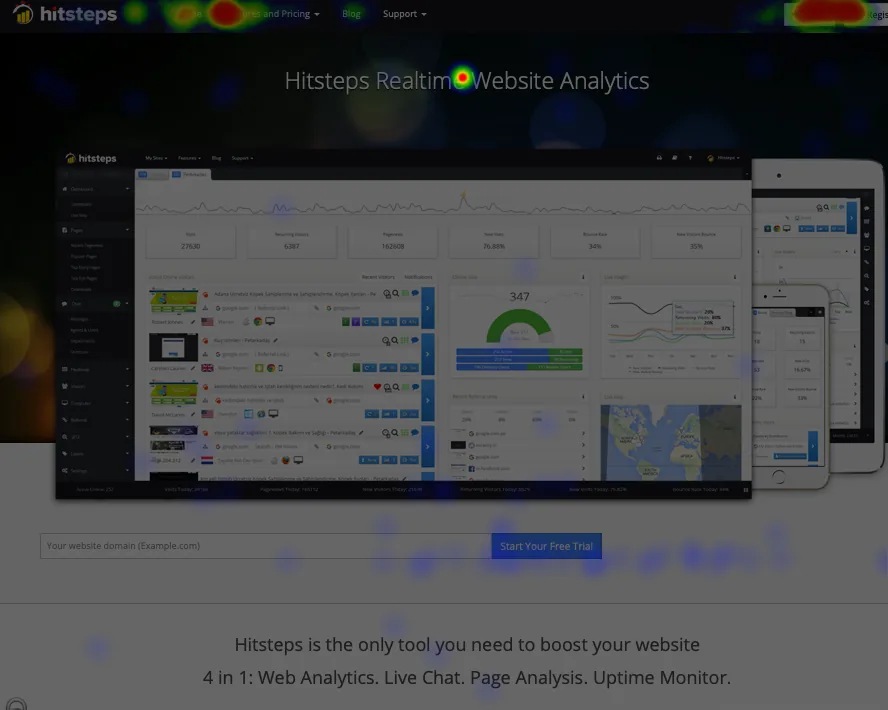
Heatmaps show where visitors clicked and how far down the page they moved, shown over the page as those visitors saw it.
Find the visit
The recordings list comes with filters: date range, newest or oldest, longest visit, most pages, saved or unwatched, live or finished, ready to watch or still being prepared.
How a visit becomes something you can watch
Use your tracking code
Add the Hitsteps tracking code to your site. If your site is already tracked, there is nothing new to install.
Switch recording on for the site
A sample of visits is captured while recording is on. Your regular analytics continue as before.
Watch, then change something
Open Experience and pick a visit from the recordings list. The moment you find becomes the change you make. Check again later to see whether the change helped.
When nothing has been captured yet
If recording is switched on but nothing has been captured yet, the recordings list says so and points you at the recording settings. Heatmaps are a separate report.
Captured visits become available to watch once they have been processed. No fixed delay is quoted, because it depends on the visit and on the service.
Where to look next
A landing page that gets traffic but no signups
Heatmaps show where people clicked and how far down the page they moved. Recordings show the order they opened things in. Together they give you a picture worth testing against, not a proven reason someone left.
A content site wondering what people reach
Scroll depth on a heatmap shows how far down an article visitors got. Recordings show where they paused or turned back. Neither tells you what they thought; both tell you where to look next.
Find the right plan
The free plan covers one site, 2,000 pageviews a month and 14 days of history, with no card needed to start. Paid plans start at $4.99 a month.
Availability of individual Experience and Godview features depends on your plan and on your account's history, and is shown in your own dashboard rather than promised here. See the full comparison on the plans page.
Frequently asked questions
What is a session recording?
A session recording is a replay of a real visit to your site. You watch the pages the visitor opened, in order, with their clicks, scrolling and taps as they happened.
Does Hitsteps record every visit?
No. Recording covers a sample of your visits, not all of them. You switch recording on in the dashboard and it captures a sample from there.
Do I need to install anything new?
No. Recordings use the Hitsteps tracking code your site already has. You switch recording on in the dashboard and it starts capturing a sample of visits.
Does this work with the heatmaps I already use?
Yes. Heatmaps and recordings are both reports in the dashboard. A heatmap shows where interaction went; the recording shows what happened next on one visit.
Where do I see the plans?
On the plans section of the features page, which compares what each plan includes.
Explore the reports behind the view
See the visit you keep guessing about
Open your reports, find the number that does not make sense, and watch the visit behind it. Recording works with the tracking code you already have.