Flexible Segment filters
Use supported Segment conditions such as page activity, source, campaign, device, location or custom data. A Funnel can combine these signals, not only page URLs.
Conversion funnel analytics turns the audiences you already define in Segments into an ordered visitor journey you can measure. Hitsteps funnel analytics software shows entries, progression, drop-offs, and completion so you can choose where to investigate next.
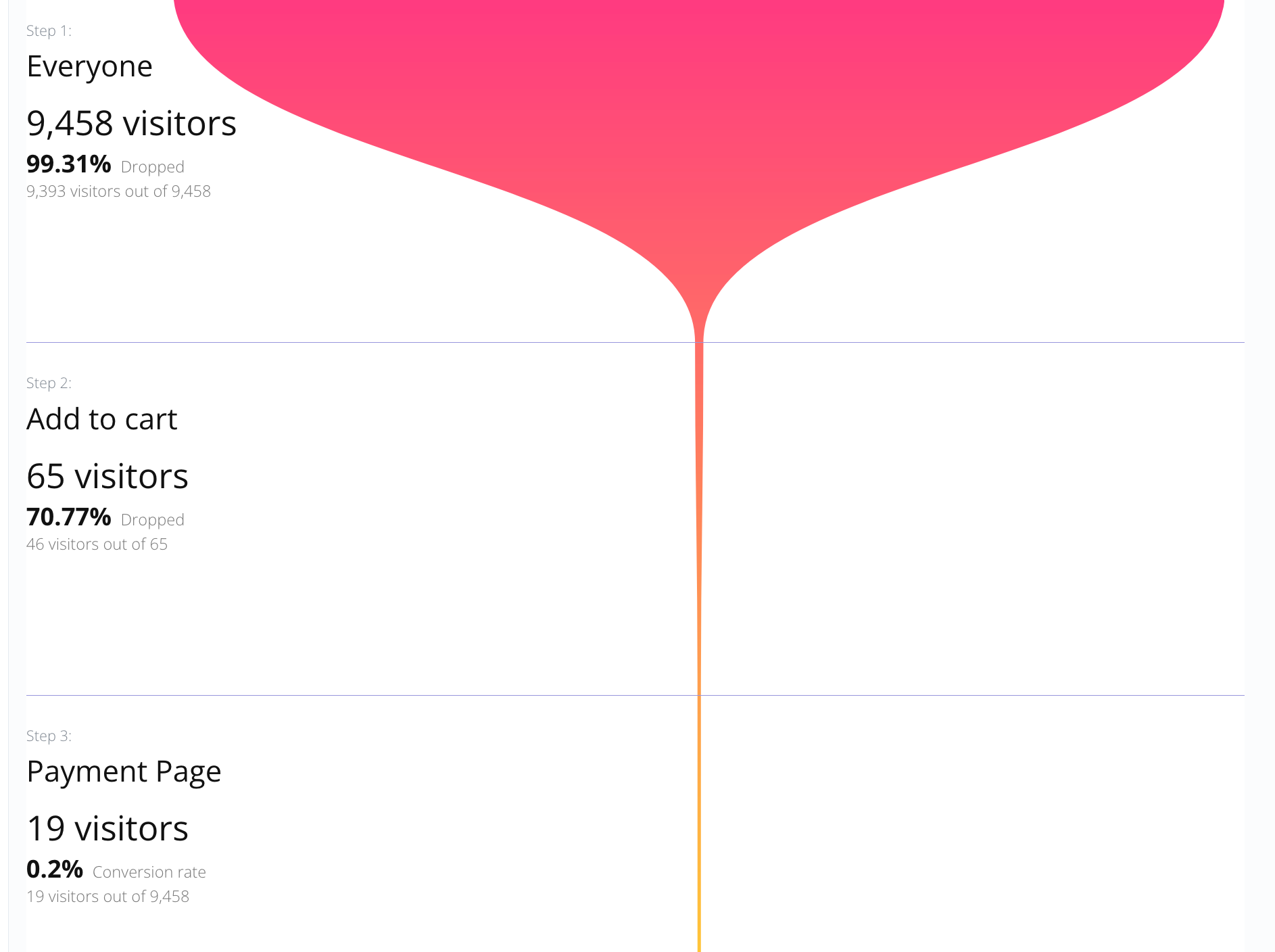
A Hitsteps Funnel is an ordered set of Segment stages or Everyone. Exact order requires every stage in sequence. Forward order allows skipped stages while still requiring progress toward the final step. Missing activity does not establish why someone left. Website funnel analytics shows where a recorded path thinned out; it cannot prove why a visitor left. Explore real-time visitor tracking.
Use supported Segment conditions such as page activity, source, campaign, device, location or custom data. A Funnel can combine these signals, not only page URLs.
Exact order requires every stage in sequence. Forward order allows skipped stages while requiring progress toward the final step.
Select a stage to open the visitors matching its Segment. The Everyone entry opens the unfiltered visitor report. Inspect available paths and context behind the count.
Enable push or email notifications for the final step, so a recorded completion can prompt a follow-up.
Everyone → Add to cart → Payment Page → Thank you. Create Segments for the recorded steps, then compare stage counts and completion for this journey.
Use it when you need live visitor context, practical installation routes, and action tools around the traffic you already have.
Hitsteps has kept evolving across website platforms, browser changes, analytics shifts, and store workflows.
WordPress, Shopify, Wix, Google Tag Manager, HTML, CMS, commerce, browser, and desktop setup paths are documented from one hub.
Live dashboard, visitor profiles, heatmaps, chat, Segments, uptime, reports, and alerts stay connected after tracking is installed.



The preview uses up to two days of genuine live Segment history. Saving a Funnel prepares eligible recent history in the background and shows progress.
Campaign visitors → product engagement → qualified Segment → conversion. Use supported source and behavior conditions to investigate a particular audience.
Referral visit → key Action → qualified lead. Choose conditions your tracking setup can identify; do not assume visits on different devices belong to one person.
Funnels are available on Pro plans and above. Free, Starter, and Growth do not include Funnels in the public plan table. Segment stages use supported conditions, and exact limits depend on your plan. Compare current Funnel limits and pricing. Features and pricing.
Use supported Segment conditions such as page activity, source, campaign, device, location or custom data. A Funnel can combine these signals, not only page URLs.
Exact order requires every stage in sequence. Forward order allows skipped stages while requiring progress toward the final step.
Select a stage to open the visitors matching its Segment. The Everyone entry opens the unfiltered visitor report. Inspect available paths and context behind the count.
The preview uses up to two days of genuine live Segment history. Saving a Funnel prepares eligible recent history in the background and shows progress. Live Segment matches begin after creation. Reconstructed analytical Segment matches never advance or backfill Funnels. Coverage depends on the data actually recorded and retained.
Funnels are available on Pro plans and above. Compare current limits on features.php#price.
Use Funnels to find stage drop-offs, then inspect visitors in real-time visitor tracking. Heatmaps are available on Growth and above when enabled.
Create the Segments, arrange their steps, and validate the recent preview before saving. Funnels are available on Pro and above.