Maintained for real websites
Hitsteps has kept evolving across website platforms, browser changes, analytics shifts, and store workflows.
Statcounter shows live visitor activity, Google Ads details, and conversions. If you need to follow paid traffic across platforms through visitor Actions and Goals, Hitsteps brings UTM history, ad traffic evidence, Segments, and revenue into one visitor workflow.
Statcounter covers live visitors, paths, campaigns, and heatmaps. Hitsteps adds Segments, funnels on Pro+, live chat with the visitor's journey, and uptime alerts on Pro+ in the same account.
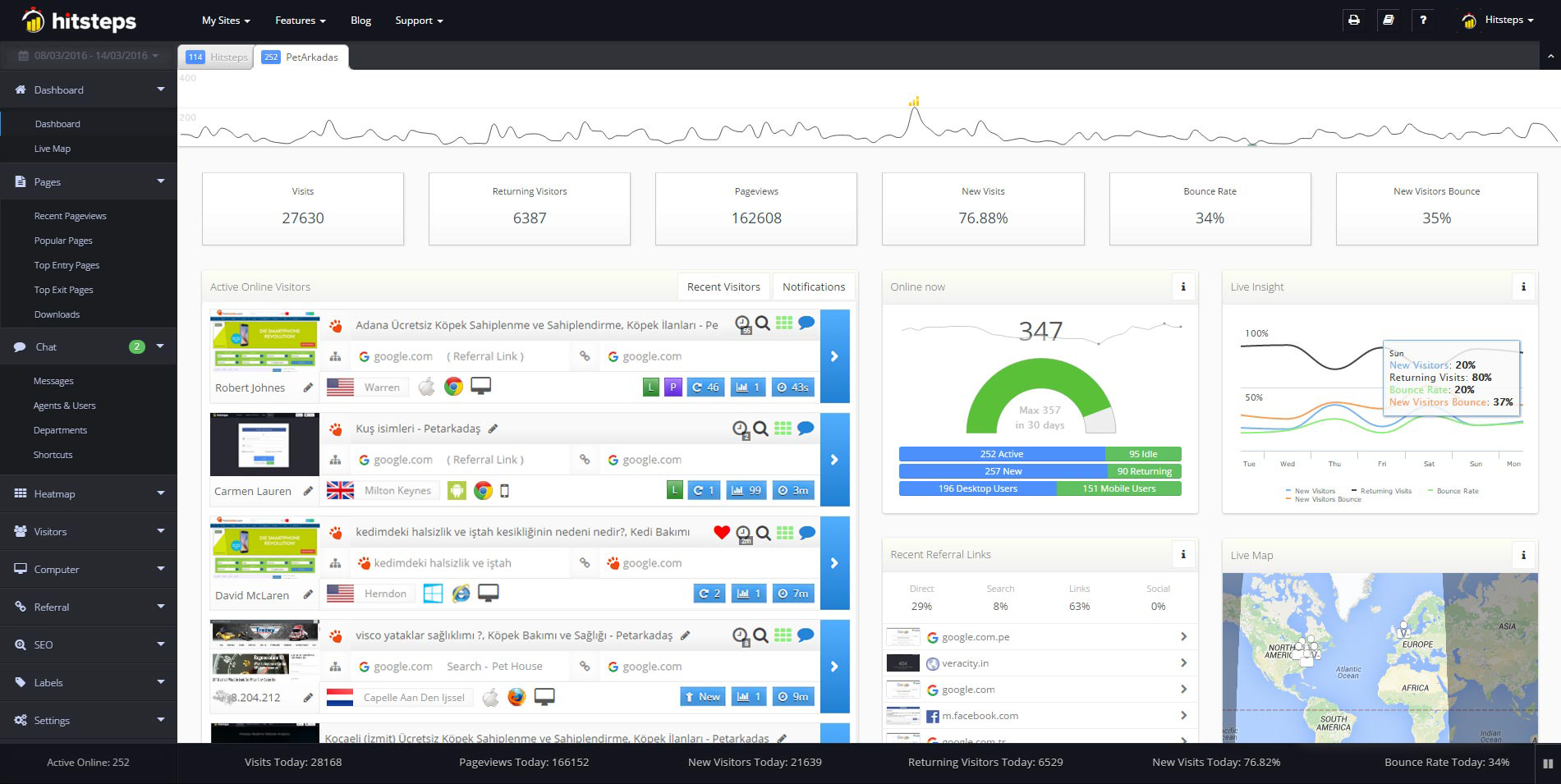
Use it when you need live visitor context, practical installation routes, and action tools around the traffic you already have.
Hitsteps has kept evolving across website platforms, browser changes, analytics shifts, and store workflows.
WordPress, Shopify, Wix, Google Tag Manager, HTML, CMS, commerce, browser, and desktop setup paths are documented from one hub.
Live dashboard, visitor profiles, heatmaps, chat, Segments, uptime, reports, and alerts stay connected after tracking is installed.


Statcounter shows live visitor activity, Google Ads details, and conversions. If you need to follow paid traffic across platforms through visitor Actions and Goals, Hitsteps brings UTM history, ad traffic evidence, Segments, and revenue into one visitor workflow.
Statcounter shows live visitor activity, Google Ads details, and conversions. If you need to follow paid traffic across platforms through visitor Actions and Goals, Hitsteps brings UTM history, ad traffic evidence, Segments, and revenue into one visitor workflow.
Explore the first campaign that acquired each visitor or their most recently observed tagged touch.
UTM attributionAutomatically detects paid traffic from supported advertising platforms using confidence-rated URL signals.
Open automatic ad detectionActions record visitor interactions that pageviews cannot describe, such as adding a product to a cart, reaching 50% of a video, or choosing a plan.
Open Actions documentationDefine a Segment with conditions such as pages viewed, referrer, location, browser, operating system, or other tracked activity. When supported, Hitsteps rebuilds eligible retained analytical matches up to the lesser of 30 days and your plan's history allowance, then records future live matches. Notifications and Funnels remain live-only.
What are Segments?Statcounter covers live visitors, paths, campaigns, and heatmaps. Hitsteps adds Segments, funnels on Pro+, live chat with the visitor's journey, and uptime alerts on Pro+ in the same account.
Statcounter shows live visitor activity, Google Ads details, and conversions. If you need to follow paid traffic across platforms through visitor Actions and Goals, Hitsteps brings UTM history, ad traffic evidence, Segments, and revenue into one visitor workflow.
| Need | Hitsteps | Statcounter |
|---|---|---|
| Live visitors as they browse | Yes: open an active visit and follow its page path as it happens. | Statcounter shows a real-time feed of visitors as they browse. |
| Click heatmaps | Yes, from the Growth plan. | Yes: Statcounter includes click heatmaps on its plans. |
| Live chat with visitors | Yes, from the Starter plan. | Not listed as a Statcounter feature. |
| Free plan | Yes: 1 site, up to 2,000 pageviews/month, 14 days of history. | Statcounter lists a free Basic plan with 5,000 sessions per month and 14 days of data retention (pricing page, checked 30 Oct 2026). |
Statcounter capabilities and product boundaries above were checked on 30 Oct 2026 against the following official documentation. Statcounter is a trademark of its owner. Hitsteps is not affiliated with or endorsed by Statcounter. Statcounter source 1 · Statcounter source 2 · Statcounter source 3 · Statcounter source 4 · Statcounter source 5 · Statcounter source 6 · Statcounter source 7 · Statcounter source 8 · Statcounter source 9 · Statcounter source 10 · Statcounter source 11
Statcounter is a trademark of StatCounter. Hitsteps is not affiliated with or endorsed by Statcounter.
Some WordPress analytics stop at the Google connection step. Hitsteps has no such step.
Statcounter basic tracking works the same way. Its default install is a small snippet pasted before the closing body tag on every page, with guides for more than 70 platforms. That setup needs no Google account. (Statcounter default install guide, facts checked 29 Oct 2026.)
Google only enters Statcounter when you switch on its Google Ads integration. That step prompts you to authorize a connection to your Google Ads account, and it is part of the Premium Plus plan from $19 per month. (Google Ads integration, support guide, checked 29 Oct 2026.)
If you came here after a Connection Times Out message in a Google connected WordPress plugin, both tools avoid that wait for everyday stats. The difference is workflow. Statcounter shows live activity with labels, alerts and session replay. Hitsteps connects each visit to its first and latest UTM touch, confidence rated ad traffic across platforms, Actions, Segments, Goals and revenue, plus live chat with the visitor journey.
Hitsteps needs no Google or WordPress.com connection. Install the free Hitsteps plugin, connect your account with the API key, and the plugin prints the tracking script. Visits are recorded on Hitsteps servers and appear in the live dashboard and in the WordPress admin widgets. If a Google connection step keeps blocking your reports, this is the fastest way to see who is on the site right now.
Create a free Hitsteps account and connect UTM campaigns, Ad Traffic, Actions, Segments, Goals, revenue, and live visitor context in one dashboard.
Statcounter users: see the six website stats worth checking each week