Maintained for real websites
Hitsteps has kept evolving across website platforms, browser changes, analytics shifts, and store workflows.
If you are reading this, you are likely deciding whether to keep or replace Analytify or Analytify.AI. The two names cover two different products: Analytify is the WordPress plugin that pulls Google Analytics 4 reports into the WordPress dashboard, and Analytify.AI is an AI analytics platform at analytify.ai that says it lets you connect business data, ask questions in plain English and get dashboards, insights and recommendations. This page compares 7 web analytics tools you can consider instead of either, starting with Hitsteps.
We list what each tool offers and the honest side of each switch. Facts about other tools come from their public websites and every one carries a check date and a link to its source. We do not get paid by the tools on this page. Analytify details: the WordPress plugin page (wordpress.org/plugins/wp-analytify) and the Analytify.AI site (analytify.ai), both checked 16 Nov 2026.
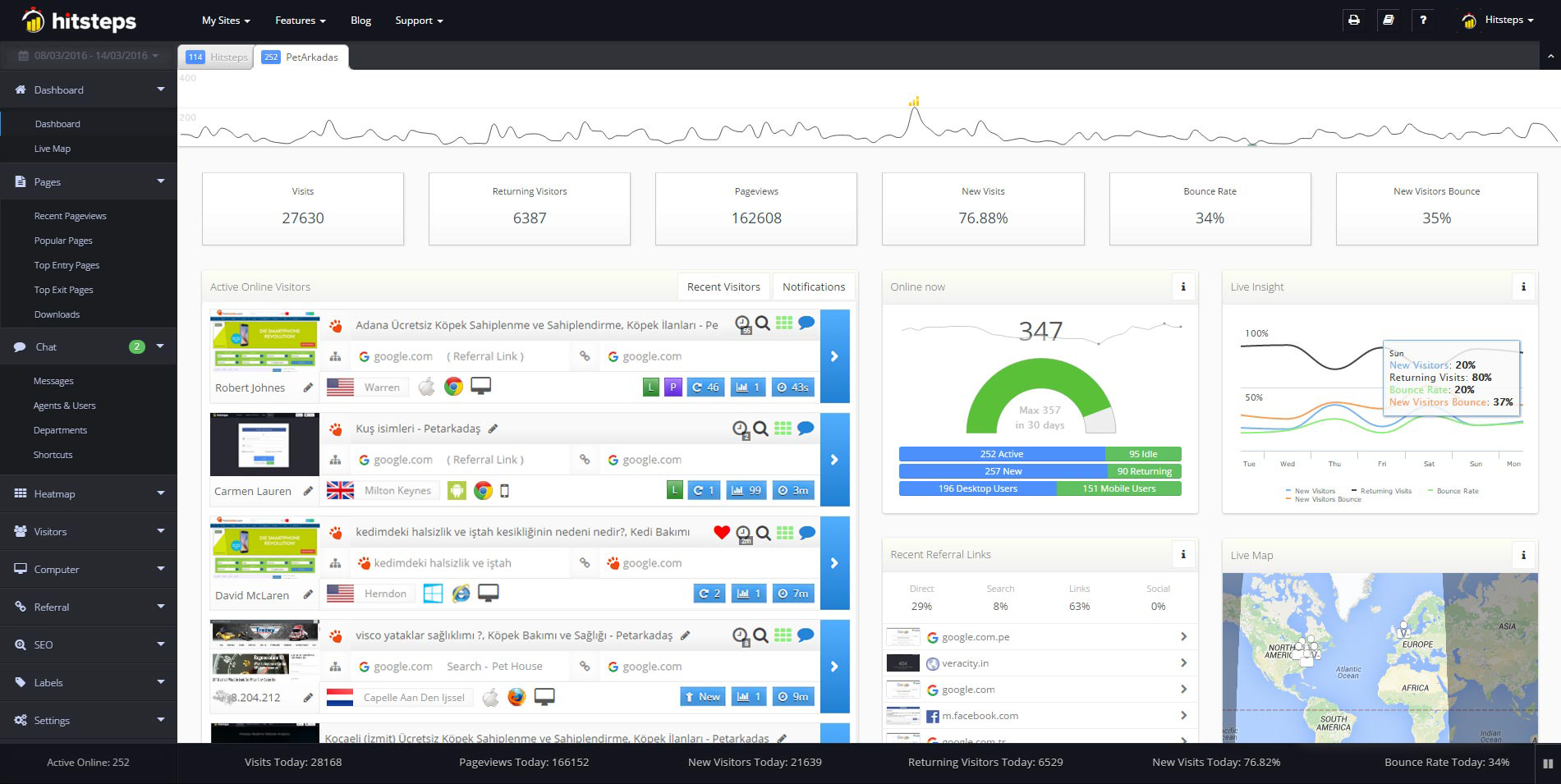
Use it when you need live visitor context, practical installation routes, and action tools around the traffic you already have.
Hitsteps has kept evolving across website platforms, browser changes, analytics shifts, and store workflows.
WordPress, Shopify, Wix, Google Tag Manager, HTML, CMS, commerce, browser, and desktop setup paths are documented from one hub.
Live dashboard, visitor profiles, heatmaps, chat, Segments, uptime, reports, and alerts stay connected after tracking is installed.

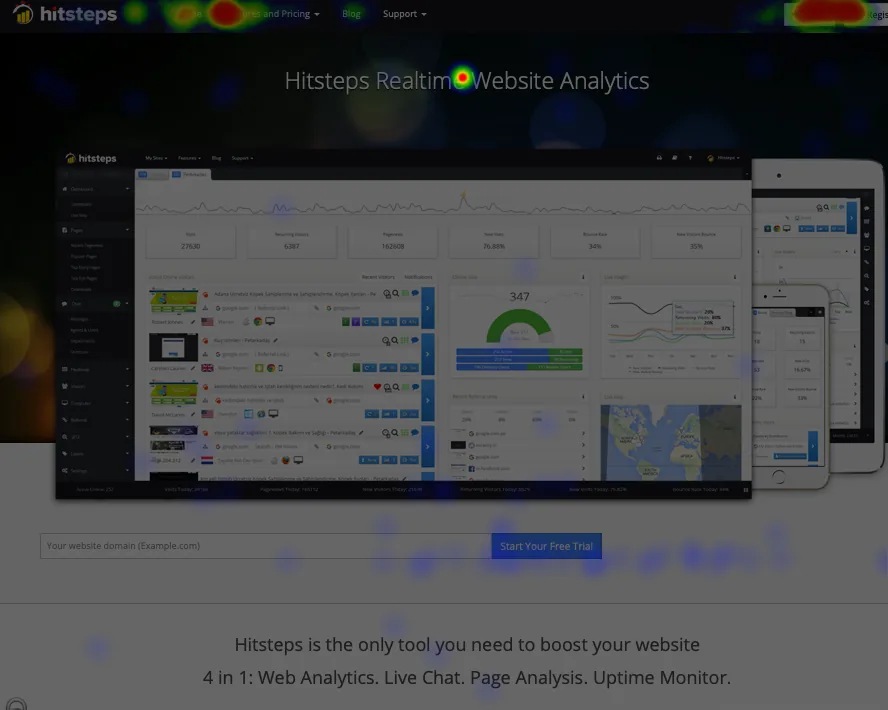

What it is: a hosted web analytics service with live visitors, heatmaps, funnels, goals, live chat, session recordings, uptime monitoring and AI traffic tracking, with a WordPress plugin and other integrations (features and pricing at hitsteps.com/features.php, checked 16 Nov 2026). It tracks with its own code, so no Google Analytics account is needed.
The AI part: Hitsteps AI answers plain-English questions about your analytics inside the dashboard (25 questions a day on Growth, 50 on Pro and more on higher plans), and the Hitsteps MCP Plugin hands the same data to your own AI assistant such as ChatGPT or Claude on every plan including Free. Hitsteps AI is included from the Growth plan; eligible Free and Starter accounts can activate a 7-day trial. It also reports visits that come from AI assistants separately from human traffic.
What that means for a switch: you get one dashboard that covers the analytics reports and the AI answers, with a free plan to verify your own traffic and a 7-day Pro trial with no card. Add the tracking code next to your current setup and compare the numbers side by side before you decide.
What it is: Google's own analytics. Its search box takes questions about your data in natural language, shows the answer and opens the Insights panel with more detail, alongside automated and custom insights that flag changes in your data (support.google.com/analytics/answer/9357428 and answer/9443595, checked 16 Nov 2026). It lives inside your Google Analytics account.
What that means for a switch: if you already run GA4, the natural-language answers are already inside your existing account at no extra cost. If the reason you are leaving Analytify is the GA4 dependency itself (account setup, sampling, privacy posture, or just wanting a second, independent data layer), staying inside GA4 keeps that dependency rather than removing it.
What it is: a behavior analytics tool focused on session replays and heatmaps. Microsoft says Clarity is free forever with no traffic limits, that you are never compelled to upgrade to a paid version, and that AI and machine learning algorithms power its insights (learn.microsoft.com/en-us/clarity/faq, checked 16 Nov 2026).
What that means for a switch: Clarity centers on playback and heatmaps at no cost. It does not replace the entire analytics report layer: goals, funnels, revenue or a live visitor feed are not its reported focus, so most sites pair it with a core analytics tool. Recordings and heatmaps (which Hitsteps also ships) complement, not replace, the numbers that decide most traffic questions.
What it is: a product analytics platform aimed at software teams. PostHog AI answers questions and does the work with your events, replays, errors, logs and warehouse data, and can be used in PostHog, in Slack or from your coding agent (posthog.com/ai, checked 16 Nov 2026).
What that means for a switch: if your site is a product with events, funnels and experiments, the AI assistant sits on top of that product data. Its framing is event-based product analysis, not a pageview-first website dashboard, so a site owner comparing against a WordPress traffic plugin should weigh that framing and the plan at their traffic level on the vendor's pricing page.
What it is: an analytics platform you can self-host or use as a cloud service. Ask Matomo is an optional AI chat where signed-in users ask questions about reports, analytics data and configuration in natural language; Matomo says it will be available in November 2026. Matomo also reports visits from AI assistants such as ChatGPT and Claude separately from human visits (matomo.org/faq/general/ask-matomo, matomo.org/guide/reports/ai-assistants, checked 16 Nov 2026).
What that means for a switch: you own the data and the AI chat is an add-on you enable rather than the core of the product. The trade-off is ownership work: self-hosting means you run the servers, patching and scaling, and the cloud plan is a separate paid service. If you want AI answers without that operations job, a hosted analytics service covers the same questions with less setup.
What it is: a web and product analytics service with a built-in AI assistant, Maven AI, that takes questions about your data in plain language and returns answers, charts and insights without SQL or query building (usermaven.com/maven-ai and Usermaven docs, checked 16 Nov 2026).
What that means for a switch: the AI answer flow is central to its pitch, so it is a direct comparison if you use Analytify.AI's question-and-answer mode. The service spans website and product analytics; check its current plans and free terms on the vendor pricing page (not quoted here) against your traffic.
What it is: a cookieless analytics service. Its feature pages center on site totals, custom events, email reports and integrations, without cookies or consent banners (usefathom.com/features, checked 16 Nov 2026). In October 2026 Fathom added Luna, an AI assistant in the dashboard that answers questions about how Fathom works and, when you allow it, about your stats, including its Realtime view (usefathom.com/changelog/oct2026-luna, checked 16 Nov 2026). Its changelog also lists an AI tab for visitors who arrive from AI tools (usefathom.com/changelog, checked 16 Nov 2026).
What that means for a switch: Fathom centers on aggregate site totals with email reports and no cookie banner. Its AI assistant is a help and stats chat inside that dashboard, and the reports stay at aggregate totals rather than per-visitor journeys, so check whether its answers go as deep on your own data as the question-and-answer mode you use today.
| Tool | Data source | AI answering | Realtime/visitors | Heatmaps | Session replay | Notes |
|---|---|---|---|---|---|---|
| Hitsteps | own tracking code | built-in dashboard AI and MCP Plugin | yes, per-visitor | yes | yes | free plan, 7-day Pro trial, no card (checked 16 Nov 2026) |
| GA4 Insights | GA4 property | natural-language search and Insights panel | realtime reporting; no per-visitor feed | charts, not heatmaps | no | needs a Google Analytics account (checked 16 Nov 2026) |
| Microsoft Clarity | own code | AI and machine learning insights | no live visitor feed reported | yes | yes | free forever per vendor (checked 16 Nov 2026) |
| PostHog | event pipeline | PostHog AI (product data) | dashboards; product-event framing | heatmaps available | yes | event-based product analytics (checked 16 Nov 2026) |
| Matomo | self-host or cloud | Ask Matomo (optional, listed for November 2026) | visitor reports, realtime view | paid Heatmap & Session Recording plugin | paid Heatmap & Session Recording plugin | self-hosting means you run the stack (checked 16 Nov 2026) |
| Usermaven | own code | Maven AI chat | website and product views | not listed on the vendor pages checked | not listed on the vendor pages checked | check current plans on the vendor site (checked 16 Nov 2026) |
| Fathom | own cookieless code | Luna AI assistant (added October 2026) | Realtime view; aggregate totals, no visitor journeys | not listed on vendor pages | not listed on vendor pages | email reports, no cookie banner (checked 16 Nov 2026) |
Cells summarize each vendor's own pages as checked on 16 Nov 2026, with the sources linked in the tool entries above. Plan prices are left out because they change; open each vendor's site to confirm current details before you switch.
The name is used for two different products. Analytify is a WordPress plugin that shows Google Analytics 4 reports inside the WordPress dashboard. Analytify.AI is an AI analytics platform at analytify.ai that says it connects your business data, answers questions in plain English and builds dashboards, insights and recommendations. This page compares alternatives to both. Sources: wordpress.org/plugins/wp-analytify and analytify.ai, checked 16 Nov 2026.
Only GA4 itself does. Hitsteps, Microsoft Clarity, PostHog, Matomo, Usermaven and Fathom track with their own code and do not require a GA4 account. Some of them can connect to Google data (for example Search Console), but the core tracking does not depend on GA4. If the reason you are leaving the Analytify plugin is that GA4 dependency, every other tool here removes it.
There is no single answer; it depends on your site and who reads the reports. For AI answers plus the wider analytics stack (live visitors, heatmaps, funnels, chat) with a free entry point, Hitsteps is this page's own answer, and you can verify it on your own traffic for free. GA4 keeps its search and Insights panel inside your Google account, Microsoft Clarity lists free session replays and heatmaps, and Matomo offers self-hosting. Each tool's own site is linked in the sources above so you can confirm current details before switching.
Yes. Add the Hitsteps tracking code next to your existing setup and compare the numbers side by side. The free plan is enough to verify your own traffic, and no card is needed for the 7-day Pro trial.
Yes. Hitsteps AI answers plain-English questions about your analytics inside the dashboard (included from the Growth plan; eligible Free and Starter accounts can activate a 7-day trial, 25 questions a day on the trial), and the Hitsteps MCP Plugin gives your own assistant, such as ChatGPT or Claude, access to the same data on every plan including Free. Hitsteps also reports visits that arrive from AI assistants separately from human traffic. Details checked on hitsteps.com/features.php and hitsteps.com/ai-integration, 16 Nov 2026.
Comparing tools one by one? Read the Analytify comparison, the Google Analytics alternatives, the Microsoft Clarity comparison, the PostHog comparison, the Matomo comparison, the Usermaven comparison and the Fathom comparison, or see all comparisons.