E-commerce analytics comparison

The best e-commerce analytics tools compared

An online store produces two kinds of numbers. The first kind is orders, revenue and products, kept in the dashboard of the platform you sell on. The second kind is visitor behavior: where people come from, what they look at, where they drop off and who is on your site right now. E-commerce analytics tools measure that second kind, and it shapes how many orders you get.

This page compares seven tools on the questions a store owner faces: what each one records before checkout, where its data comes from and how you start. It is a comparison, not a ranking, and we make one of the tools, so check each vendor's own page before you decide.

Looking for e-commerce services such as agencies, platforms or shipping? That is a different question, and this page does not cover it. Our article on six services your e-commerce store needs starts there.

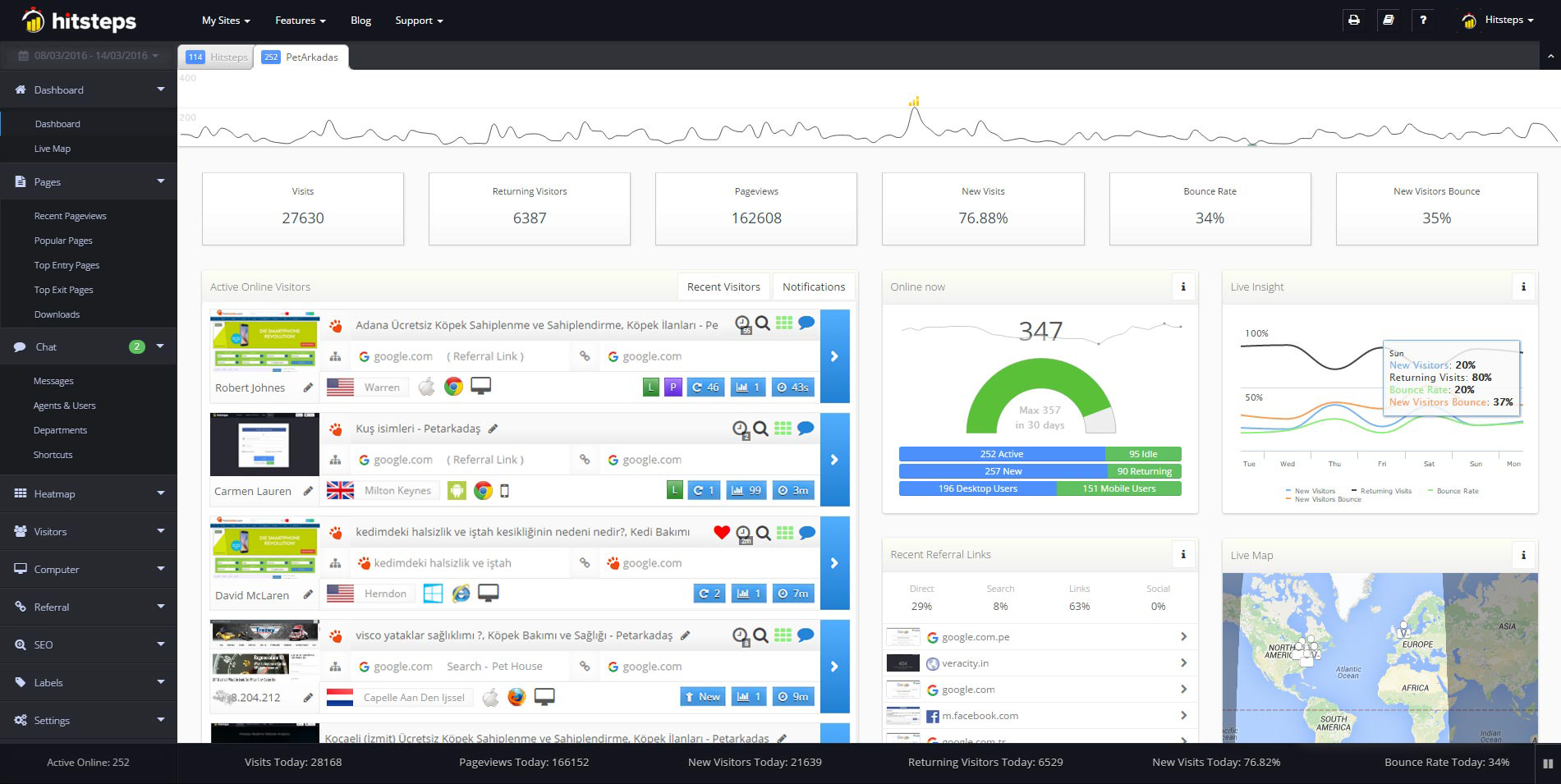
Live visitor feed

Seven e-commerce analytics tools side by side

Each row lists what the vendor documents on its own pages, with the date we checked it.

ToolWhat it recordsWhere the data comes fromHow you start
HitstepsA live visitor feed, custom Actions for steps such as adding a product to a cart or reaching checkout, Funnels and Goals built from those Actions, segments, campaign context, click heatmaps (Growth plan) and live chat with visitors (Starter plan).The Hitsteps tracking code on your store pages. From the Pro plan, Commerce analytics matches those journeys with verified Shopify and WooCommerce orders.Free plan: 1 site, up to 2,000 pageviews a month, 14 days of history. Your free account includes a 7-day Pro trial.
Google Analytics 4Event-based measurement. Google documents e-commerce events such as view_item, add_to_cart and purchase, and a Realtime report with activity counts and user snapshots.Events that your store's tracking code or tag setup sends to Google Analytics.Free for standard properties; Analytics 360 is sold separately (checked 30 Oct 2026).
WooCommerce AnalyticsAnalytics and Sales Reports in the WordPress admin: net sales, orders, average order value and items sold, with filters, segments, CSV downloads and a customizable dashboard.Orders recorded by your WooCommerce store.Documented as part of WooCommerce, a free plugin on WordPress.org (checked 16 Nov 2026).
Shopify AnalyticsAn Analytics dashboard of metric cards, a Reports page and a Live View page for online store traffic.Your Shopify store's activity, visitors, web performance and transactions.Shopify says the main Analytics features are available on any Shopify subscription plan (Help Center, checked 16 Nov 2026).
Triple Whale and MetorikTriple Whale lists a pixel with first and last click attribution and one view of paid, owned, subscription and organic data. Metorik lists product sales, profit and stock reports, order attribution and one dashboard for Shopify and WooCommerce stores.Store orders, plus the ad and marketing channels you connect.Triple Whale lists a Free plan with no credit card required. Metorik lists a 30-day free trial with no credit card, then pricing based on average monthly orders (pricing pages, checked 16 Nov 2026).
ClickyReal-time reports that show visits as they happen.The Clicky tracking code on your pages.Free plan with 1 site, up to 3,000 daily pageviews and 30 days of history (pricing page, checked 30 Oct 2026).
MatomoWeb analytics with Ecommerce reports for orders, products and abandoned carts.The Matomo tracker, on your own server or on Matomo Cloud.Free, open source software you can self-host; Matomo Cloud is a paid hosting service (pricing page, checked 4 Nov 2026).

Sources, checked on the dates in the table: WooCommerce Analytics documentation, Shopify Help Center, Triple Whale pricing, Metorik pricing, Google Analytics ecommerce guide and Matomo Ecommerce guide. Our Google Analytics, Clicky and Matomo comparisons cite their pricing facts.

Which question are you answering?

Where Hitsteps fits your store

You want to see the visitor journey toward a purchase as it happens: which campaign brought a shopper, which product pages they opened and where they stopped before checkout. Hitsteps shows that in a live feed with Funnels, click heatmaps and chat beside it, on Shopify, WooCommerce or a custom store.

What your store reports keep

Order totals, refunds, taxes and stock stay in your store platform's own reports, and revenue apps add profit and ad spend on top. Those numbers answer what was sold. Visitor analytics answers why the rest of your visitors did not buy, which is why many stores run both.

Product proof

Understand your visitors. Take action with confidence.

Use it when you need live visitor context, practical installation routes, and action tools around the traffic you already have.

4.4 on G2 (45 reviews) Some reviewers found the dashboard busy when many reports are open. The live overview is the quickest place to start, and the detailed data stays one click away.

Since 2013

Maintained for real websites

Hitsteps has kept evolving across website platforms, browser changes, analytics shifts, and store workflows.

15+ install paths

Works where your site already lives

WordPress, Shopify, Wix, Google Tag Manager, HTML, CMS, commerce, browser, and desktop setup paths are documented from one hub.

One workspace

From tracking hit to next action

Live dashboard, visitor profiles, heatmaps, chat, Segments, uptime, reports, and alerts stay connected after tracking is installed.

Hitsteps live dashboard with visitor activity and charts
Live dashboard
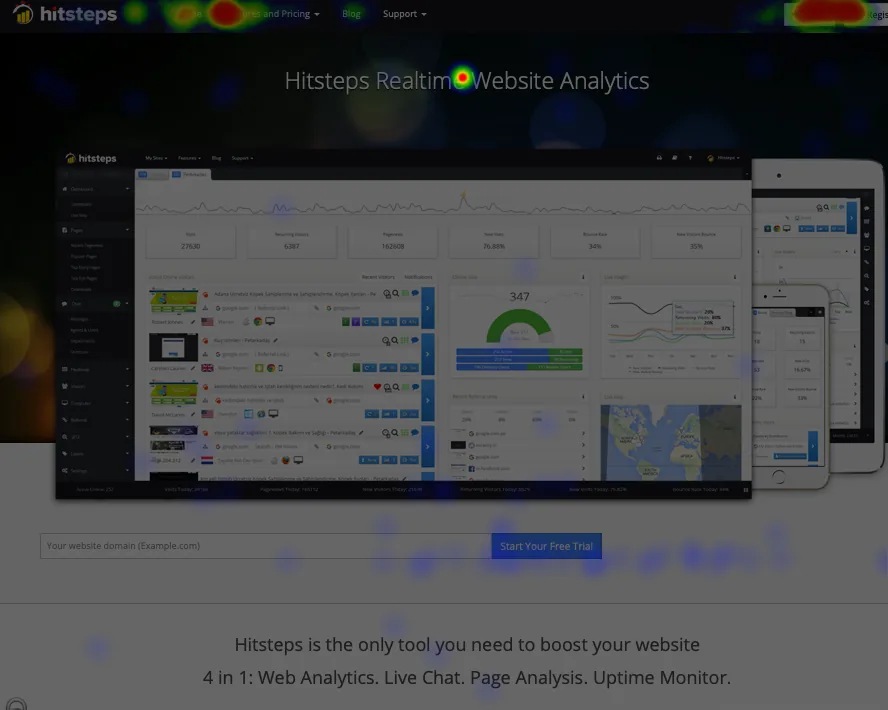
Hitsteps heatmap and page-analysis report
Heatmap context
Hitsteps live chat interface connected to visitor context
Chat workflow

Hitsteps, Google Analytics, Clicky and Matomo: key differences

NeedHitstepsGoogle AnalyticsClickyMatomo
Live visitors as they browseYes: open an active visit and follow its page path as it happens.Google Analytics shows realtime activity counts and user snapshots.Clicky shows visits as they happen in its real-time reports.Matomo's real-time widget and Visits Log show visits and actions; the Visits Log doesn't refresh automatically, so you reload the page to see new visits (Matomo FAQ, checked 4 Nov 2026).
Click heatmapsYes, from the Growth plan.Not listed as a Google Analytics feature.Yes: Clicky includes click heatmaps on its plans.Matomo offers heatmaps in Matomo Cloud and as a Heatmaps feature for self-hosted On-Premise (matomo.org, checked 4 Nov 2026).
Live chat with visitorsYes, from the Starter plan.Not listed as a Google Analytics feature.Not listed as a Clicky feature.Not listed as a Matomo feature.
Free planYes: 1 site, up to 2,000 pageviews/month, 14 days of history.Google Analytics is free for standard properties; Analytics 360 is sold separately (checked 30 Oct 2026).Clicky lists a Free plan with 1 site, up to 3,000 daily pageviews and 30 days of history (pricing page, checked 30 Oct 2026).Matomo is free, open source software you can self-host; Matomo Cloud is a paid hosting service from its pricing page (checked 4 Nov 2026).

See a store journey before you sign up

Open the live demo to watch a simulated visit to an example shop, with no signup. Or start free and add the tracking code to your store.

More on store analytics: ecommerce analytics, WooCommerce analytics, real-time visitor tracking and every comparison.

E-commerce analytics FAQ

What does this page compare?

Seven e-commerce analytics tools for online store owners: visitor analytics (Hitsteps, Google Analytics 4, Clicky and Matomo), store reports (WooCommerce Analytics and Shopify Analytics) and store revenue apps (Triple Whale and Metorik). It does not cover e-commerce agencies, platforms or shipping, which is a different question.

What is the difference between store reports and web analytics?

Store reports such as WooCommerce Analytics and Shopify Analytics show the orders, revenue and products your store recorded. Web analytics such as Hitsteps and Google Analytics 4 follow visitor behavior across your site: where visits come from, what people view and where they leave. Many stores run both, because they answer different questions.

Do I need more than GA4 for an online store?

Google Analytics 4 measures events and is free for standard properties; its reports compare trends over time. Store reports add order and revenue totals. Hitsteps answers a different question: what is happening on your pages right now and where visitors leave before checkout, with a live visitor feed, Funnels and heatmaps. They can run side by side.

Can Hitsteps track e-commerce steps like add to cart and checkout?

Yes. Hitsteps records custom Actions for steps such as adding a product to a cart or reaching checkout, and builds Funnels and Goals from them. From the Pro plan, Commerce analytics matches those journeys with verified Shopify and WooCommerce orders. Browser data alone never creates revenue figures.

Which of these tools have a free way to start?

Google Analytics 4 is free for standard properties. WooCommerce Analytics comes with the free WooCommerce plugin, and Shopify Analytics with your Shopify plan. Clicky lists a free plan, Triple Whale lists a Free plan and Metorik lists a 30-day free trial. Hitsteps has a free plan and a 7-day Pro trial. Limits and check dates are in the table above.

WooCommerce, Shopify, Triple Whale, Metorik, Google Analytics, Clicky and Matomo are trademarks of their owners. Hitsteps is not affiliated with them. Facts come from each vendor's public pages on the dates shown; check them before you decide.