Întreținut pentru site-uri reale
Hitsteps a continuat să evolueze prin platformele web, modificările programelor de navigare, schimbările în analiza datelor și fluxurile de lucru din magazin.
Hitsteps integrations
Instalați Hitsteps acolo unde se află deja site-ul dvs. Alegeți platforma și urmați un ghid dedicat pentru analize în timp real, profiluri de vizitatori, chat, Segmente și monitorizarea disponibilității, toate dintr-un singur cont Hitsteps.
Quick start
Create a Hitsteps account or open your existing account, then add the site you want to track.
Most plugins need the API key. Manual installs usually need the full JavaScript tracking code.
Open your dashboard and visit your website. Your online visitor should appear without waiting for a batch report.
Why install Hitsteps
Free analytics tags are useful for reports. Hitsteps is for the moment after installation when you need live visitor identity, behavior context, chat, uptime awareness, and a clear next action.
After setup, visit your website and confirm your own session in the live dashboard instead of waiting for delayed reporting.
Use visitor profiles, referrers, heatmaps, pages, campaigns, devices, and returning visitor history in one place.
Aduceți chatul în timp real, notificările de Segment, verificările disponibilității și fluxurile de lucru desktop/mobile mai aproape de echipa care folosește datele.
Folosește-l atunci când ai nevoie de context live pentru vizitatori, căi de instalare practice și instrumente de acțiune în jurul traficului pe care îl ai deja.
Hitsteps a continuat să evolueze prin platformele web, modificările programelor de navigare, schimbările în analiza datelor și fluxurile de lucru din magazin.
WordPress, Shopify, Wix, Google Tag Manager, HTML, CMS, comerțul electronic, programele de navigare și rutele de configurare pentru desktop sunt documentate într-un singur centru.
Tabloul de bord live, profilurile vizitatorilor, hărțile de căldură, chatul, Segmentele, monitorizarea disponibilității, rapoartele și alertele rămân conectate după instalarea codului de urmărire.



Setup guides
Each guide explains what to copy, where to paste it, and how to confirm Hitsteps is receiving data.

Instalează din panoul WordPress, adaugă cheia API și vezi vizitatorii live, performanța Search Console și contextul vizitatorilor din tabloul de bord.

Connect Hitsteps with your Shopify store, live visitor activity, ecommerce insights, and chat tools.

Download the Joomla package, enable the plugin, and add your Hitsteps API key.
Add Hitsteps through a GTM tag template when you prefer not to edit your site templates.

Paste the Hitsteps tracking code before the closing body tag of your pages or shared footer.

Conectează asistenți compatibili cu MCP la analizele, site-urile, disponibilitatea, alertele, obiectivele, Mentions și instrumentele de conversație Hitsteps, cu acces OAuth limitat prin scopuri.

Conectați Hitsteps la Grafana Infinity, importați tabloul de bord JSON și explorați traficul agregat, Segmentele, Pâlniile și multe altele.

Connect through the Wix app for automatic setup, billing, and reinstall repair, with HTML embed available as a fallback.

Keep your team online for chat, quick dashboard access, and desktop notifications.

O aplicație desktop pentru o privire de ansamblu asupra activității în timp real, chatului și notificărilor de Segment.

A macOS menu bar companion for Hitsteps overview and real-time notifications.

Aveți la îndemână vizitatorii în timp real, alertele și analiza site-ului pe iPhone, iPad și Android.

Install the module, paste your API key, and start tracking your store visitors.

Add Hitsteps with a Blogger HTML/JavaScript gadget that appears on your blog layout.

Paste the tracking code into your Tumblr theme customization area.

Add the tracking code to your Zen Cart footer template so every page is tracked.

Add Hitsteps to the active phpBB footer template and monitor forum visitors in real time.

Use a shared page template or block placement to run Hitsteps across Drupal pages.
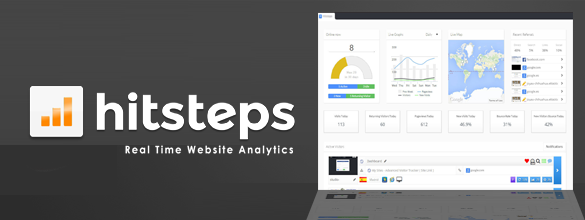
Create your Hitsteps site profile, copy your API key, and verify tracking.
Use the HTML tracking code guide for any custom site, static site, landing page builder, or platform that lets you edit a shared footer.