실제 웹사이트를 위해 유지관리
Hitsteps는 웹사이트 플랫폼, 브라우저 변화, 분석 환경 변화, 스토어 워크플로 전반에서 계속 발전해 왔습니다.
Hitsteps integrations
웹사이트가 운영되는 플랫폼에 Hitsteps를 설치하세요. 플랫폼을 선택하고 하나의 Hitsteps 계정에서 실시간 분석, 방문자 프로필, 채팅, 세그먼트 및 가동 시간 모니터링을 설정하는 전용 안내를 따르세요.
Quick start
Create a Hitsteps account or open your existing account, then add the site you want to track.
Most plugins need the API key. Manual installs usually need the full JavaScript tracking code.
Open your dashboard and visit your website. Your online visitor should appear without waiting for a batch report.
Why install Hitsteps
Free analytics tags are useful for reports. Hitsteps is for the moment after installation when you need live visitor identity, behavior context, chat, uptime awareness, and a clear next action.
After setup, visit your website and confirm your own session in the live dashboard instead of waiting for delayed reporting.
Use visitor profiles, referrers, heatmaps, pages, campaigns, devices, and returning visitor history in one place.
실시간 채팅, 세그먼트 알림, 가동 시간 확인, 데스크톱 및 모바일 워크플로를 데이터를 사용하는 팀 가까이에 두세요.
이미 보유한 트래픽을 중심으로 라이브 방문자 맥락, 실용적인 설치 경로, 행동 도구가 필요할 때 사용하세요.
Hitsteps는 웹사이트 플랫폼, 브라우저 변화, 분석 환경 변화, 스토어 워크플로 전반에서 계속 발전해 왔습니다.
WordPress, Shopify, Wix, Google Tag Manager, HTML, CMS, 커머스, 브라우저, 데스크톱 설치 경로가 하나의 허브에 문서화되어 있습니다.
추적 설치 후에도 라이브 대시보드, 방문자 프로필, 히트맵, 채팅, 세그먼트, 가동 시간, 보고서, 알림이 연결되어 있습니다.



Setup guides
Each guide explains what to copy, where to paste it, and how to confirm Hitsteps is receiving data.

Install from your WordPress admin, add the API key, and see live visitors, Search Console performance, and visitor context from your dashboard.

Connect Hitsteps with your Shopify store, live visitor activity, ecommerce insights, and chat tools.

Download the Joomla package, enable the plugin, and add your Hitsteps API key.
Add Hitsteps through a GTM tag template when you prefer not to edit your site templates.

Paste the Hitsteps tracking code before the closing body tag of your pages or shared footer.

Connect MCP-compatible assistants to Hitsteps analytics, sites, uptime, alerts, goals, Mentions, and chat tools with scoped OAuth access.

Connect Hitsteps to Grafana Infinity, import the dashboard JSON, and explore aggregate traffic, Segments, Funnels, and more.

Connect through the Wix app for automatic setup, billing, and reinstall repair, with HTML embed available as a fallback.

Keep your team online for chat, quick dashboard access, and desktop notifications.

실시간 활동, 채팅 및 세그먼트 알림을 한눈에 보여 주는 데스크톱 앱입니다.

A macOS menu bar companion for Hitsteps overview and real-time notifications.

iPhone, iPad, Android에서 라이브 방문자, 알림, 웹사이트 분석을 계속 확인하세요.

Install the module, paste your API key, and start tracking your store visitors.

Add Hitsteps with a Blogger HTML/JavaScript gadget that appears on your blog layout.

Paste the tracking code into your Tumblr theme customization area.

Add the tracking code to your Zen Cart footer template so every page is tracked.

Add Hitsteps to the active phpBB footer template and monitor forum visitors in real time.

Use a shared page template or block placement to run Hitsteps across Drupal pages.
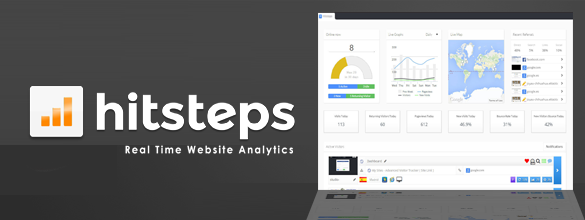
Create your Hitsteps site profile, copy your API key, and verify tracking.
Use the HTML tracking code guide for any custom site, static site, landing page builder, or platform that lets you edit a shared footer.