AI web analytics and live visitor intelligence

Web analytics features, AI assistant, and pricing

See which campaigns bring visitors, what they read, and where they stop. Choose the analytics tools and capacity your website needs.

No card needed. See real traffic before choosing a plan.

Live Dashboard
Live Visitor Analytics
Live Online Support Button
Live Map
Privacy-Ready Visitor Tracking
Plan guide

Compare plans

Monthly billing. Start with a 7-day Pro trial, then choose the plan that fits your site.

Start your 7-day trial

Starter

$4.99/mo

Live visitor tracking, traffic sources, and campaign reports for smaller sites.

Pageviews limit per month
10,000
Number of sites you can track
2
Detailed Data History
30 Days

Pro

$21.99/mo

Uptime monitoring and more capacity for busy sites and teams.

Pageviews limit per month
500,000
Number of sites you can track
30
Detailed Data History
180 Days

Business

$49.99/mo

Higher traffic limits, more websites, and longer visitor history for agencies and larger businesses.

Pageviews limit per month
1,000,000
Number of sites you can track
100
Detailed Data History
360 Days
Why Hitsteps

Understand what visitors do, then help them act

Hitsteps brings AI answers, live analytics, behavior insights, chat, and uptime checks together so you can understand what is happening and respond while it still matters.

Live visitor feed

Watch visitors arrive, move through pages, trigger goals, and return across devices in real time.

Heatmaps and page analysis

See which links, buttons, and page elements get attention so you can improve the parts that drive conversions.

Live chat in context

Start a conversation while you can still see the visitor's source, location, device, and current page.

Uptime monitoring

Get notified when your site goes down and keep analytics, support, and reliability in the same place.
Feature guide

Choose the analytics features for every visitor journey

Hitsteps combines an AI analytics assistant, real-time website visitor tracking, heatmaps, live chat, uptime monitoring, and integrations so you can move from a question to evidence and visitor-level action.

Website statistics and real-time analytics

Use visitor, visit, pageview, referrer, campaign, page, device, location, and goal reports to understand both current activity and longer-term traffic patterns.

Explore website statistics and web stats

Hitsteps AI Integration

Use Hitsteps AI inside the dashboard, or connect the free Hitsteps MCP Plugin to your own compatible AI assistant for conversational web analytics.

See prompts, sample replies, and the MCP advantage
Explore AI referral tracking

Heatmaps, live chat, and conversion context

Combine click heatmaps, page analysis, Segments, and live support so your team can see what visitors do before starting a conversation.

Explore website heatmaps

Plugins, tracking code, and uptime monitoring

Install Hitsteps through WordPress, Shopify, Wix, Google Tag Manager, custom HTML, or desktop tools, then choose the plan that fits pageviews, sites, history, and uptime needs.

Explore Shopify visitor analytics
Campaign report

UTM campaigns

Explore the first campaign that acquired each visitor or their most recently observed tagged touch.

First-touch UTM Latest UTM touch Goals Goal revenue
Automatically captured from this visitor’s UTM-tagged tracking observations.
UTM attribution
First-touch UTMLatest UTM touch
Sourcenewsletter
Mediumemail
Campaignsummer_launch
Landing page/summer-offer
Acquisition

Ad traffic

Automatically detects paid traffic from supported advertising platforms using confidence-rated URL signals.

Paid visitors Possible / unproven paid Signal conflicts
Automatically classified from advertising click IDs and paid campaign tags. URL signals are confidence-rated; they are not advertising-account API verification.
Open automatic ad detection
Platform / channelConfidence
Google AdsPaid search
High-confidence ad signal
Meta AdsPaid social
Possible / unproven paid
Campaign / IDKeywordPlacement
Internal searches

Internal keywords

See what people search for on your website, then open the visitor journeys behind each term.

Action activity

Actions Explorer

Actions record visitor interactions that pageviews cannot describe, such as adding a product to a cart, reaching 50% of a video, or choosing a plan.

Action activity over time Discover which events and values are most common. Open the visitors behind a selected Action.
Open Actions documentation
hitsteps.trackAction('cart_category', 'clothes'); The key is required and the value is optional.
Verified collection

Ecommerce tracking & analytics

Browser Commerce events explain shopping behavior. A verified store provider supplies orders and revenue.

Browser journeys Verified orders Product performance Acquisition performance
Eligible 7-day trial · Pro+
Orders, products, journeys, acquisition, and customers use one audited Commerce truth layer.
Orders Products Revenue Customers
Each lane starts forward-only from its verified coverage date. Enabling collection never imports older orders.
Report workspace

Custom dimensions + Reports

Define structured visitor and Action attributes without changing your tracking schema. Build focused reports from Actions and your structured dimensions.

Visitor Action Segment Export visible CSV
Choose what this report should answer
Actions reportSaved report
SegmentAll visitors
Break down bycustomer_plan
MetricsAction events · Unique visitors
FiltersEquals · Has a value
Segments

Build precise visitor groups from the signals that matter

Define a Segment with conditions such as pages viewed, referrer, location, browser, operating system, or other tracked activity. When supported, Hitsteps rebuilds eligible retained analytical matches up to the lesser of 30 days and your plan's history allowance, then records future live matches. Notifications and Funnels remain live-only.

  • Combine supported profile, acquisition, page, search, technology, and Action conditions with AND logic
  • Add up to 50 separate custom Action key/value requirements to one Segment
  • Reconstruct eligible retained matches, then react to future live matches
Create Segment Match when
CountryDE
First UTM campaignsummer_launch
Internal searchesyellow shoes
Action 1cart_category = clothes
Action 2item_color = yellow
Segment history is ready.
Charts show analytical matches: safely rebuilt retained visits plus future live matches. Historical matches never send notifications, advance, or backfill Funnels; those remain live-only.
Funnels

Build a flexible funnel from any visitor behavior

Funnels turn the filters you already use in Segments into a measurable visitor journey. Follow everyone who arrives, or narrow each stage by the behavior, source, device, location, campaign, or other visitor condition that matters to your team—not just a page URL.
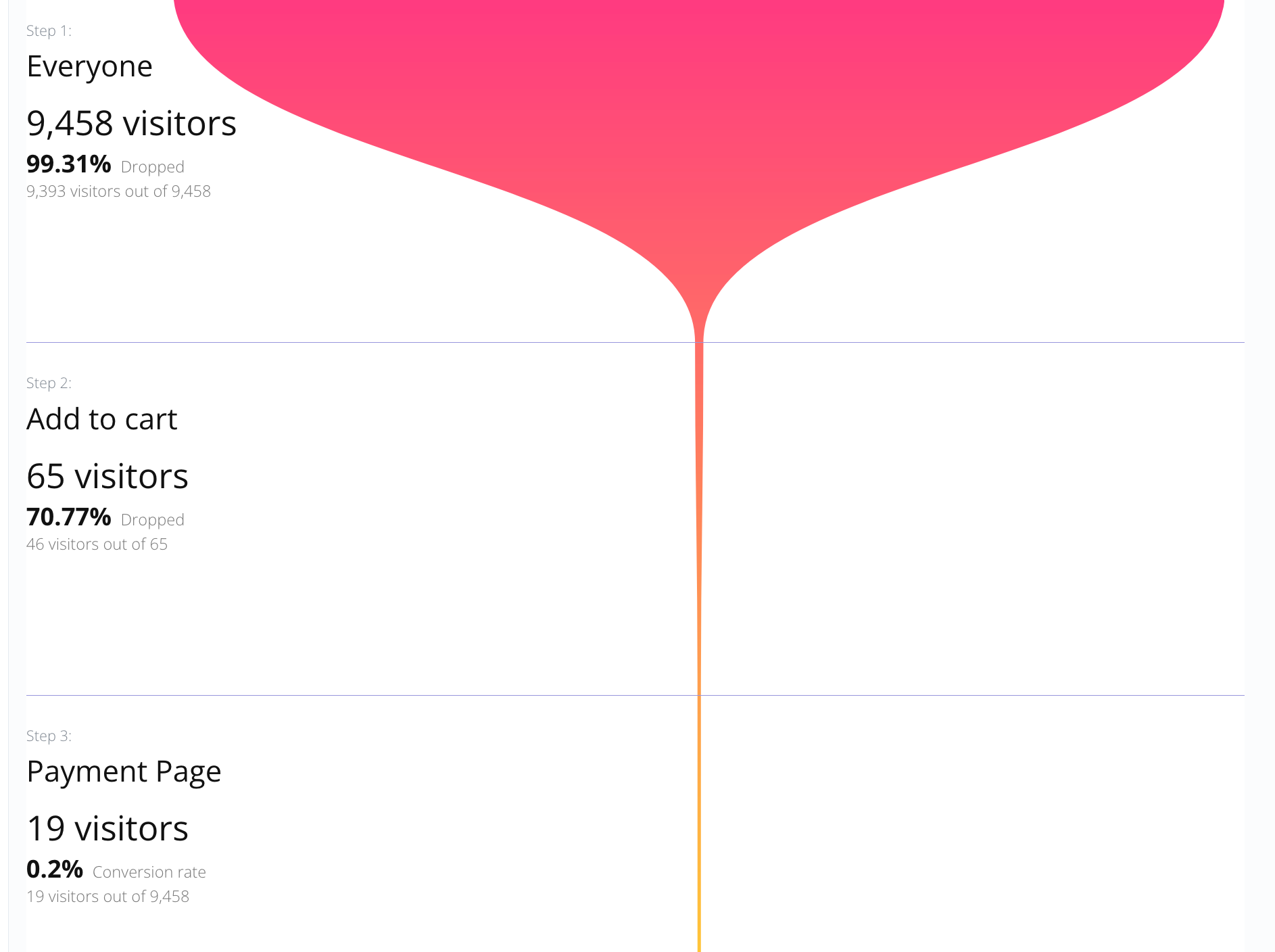
  • Chain two or more Segment conditions and measure entries, drop-offs, progression, and completed journeys.
  • Choose exact order when every stage must happen in sequence, or allow visitors to skip stages while preserving the journey order.
  • Open a funnel stage to inspect the visitors behind that number, then use desktop or email notifications when a journey reaches its final step.
Funnel showing Everyone, Add to cart, and Payment Page stages with visitor counts and drop-off rates Example: start with Everyone, measure Add to cart, and see which visitors reach the Payment Page. Every stage can represent a Segment filter, not only a URL.
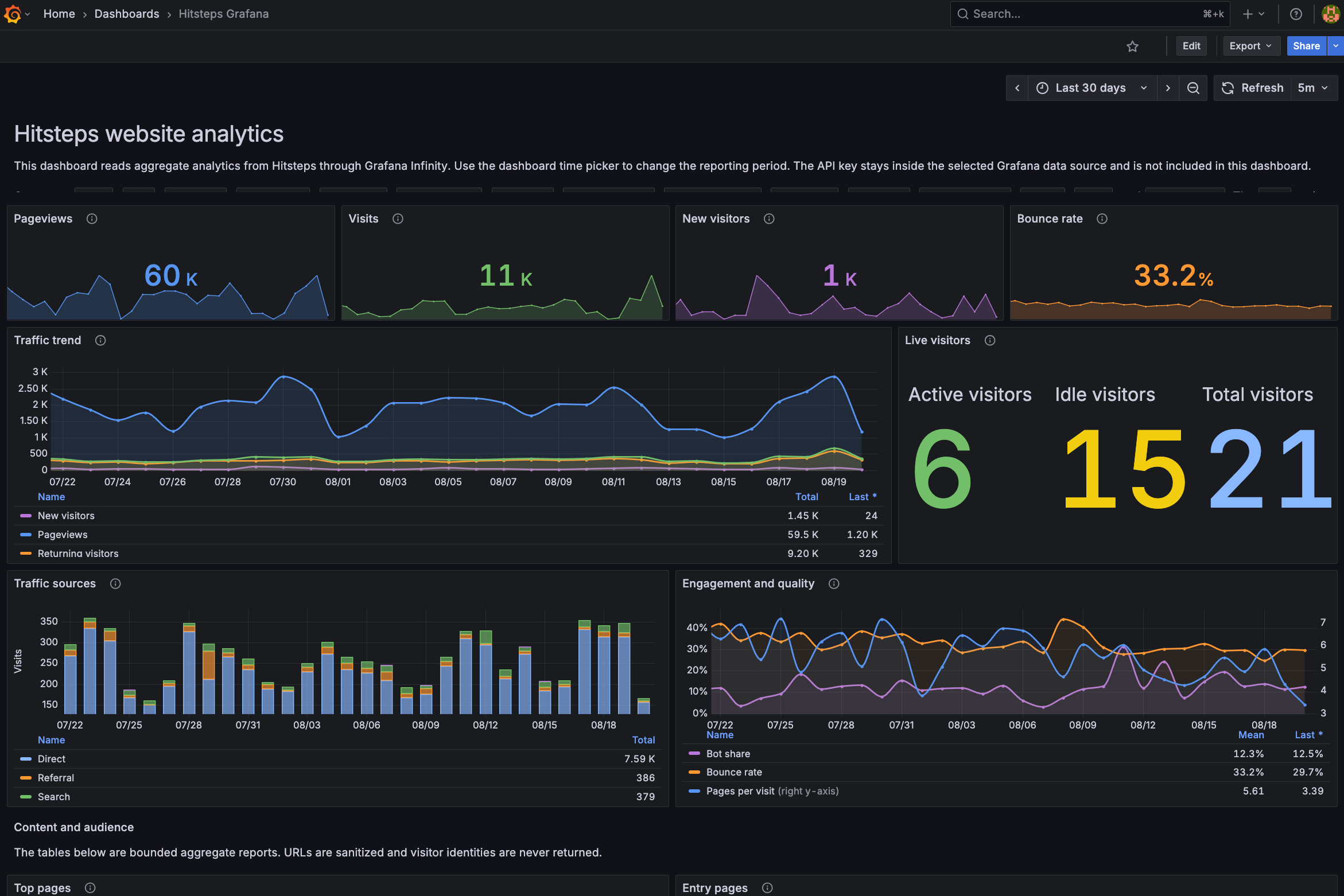
Grafana Dashboard Integration*

Bring Hitsteps analytics into Grafana

Connect Hitsteps website analytics to Grafana with the Infinity data source, a protected Bearer Token, and an importable dashboard JSON file.

  • Use your Hitsteps API key as a protected Bearer Token in Grafana.
  • Keep the API key out of the dashboard JSON while Grafana queries aggregate data for your website.
  • Import the JSON once, then use Grafana time ranges and refresh controls across the complete dashboard.
Hitsteps Grafana Dashboard Integration The importable dashboard brings Hitsteps aggregate analytics into the Grafana workflow your team already uses.
Product proof

Understand your visitors. Take action with confidence.

Use it when you need live visitor context, practical installation routes, and action tools around the traffic you already have.

Since 2013

Maintained for real websites

Hitsteps has kept evolving across website platforms, browser changes, analytics shifts, and store workflows.

15+ install paths

Works where your site already lives

WordPress, Shopify, Wix, Google Tag Manager, HTML, CMS, commerce, browser, and desktop setup paths are documented from one hub.

One workspace

From tracking hit to next action

Live dashboard, visitor profiles, heatmaps, chat, Segments, uptime, reports, and alerts stay connected after tracking is installed.

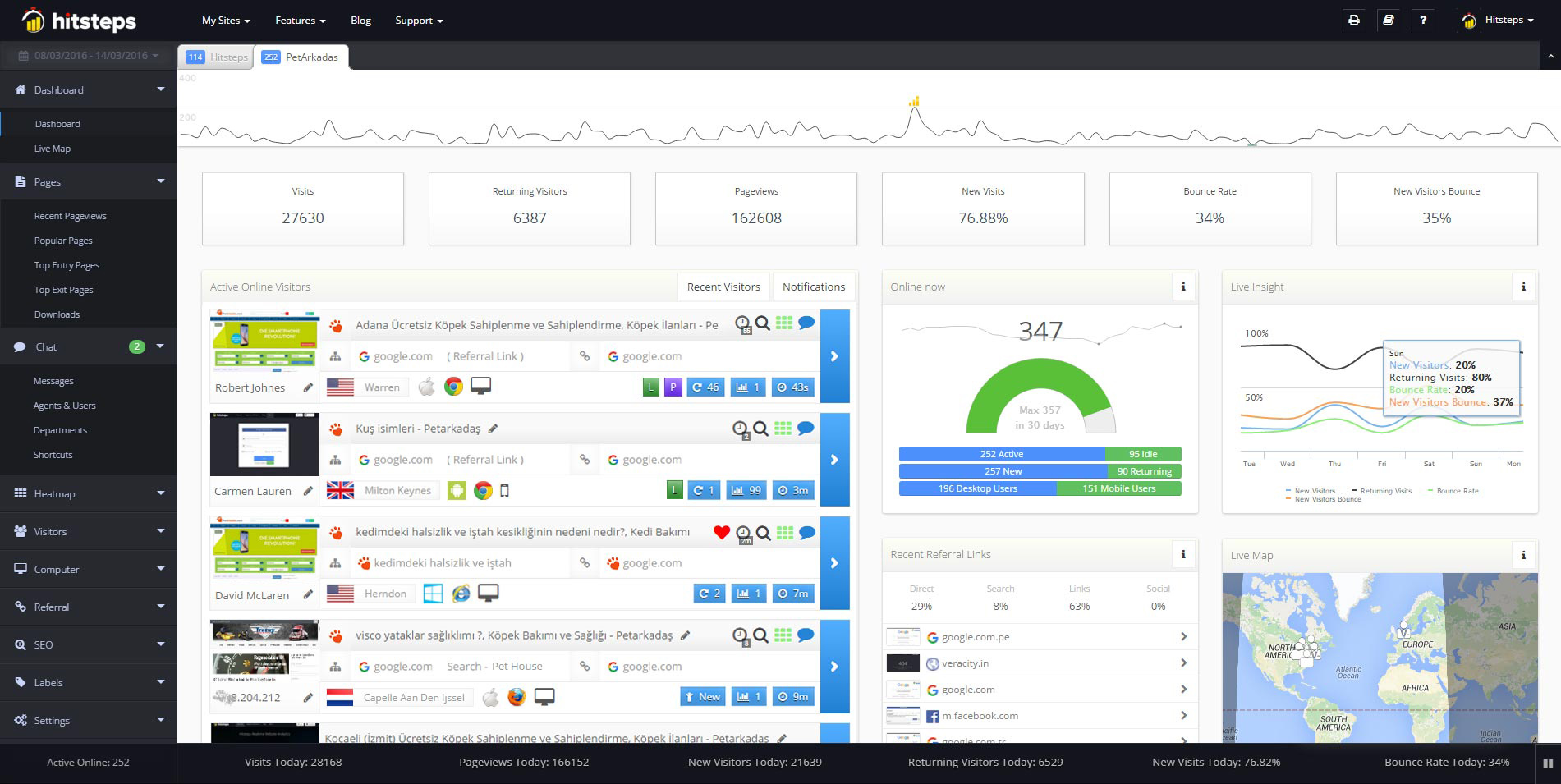
Hitsteps live dashboard with visitor activity and charts
Live dashboard
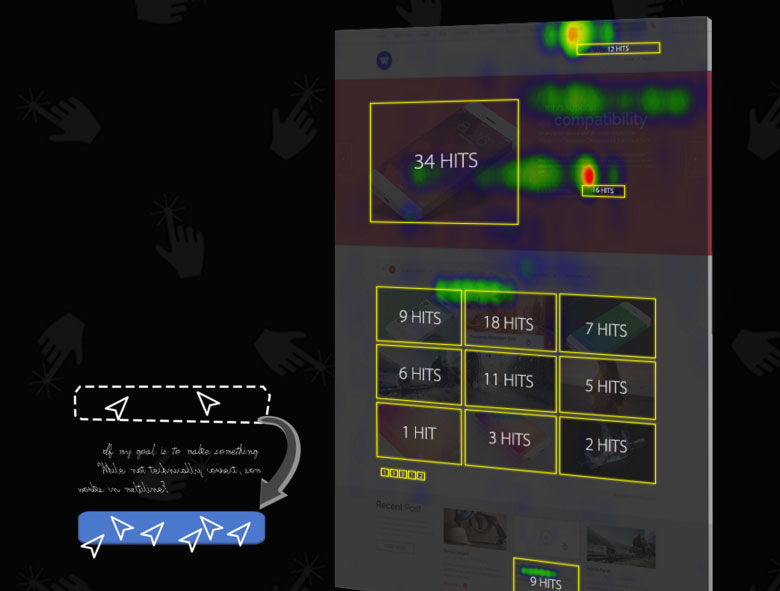
Hitsteps heatmap and page-analysis report
Heatmap context
Hitsteps live chat interface connected to visitor context
Chat workflow
Conversational web analytics

Use AI your way: inside Hitsteps or in your own assistant

Use Hitsteps AI inside the dashboard, or connect the free Hitsteps MCP Plugin to your own compatible AI assistant for conversational web analytics.

Hitsteps AI inside your dashboard

No separate AI assistant or MCP setup is required. Open the AI page and ask about your analytics. Hitsteps AI is included with Growth and higher plans; eligible Free and Starter accounts can activate a seven-day trial.

MCP Plugin for your own AI assistant

Connect a compatible assistant you already use through the Hitsteps MCP Plugin. MCP access is available on every Hitsteps plan, including Free.
Why pay for Hitsteps?

Free tools are useful. Hitsteps is built for live visitor action.

Google Analytics and Microsoft Clarity are useful companions for campaign reports, trends, heatmaps, and recordings. Hitsteps is the daily workspace for knowing who is on your site now, what they are doing, whether the site is healthy, and how to respond before the visitor leaves.

Google Analytics

Strong for acquisition reporting and long-term trends, but it is not centered on every live visitor, support context, uptime alerts, and action while the visitor is still online.

Microsoft Clarity

Helpful for recordings and heatmaps, but it does not replace a paid visitor workspace with identity, chat context, account history, reports, alerts, and recovery workflows.

Hitsteps

Combines live visitor feed, profiles, behavior, heatmaps, live chat, uptime monitoring, Segments, email reports, and integrations so analytics becomes an action surface.

Hitsteps Pricing

Choose by monthly pageviews first. Monthly billing. Start with a 7-day Pro trial, then choose the plan that fits your site. * Grafana Dashboard Integration — Business and higher · Eligible 7-day trial
Starter Growth Pro Business
Pageviews limit per month Below 10k/mo Below 50k/mo Below 500k/mo Below 1m/mo
Number of sites you can track 2 5 30 100
Detailed Data History 30 Days 60 Days 180 Days 360 Days
Hitsteps AI Eligible 7-day trial Included Included Included
AI questions per day
Shared across the account
25/day during trial 25 50 100
Hitsteps MCP Plugin
AI MCP Server
Custom dimensions 10 25 50 200
Uptime Monitoring 10 25
Uptime Credits (Call/SMS/Actions) 25 50
Live Visitor Analytics
Page Speed Meter
Company Profile
Live Dashboard
Track Downloads and External Links
Visitor Hostname and Organization
Email Reports
Custom Data (Usernames, etc.)
Advanced Visitor Segmentation
Multi-User Support
Live Online Support Button
Chat with Your Visitors
Grafana Dashboard Integration
Campaigns and Goals You Can Track 5 22 50
Funnels 20 50
Commerce analytics
Verified collection
Eligible 7-day trial Eligible 7-day trial Included Included
Segments 3 10 20 50
Number of chat agents and users 1 3 10 15
Heatmap Daily Clicks 2000 6000 9000
Heatmap Archive 7 30 90
Monthly Price $4.99/mo $9.99/mo $21.99/mo $49.99/mo

High Traffic Solutions
BusinessScaleEnterprise
Pageviews limit per month Below 1,000,000/moBelow 12,000,000/moBelow 60,000,000/mo
Number of sites you can track 1004001000
Custom dimensions 200200200
Hitsteps AI IncludedIncludedIncluded
AI questions per day
Shared across the account
100200500
Hitsteps MCP Plugin
AI MCP Server
Uptime Monitoring 25100500
Uptime Credits (Call/SMS/Actions) 502001000
Grafana Dashboard Integration
Commerce analytics
Verified collection
IncludedIncludedIncluded
All Features
Monthly Price $49.99/mo$99.99/mo$449.99/mo
Start your 7-day trial
Make a great decision!

All Features

Live Dashboard
Live Dashboard
This is your control panel for real-time website statistics. The Live Dashboard provides real-time website analytics and tracking of your online visitors. Discover their country, how they found you, what page they are viewing, and much more, all on one page. We also show you how many visitors are on your website, the number of page views you've had, recent traffic sources, search keywords, and a geolocation map.
Integrate with AI
Conversational analytics
Use AI your way: inside Hitsteps or in your own assistant Use Hitsteps AI inside the dashboard, or connect the free Hitsteps MCP Plugin to your own compatible AI assistant for conversational web analytics.
See prompts, sample replies, and the MCP advantage
Grafana Dashboard Integration
Grafana Dashboard Integration*
Connect Hitsteps website analytics to Grafana with the Infinity data source, a protected Bearer Token, and an importable dashboard JSON file.
See Grafana setup
Page Analysis
Page Analysis
Everything looks good, but visitors are not converting? Page Analysis tracks HTML element clicks to detect the best performing elements on your pages. It tracks clicks on Ajax dynamic contents, hidden elements (i.e., in-page popups and sub-menus), and even carousels and slider banners. These aggregated reports on page elements will show you exactly what is wrong on your page and which element is not getting your desired amount of clicks, be it a banner, button or a link. With a glance, you'll know what's on the page that needs to be changed.
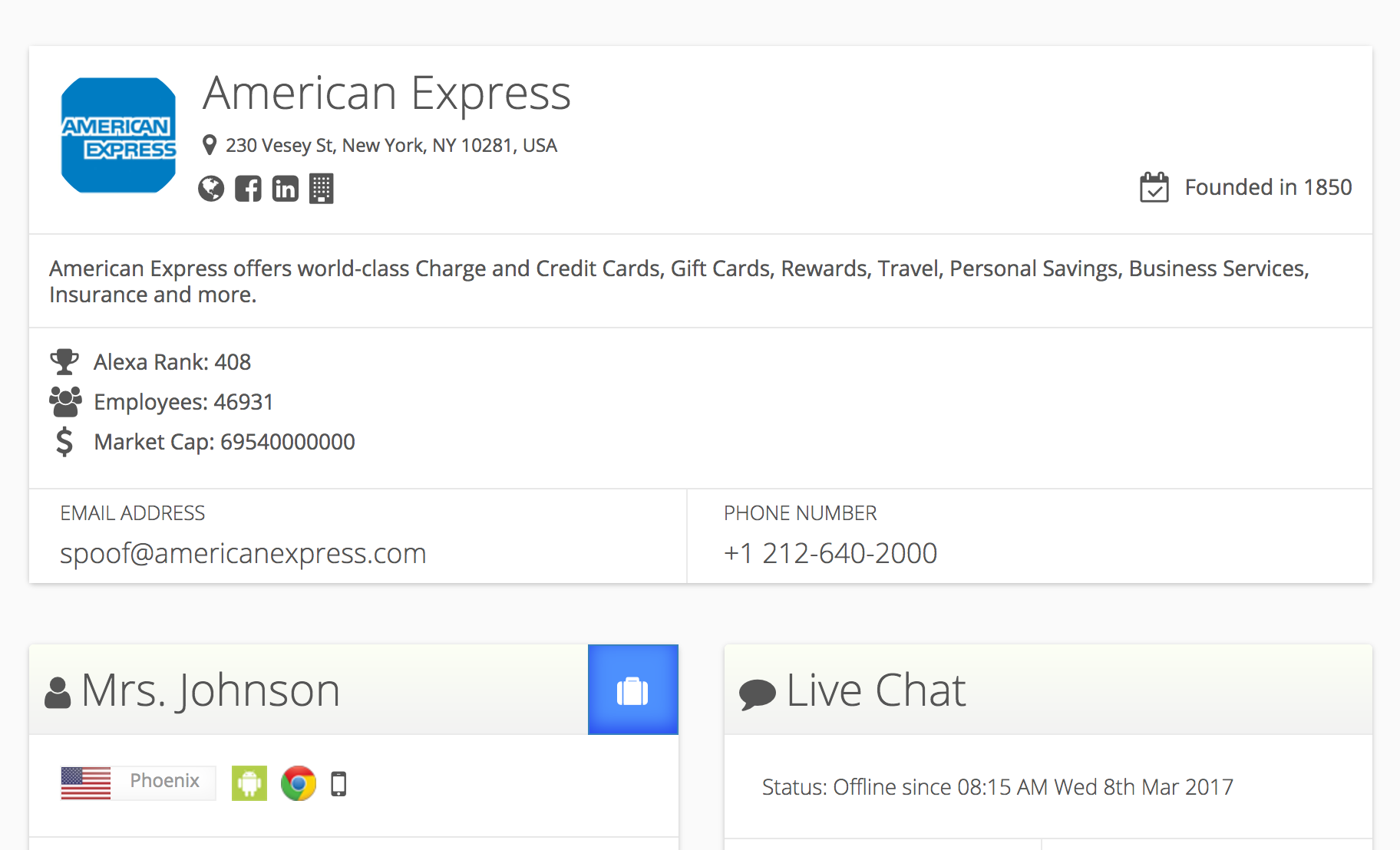
Company Profile
Company Profile
We strive to detect each visitor's origin not only by city and country, but also by their connection type (home internet, cell phone internet, company internet, university internet, etc.). Once we detect a company internet, we delve into that company's website to show you valuable information about that company.
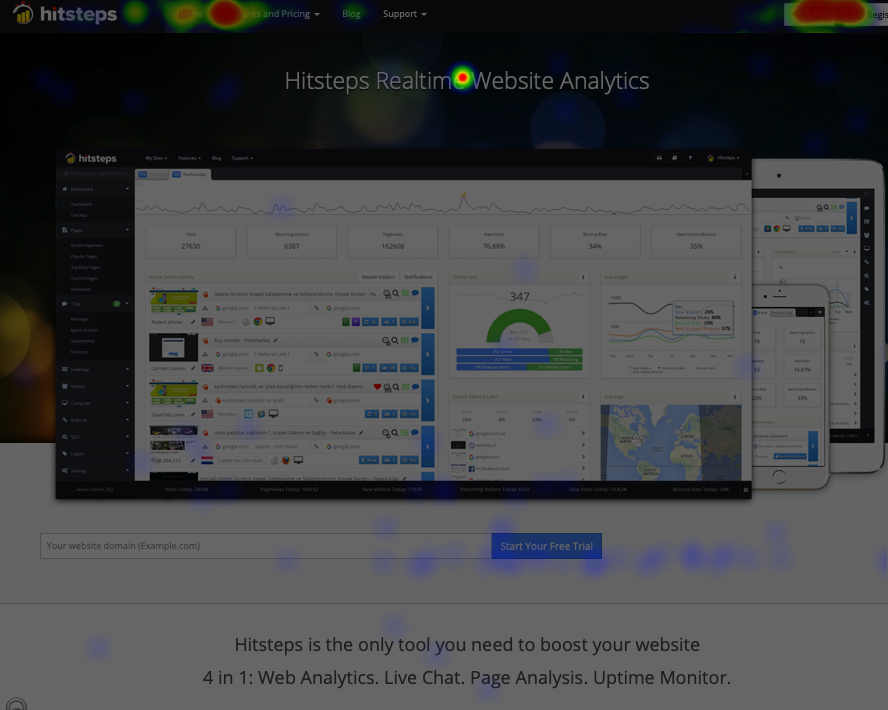
Heatmap
Heatmap
What if you place an important button in an obscure location on your website, hoping for leads that never come? Want to quickly identify the most clicked sections of your pages, and the most overlooked places on your pages? Heatmaps allow you to understand which sections of your website are grabbing the most attention and getting the most clicks.
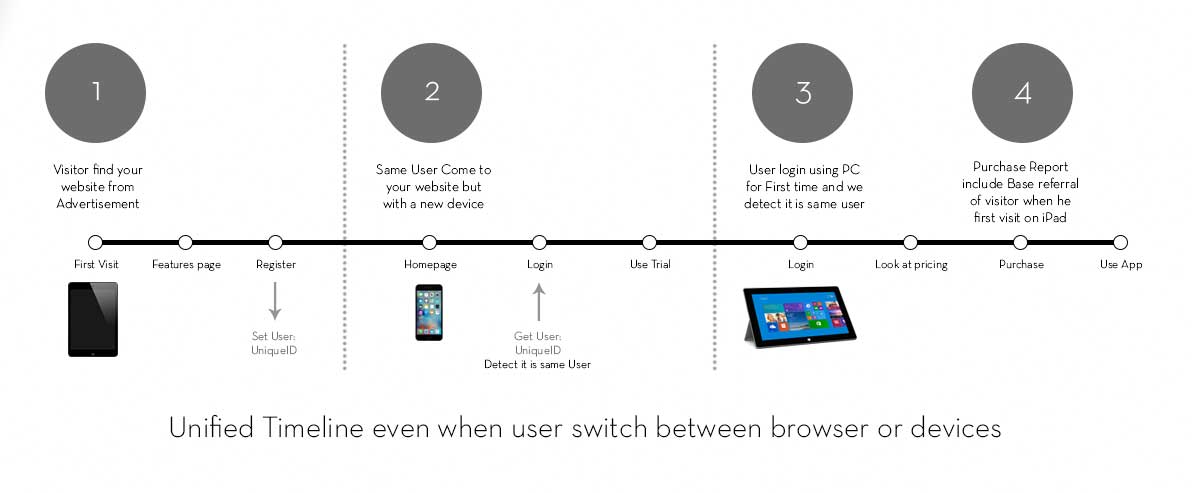
Cross-device users
Cross-device users
Hitsteps creates a unique profile and tracks when the same user accesses your website across smartphones, tablets, and desktop computers. Classic analytics may track the same user as a new visitor if they come from an advertisement using a smartphone, register on your website, then log in to your site via tablet and make a purchase. As a result, you may get an inaccurate understanding of your ad performance. Our WordPress and Shopify plugins already have cross-device tracking built in; other users can integrate this feature with a small piece of code.
Cross-device users
Page Speed Meter
Page Speed Meter
Have you ever tested your website page speed using common PageSpeed testing tools such as Google PageSpeed or GTMetrix? Wouldn't it be better if, instead of using their super-fast internet connections, you could test your page speed with your real website visitors? That's right! Hitsteps logs how long it takes for your web pages to fully load for each of your visitors. You can view this data for each individual user or see aggregated data for each page. Other services measure your page speed using their own (fast) servers. We measure your page speed using your visitors' browsers and real-life internet conditions. If the majority of your visitors use a low-speed mobile device, you will know it. If your web pages take longer than you expect, you will be able to identify it here. If a recent change causes your website to load more slowly, you will see it here as well.
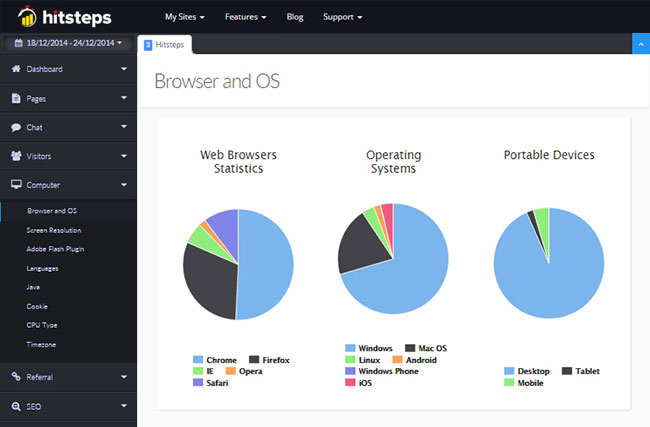
Browsers Used
Browsers Used
It's important for all website owners to know which browser is most popular among their visitors. If your website does not display well in a particular browser, such as the Facebook in-app browser, but displays well in Google Chrome, you will lose a lot of traffic from Facebook visitors.
Recent Visitors
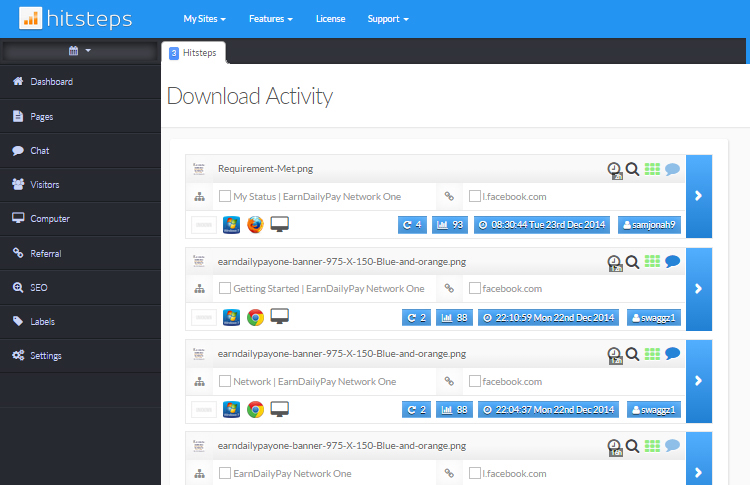
What happens if someone visits your website and you are not monitoring in real time? Will you miss this visitor's actions on your website? Absolutely not! Our Recent Visitors tracking allows you to view your visitors' information and exactly what they did while on your website. Every click and action, such as downloads and clicks on external links, will be logged here, and you can choose to go back in time using our unlimited date range selector.
Top Referrals
We distinguish between search engines and referrals. Referrals come from other sites that are not search engines, and it's valuable to know where your traffic originates. This is where our real-time referral tracking feature comes in handy. They could be blogs, directories, or any links pointing to your website. It doesn't matter where traffic comes from, as visitors are visitors, but you can use this data to improve and build high-quality referral sources.
AI Referral Tracking
Hitsteps separates attributable visits from supported AI assistants such as ChatGPT, Gemini, Claude, Copilot, and Perplexity. Review AI traffic in a dedicated report with assistant breakdowns, landing pages, and visitor-level journey context. Learn how AI referral tracking works.
Keyword Analytics, Recent Searches
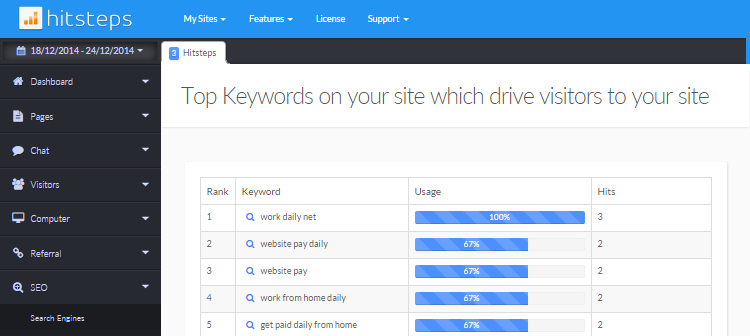
See what search terms are being used on search engines to find your website. This is an invaluable tool because it shows you exactly what your website visitors have been searching for. View the keywords used to reach your website, ranked by popularity, and identify which ones are working so you can optimize them accordingly. You can also view a keyword's details, see the specific visitors who used it, and learn more about them.
Profile Visualization
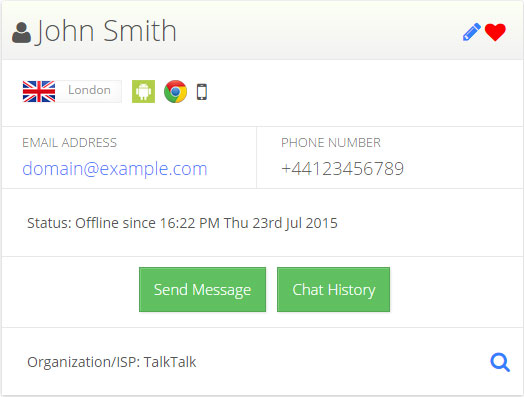
Imagine knowing the name, email, and phone number of your visitors. Once a visitor provides their identity through your website forms (registration, contact form, comment form, etc.), Hitsteps can associate that identity with the person's profile. This allows you to create a comprehensive picture of your visitor's identity. Profile visualization happens automatically, or you can manually initiate it through integration code.
Download Reports
Download Reports
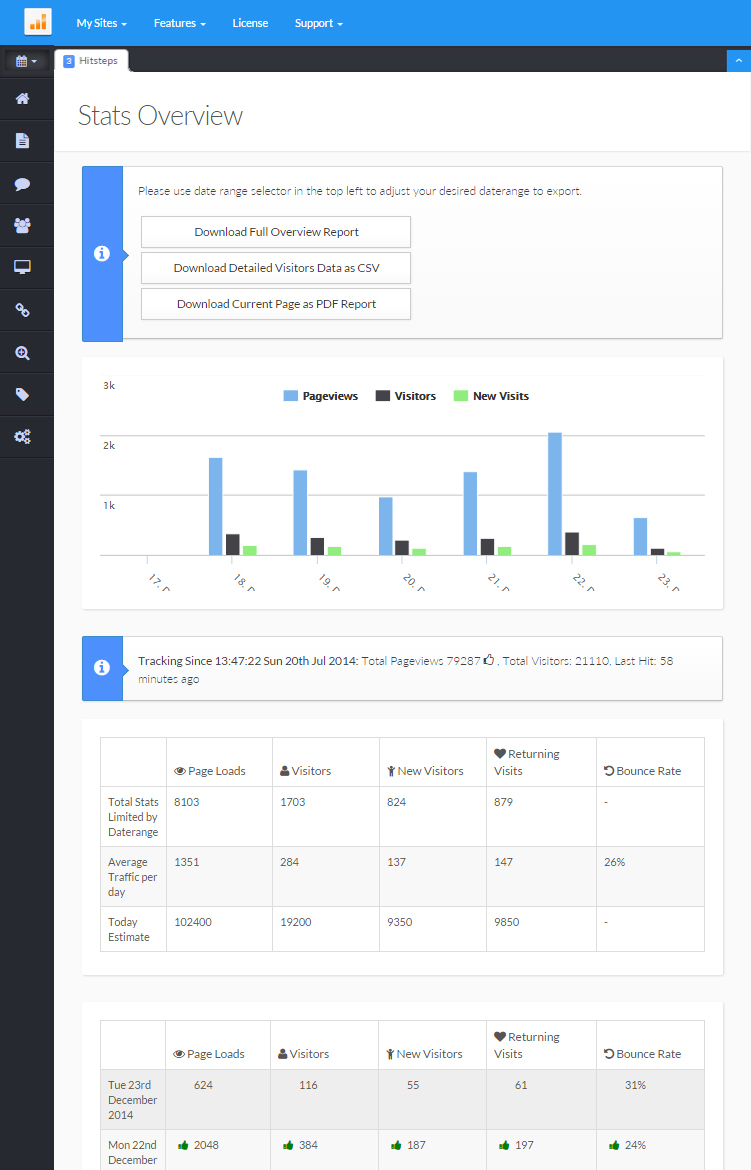
By using the Hitsteps website analytics tools you can also export a full range of reports for yourself or your clients. Any report can be set to use your pre-defined date/time settings and this means that you can have weekly, monthly or even annual reports. These are professional reports in CSV or PDF format. We guarantee that your clients will be impressed with the sheer amount of data that we provide.
In-depth Traffic Sources
If you own any kind of company, then this is a must-have as you really need to know where your traffic is coming from. Is it from social media, blogs, advertising campaigns or from straight organic SEO and organic rankings in the search engines? Guess what, no need to guess as we show this data to you.
Video Tracking
See how visitors watch the videos on your pages. We record starts, halfway views, and completions for every tracked video, and separate autoplay activity from visitor-initiated plays so you can compare real engagement across pages, videos, and traffic sources.
Smart Uptime Reporting
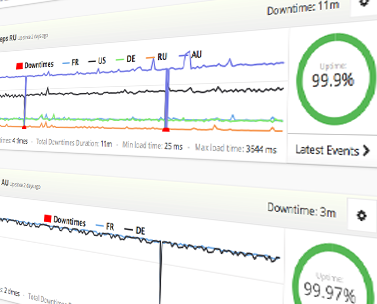
Monitor configured websites and endpoints on a schedule, review observed incidents, and notify the right people when a check fails. Check frequency, verification, alert channels, and optional recovery actions depend on the selected plan and setup.
Supported configurations can also use carefully tested Cloudflare DNS failover or SSH actions. See the feature guide for practical limits and setup guidance.
Ad Block Detection
Ad Block Detection
When browser-side signals are available, Hitsteps can estimate whether ad-blocking behavior affected a tracked visit and surface that context in reports. Because blockers can prevent analytics code from running or hide the signals used for classification, treat this report as a directional segment rather than a complete count of every ad-block user.
Battery Level Detection
When a supported browser exposes battery information, Hitsteps can add the available charge and charging state to visitor context and related reports. Many modern browsers restrict or omit this information for privacy, so an unavailable value should never be interpreted as a known battery state.
Entry/Exit Page Reporting
This is another valuable feature that we offer. For those involved in marketing, the entry or landing page is crucial. If you are spending money on online advertising, you need to know whether it is effective. A poor landing page will mean that your customers have to search your website again to find what they are looking for. The exit page can tell you that there is an issue with your website. The real-time exit page tracking feature will display every page that your visitors leave your website from.
Top Keywords
Top Keywords
This is a dynamic feature. Want to know what keywords or key phrases are driving traffic to your website? Here we show you exactly what keywords are working for you and those that are not performing as well. The real-time keyword tracking feature is ideal for those interested in making money online via affiliate sales, those performing SEO work, and webmasters in general.
Email Reporting
We included this feature for those who do not have the time to monitor their websites in real time. You can choose to have your reports emailed to a specified address daily, weekly, or monthly, or not at all. The email report includes the following: number of online visitors, number of visitors, number of hits, number of page views, search engines used, top keyphrases, top referral sites, average time a visitor spends on your website, top pages, and much more.
Live Support With Visitors
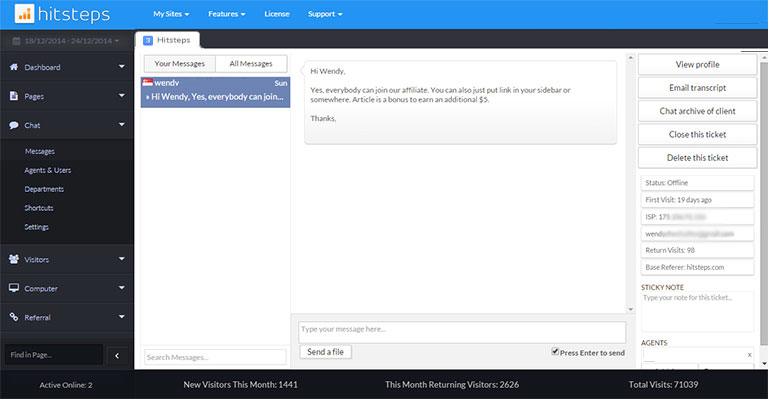
The online chat feature allows your website visitors to interact directly with you when you are signed in to your Hitsteps account. The online chat widget can be an excellent sales feature because you can answer a customer's questions in real time. Our dashboard allows you to see who is online and initiate a chat with them. While chatting, you can see a preview of their message while they are still typing, before they click the send button, and you can see which page they are viewing.
Country Tracking
Country Tracking
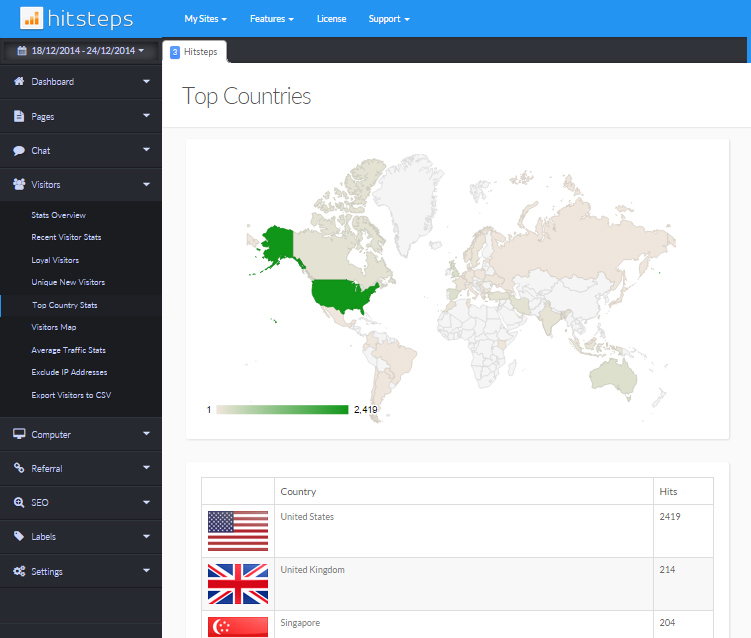
This is an important feature that is often overlooked. For example, if your website is in a specific niche selling flowers in Berlin, you wouldn't want thousands of visitors from Sydney! On the other hand, if you market your products or services globally, you need to know which countries are sending you the most and least traffic. This feature will provide you with all that information.
Go back in Time
Hitsteps offers two levels of analysis. The first level provides a simple summary of your page loads, unique visitors, returning visitors, first-time visitors, and bounce rate. The second level offers a highly detailed analysis of your latest page loads. We offer unlimited login access, so you can use the archive feature (date range selector) to view older data and compare it with past and current data.
Detailed Information
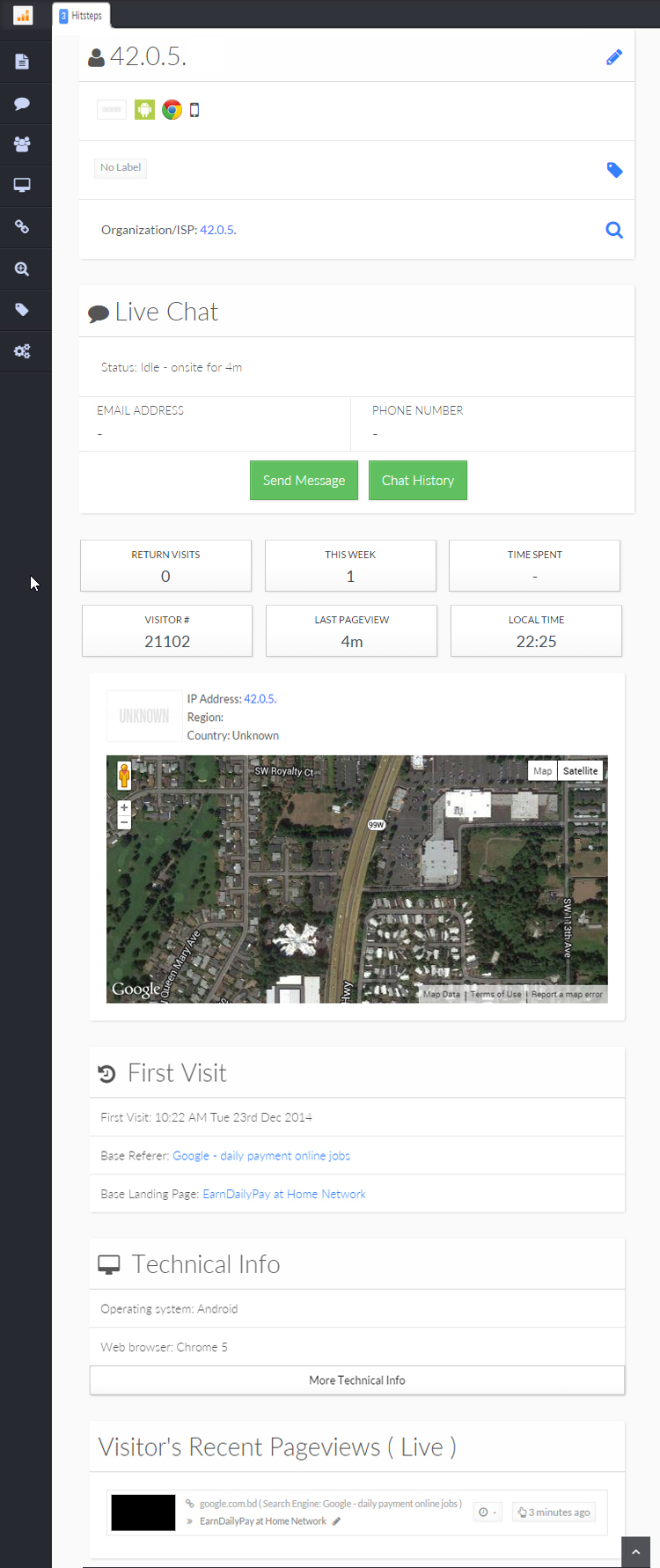
You can 'zoom in' on individual visitors and get a detailed report on where they are from, their system settings, what link referred them to your website and their navigation path through your website. You can view recent visitors and click the magnifying glass beside each to zoom in on them. Detailed reports are very powerful tools, and one of the most advanced features Hitsteps offers. It allows you to view details of everything on your stats and view visitors relating to them.
WordPress Email Integration
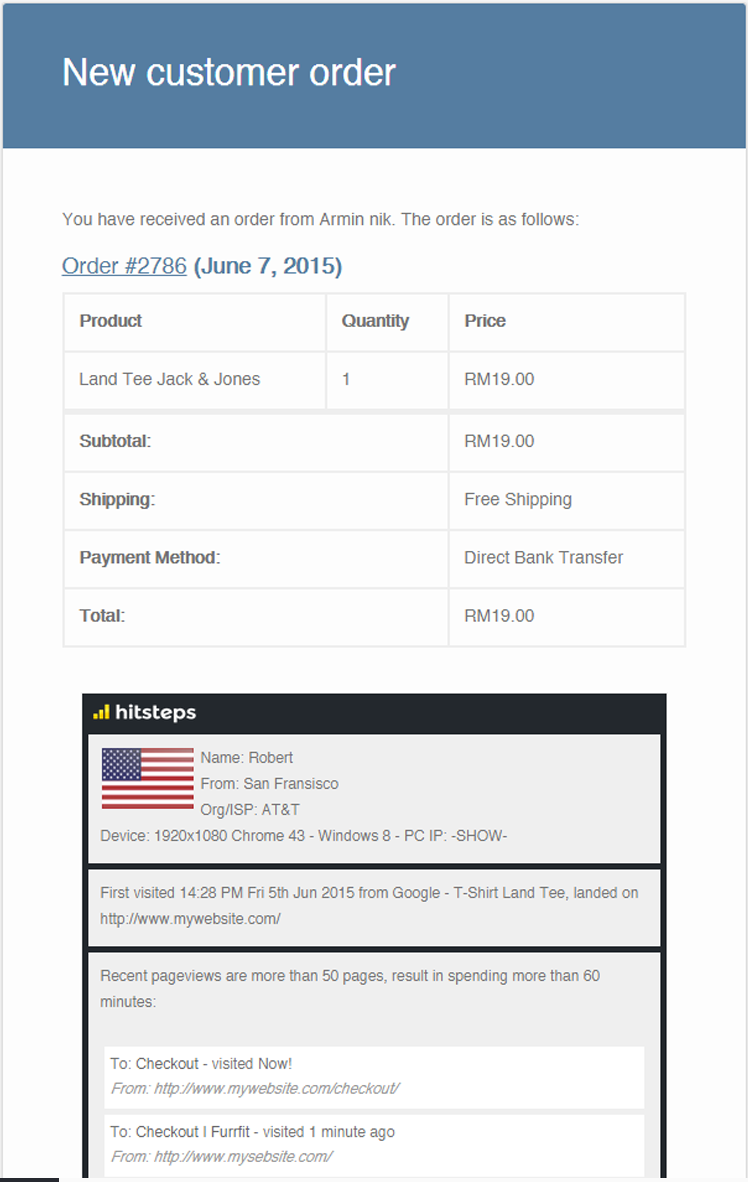
Hitsteps integrates with Contact form 7, Ninja Forms and Gravity Forms as well as WooCommerce New Order Emails in WordPress, so you will receive your customer's full details including IP Address, Location, Device and Browser Info, their First Visit date and time, first referrer and first landing page, and list of their recent pageviews in your email when they buy from you or contact you! Understanding the source of your true customers has never been easier. Assisting and answering your visitors' questions could be more accurate and helpful when you know which pages they viewed before contacting you.
Multiple Site & User Management
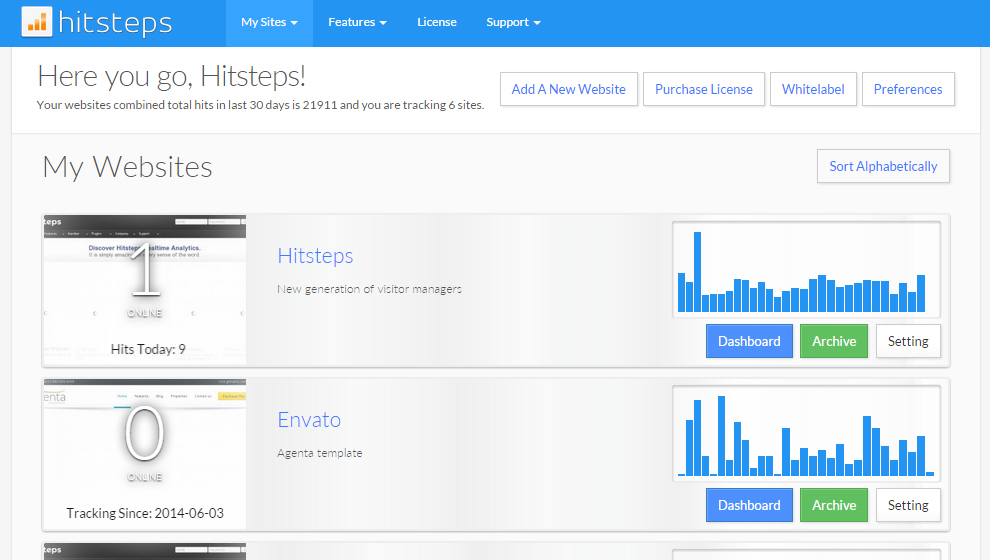
Hitsteps offers the ability to manage multiple websites from one account. You can manage the statistics for all of them from that single account: your blog, personal websites, and business websites, all in one place. Easily navigate between them using the drop-down list on the stats pages. The 'My Sites/Overview' page allows you to see all your websites at a glance once you log in to Hitsteps. The Total Graph shows you the combined statistics for all your websites at a glance. User Management allows you to provide access to your account for multiple other users.
Download & External Link Tracking
Hitsteps Tracking will automatically track your download links. Ever wonder how many clicks you are sending to sites linked from your website? Hitsteps can track all external links for you, and you can view them in the external links section.
Live Map
Live Map
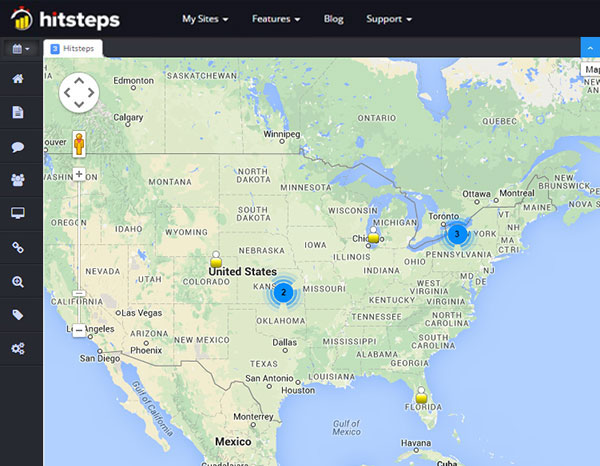
Our Live Map automatically refreshes to show your current online visitors' locations using our accurate city-wide geolocation service on a world map. You can drag and zoom.
Hitsteps Mobile App
Download the native Hitsteps app for iPhone, iPad, and Android to monitor live visitors, website activity, Segments, alerts, and support messages wherever you are.
GDPR compliance and laws
GDPR ready. We won't even store cookies without your visitors' permission. No personal information, including IP address, will be tracked. If any personal information is being tracked, the visitor will be asked via a GDPR consent popup.
If no consent is given, we will stick to sessions and database tracking and will not use cookies. We do not store IP addresses and anonymize them so they cannot be traced back to actual individuals.
Our data centers are located in Europe.
Ready when you are

Start watching real visitors in real time

Start for free, install the tracking code, and see live visitor data from your own site before choosing a plan.

Start your 7-day trial